
 HatsuyukiiSakura FolkEst xiaolu1314 snow_724 SogeFan101 Kkkyu_m Floro111 WittyCheetah553 nian_nian0417 night_can_be_you Dissducking RoyalCrush HNFNT Raystudd xiaoniao12345 AP_gabu Freshah_17 AHBYL SofiaB02 mobai311 qigtl Auwlye Wobblezs CrazyLittleDemon blgk123 Asherhung MIKU8012 Catharina_90 houlai05 Merely2464 Fannnovo wingwing0000 taylorissuperrg kk065 NGC6543i CptFreitag Doki_luo Hera_Kiara dakongdakong xxq1110 shefaregina J11L yeon080722 lbotal silenceandpeace lainamilla crumbmaser114514 sixhundred00 Obi_Quacc_Kenobi Iriska_Sosiska aqi517 ooshen77 Deamlno Toby_CXY sadafv Niunius01 hyj622 tavukdurumm oskdhklhdslhdsal OOOpening
Minecraft skin of silenceandpeace. Rotate the 3D model with your mouse or finger to view the skin from every angle, then download it as a PNG file and use it in Minecraft: Bedrock Edition or Java Edition for free. Rate the skin with stars to help other players find the best skins in our collection.
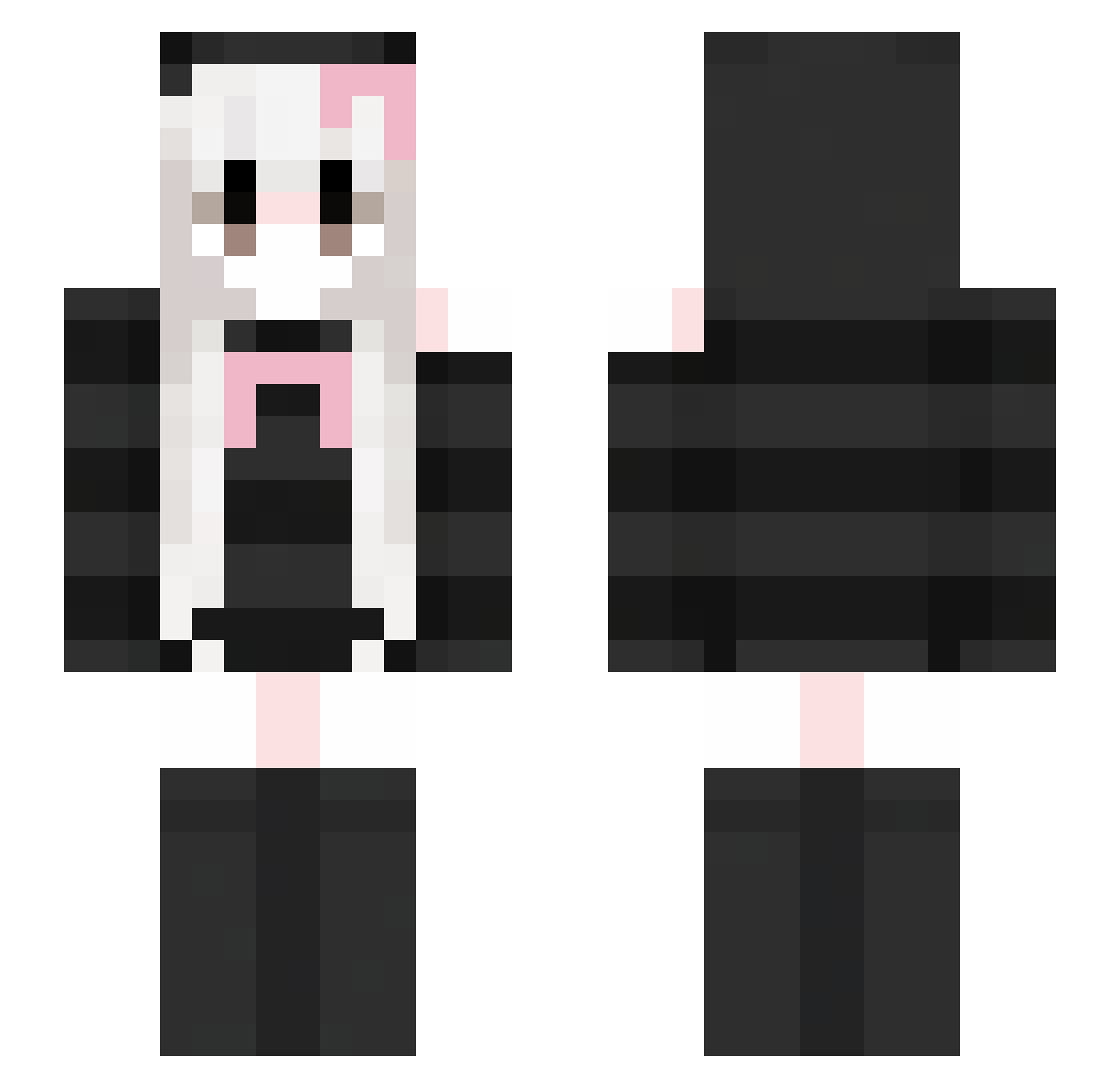
How to install the silenceandpeace skin
- Press the Download button above to save the skin as a PNG file.
- Minecraft: Bedrock Edition (PE): open the Dressing Room from the main menu (or tap your character → Edit Character), go to Classic Skins → Owned, press the + (new skin) button, choose the downloaded PNG and pick the Slim (Alex) model. Works on PC and mobile; consoles cannot import custom skins.
- Minecraft: Java Edition: open the Minecraft Launcher, go to the Skins tab, click New Skin, load the PNG, pick the Slim (Alex) model and press Save & Use. You can also upload it at minecraft.net → Profile → Change Skin.
The skin does not show up after import - what should I do?
Restart Minecraft and open the Dressing Room again - imported skins sometimes appear only after a restart. Also make sure you selected the imported skin and picked the Slim (Alex) model.
Which model should I choose, Classic or Slim?
This skin is designed for the Slim (Alex) model. If you pick the wrong model, the arms of the skin will look stretched or squeezed.
Is this skin free to use?
Yes. Press Download, save the PNG file and use it in Minecraft: Bedrock Edition or Java Edition - no payment or registration needed. The skin also works on multiplayer servers and Realms.
More Face Mask Minecraft skins
More skins
Looking for more? Go back to all Minecraft skins and check the top skins of the week, month and all time, or find any player's skin by nickname.