
utul - Minecraft Skins & Skin History
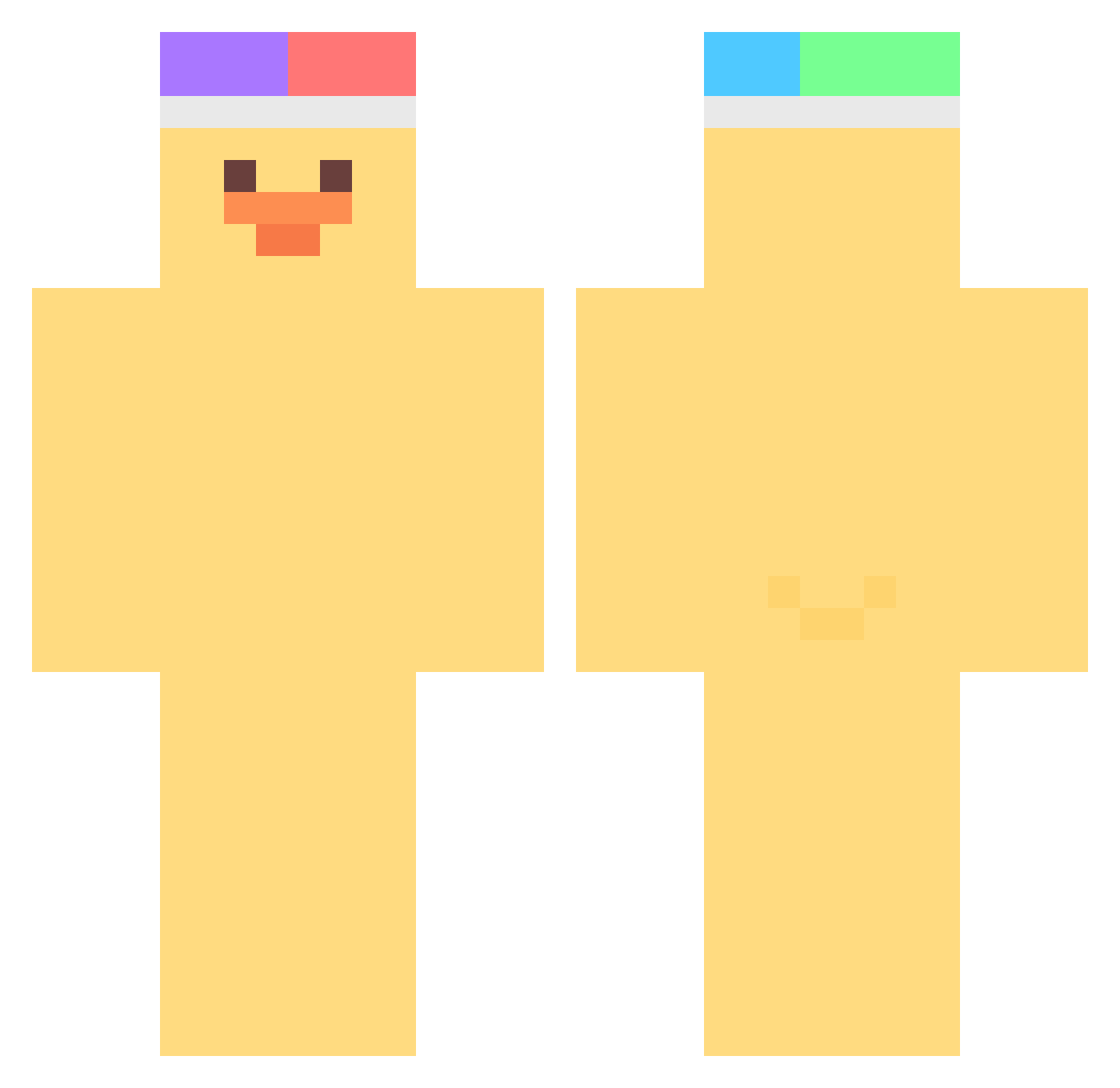
Current Minecraft skin of the player utul, loaded from the official Mojang API. Rotate the 3D model with your mouse or finger, then download the skin as a PNG file and use it in Minecraft: Bedrock Edition or Java Edition for free. When utul changes their skin, this page updates automatically and the old skin stays in the history below.
Other players with this skin (376)
utul was the 27th player we have seen with this skin, first spotted on 29.07.2026. The same skin was seen on these players. Open a nickname to see their current skin and skin history.
 zast3 Happy_Quack 2GENAYA bijou9 cutemorang Vix2k _mxim whatcanisay__ Vinchy_ __HogRida__ O_Azzi sollei0 NoVisaForDay _0b mistrzklockowv2 youngni00 Ekdhrl idharang _yaosheng_ sjcassadyy nmnnnm_ Yamada773 _gyeong BoxPaper _yiyang_ th7roadtoglory Uhi_v AGNT_Jack dhgustjd5 daydt7777 Mongoper muzzia Firstly_ SONDONGMIN Badgeez Brunoxiis1 GnaYoi KingofSalmon rimnim Niiime nickname10 KoKoPuffsai Toby_178 aisats4n blueruby0234 inside_min lolkrapples 7mbb WoO0Oo0 GPdnjsdla lemon069 TownsendLive 0Jicheol sr1iracha ma_ratang PlzNoDont Li_A_ Hyun__0 duwjd chickencan__
More Duck Minecraft skins
How to install the utul skin
- Press the Download button above to save the skin as a PNG file.
- Minecraft: Bedrock Edition (PE): open the Dressing Room from the main menu (or tap your character → Edit Character), go to Classic Skins → Owned, press the + (new skin) button, choose the downloaded PNG and pick the Classic (Steve) model. Works on PC and mobile; consoles cannot import custom skins.
- Minecraft: Java Edition: open the Minecraft Launcher, go to the Skins tab, click New Skin, load the PNG, pick the Classic (Steve) model and press Save & Use. You can also upload it at minecraft.net → Profile → Change Skin.
The skin does not show up after import - what should I do?
Restart Minecraft and open the Dressing Room again - imported skins sometimes appear only after a restart. Also make sure you selected the imported skin and picked the Classic (Steve) model.
Which model should I choose, Classic or Slim?
This skin is designed for the Classic (Steve) model. If you pick the wrong model, the arms of the skin will look stretched or squeezed.
Is the skin of utul free to download?
Yes. Press Download, save the PNG file and use it in Minecraft: Bedrock Edition or Java Edition - no payment or registration needed. The skin also works on multiplayer servers and Realms.
More skins
Looking for more? Go back to all Minecraft skins and check the top skins of the week, month and all time, or find any player's skin by nickname.