
unnotable_ - Minecraft Skins & Skin History
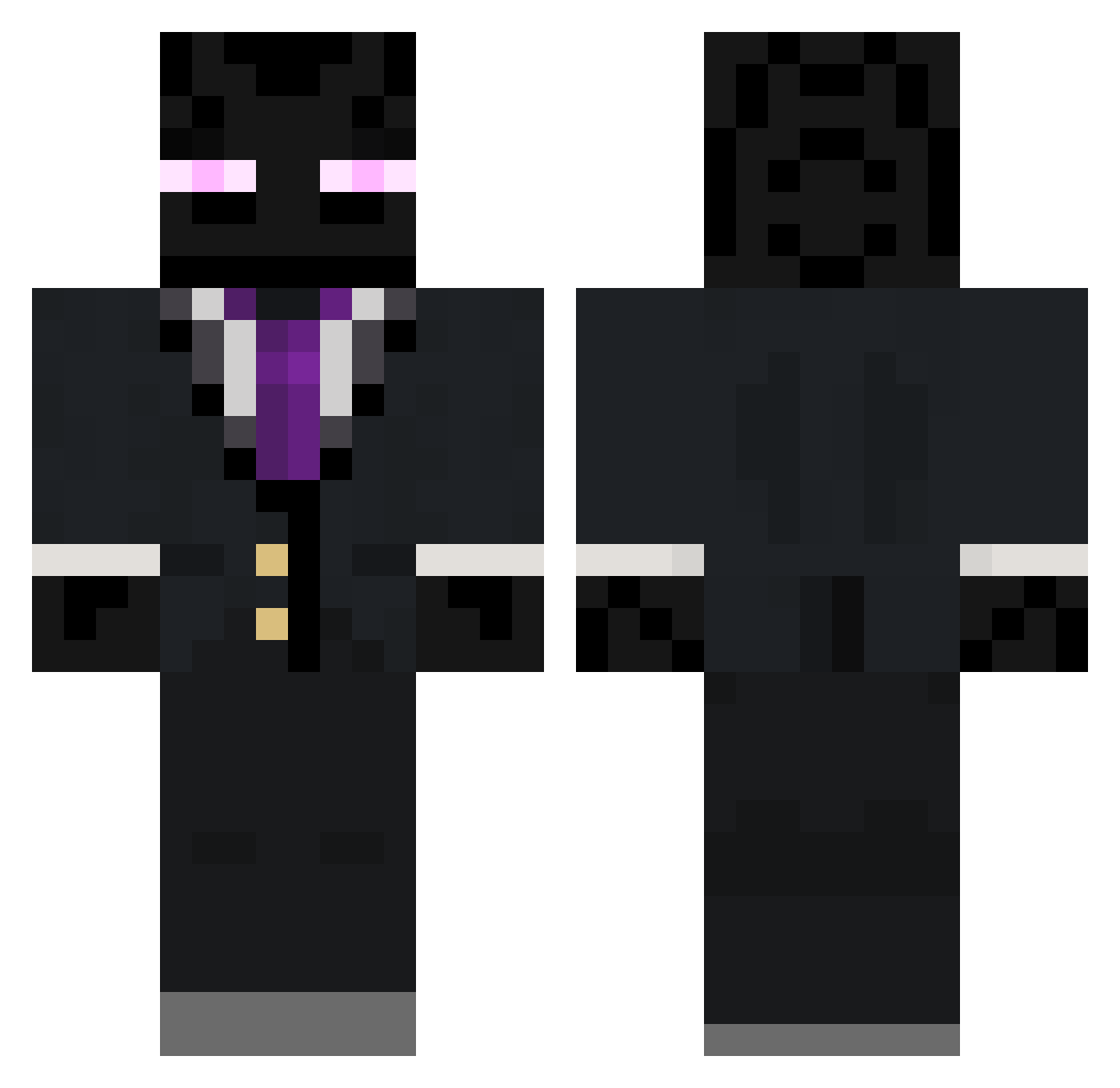
Current Minecraft skin of the player unnotable_, loaded from the official Mojang API. Rotate the 3D model with your mouse or finger, then download the skin as a PNG file and use it in Minecraft: Bedrock Edition or Java Edition for free. When unnotable_ changes their skin, this page updates automatically and the old skin stays in the history below.
Other players with this skin (263)
unnotable_ was the 163rd player we have seen with this skin, first spotted on 04.10.2026. The same skin was seen on these players. Open a nickname to see their current skin and skin history.
 rupert_man RITCHLITTY A_KU_MU Nathan4200 Gryn42 discojarl123 ZBroadcast_02 SearCrescent721 Premium_Rebel Gierogipud jungbrah Buttsaggington1 e77_ FrostyExos S0m3W31rd0 UrNextCatfisk NicochIX its__JJ Kyle231106 gothgirlenjoyerr BE4SThimself logomegafoe Masakuda NullifiedSquid ProudSeeker848 TorNadicWolf LordGoon69 Chimkin_catsu Hatty41 Fethiccc Phobos_1999 revydsc Marciroll Beefz saus2 enderboy10 realistixz GhostlyGuardians Oz340 XIAO_MOXIAN_03 Minecrafter2012_ Hir3x_ SakeJimons mxrcial deserted_minds Smicheth ojsn Skitskalle Moiguel TecSupport4U Banjo_24 Poltambel McKrunker PurpleZucchinii owenpmagee Enderparty14 RpG_x_TroLLeR MarsiKot zombeslayas Dyce081
More Enderman Minecraft skins
How to install the unnotable_ skin
- Press the Download button above to save the skin as a PNG file.
- Minecraft: Bedrock Edition (PE): open the Dressing Room from the main menu (or tap your character → Edit Character), go to Classic Skins → Owned, press the + (new skin) button, choose the downloaded PNG and pick the Classic (Steve) model. Works on PC and mobile; consoles cannot import custom skins.
- Minecraft: Java Edition: open the Minecraft Launcher, go to the Skins tab, click New Skin, load the PNG, pick the Classic (Steve) model and press Save & Use. You can also upload it at minecraft.net → Profile → Change Skin.
The skin does not show up after import - what should I do?
Restart Minecraft and open the Dressing Room again - imported skins sometimes appear only after a restart. Also make sure you selected the imported skin and picked the Classic (Steve) model.
Which model should I choose, Classic or Slim?
This skin is designed for the Classic (Steve) model. If you pick the wrong model, the arms of the skin will look stretched or squeezed.
Is the skin of unnotable_ free to download?
Yes. Press Download, save the PNG file and use it in Minecraft: Bedrock Edition or Java Edition - no payment or registration needed. The skin also works on multiplayer servers and Realms.
More skins
Looking for more? Go back to all Minecraft skins and check the top skins of the week, month and all time, or find any player's skin by nickname.