
ublade123 - Minecraft Skins & Skin History
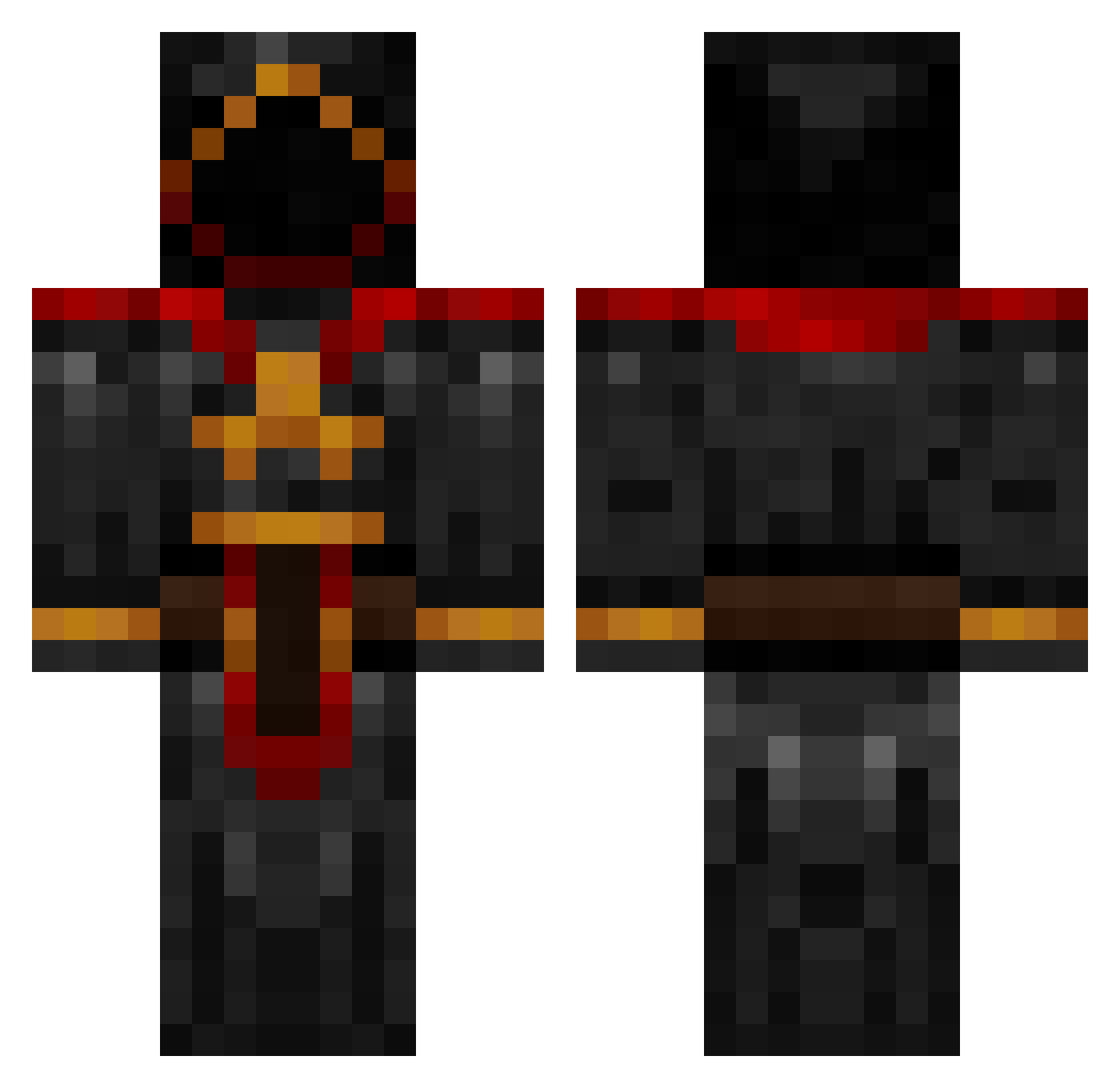
Current Minecraft skin of the player ublade123, loaded from the official Mojang API. Rotate the 3D model with your mouse or finger, then download the skin as a PNG file and use it in Minecraft: Bedrock Edition or Java Edition for free. When ublade123 changes their skin, this page updates automatically and the old skin stays in the history below.
Other players with this skin (885)
ublade123 was the 419th player we have seen with this skin, first spotted on 16.09.2026. The same skin was seen on these players. Open a nickname to see their current skin and skin history.
 Slurpance ArchSageTDM Fat_Terp SilvrBck87 E1701 Chinges JAYCEE444 persh_q Eis_ Zahaa Ernie_Smalls rasenfx sendrakama purplebeanie76 Ceredin Satan6665 ClearLights Drazahr maxcoin Aerolythe YTSoltar BoltyMC Skalsar taymour lolilo1 Niko0127 Chronoch KainVsAbel BigDaddyPaddy CurcuruJR dst14200 peanuthead3000 jacoblaxy BloodBoss xviitrap Casings LazerLeon Trex_Gaming MoinMoin2 Cyber_Blades Kyuubeyz LordIG915 oldskool0876 AscheGesicht mawawoo whitenight487 Nehano Scoth08 EmilJEX flechette50 DanielJWebb DSparilDE N33G sammydwarf Mohep m3br00t anakesmortem rynoshreder EliteGully bombs2012
More Cultist Minecraft skins
How to install the ublade123 skin
- Press the Download button above to save the skin as a PNG file.
- Minecraft: Bedrock Edition (PE): open the Dressing Room from the main menu (or tap your character → Edit Character), go to Classic Skins → Owned, press the + (new skin) button, choose the downloaded PNG and pick the Classic (Steve) model. Works on PC and mobile; consoles cannot import custom skins.
- Minecraft: Java Edition: open the Minecraft Launcher, go to the Skins tab, click New Skin, load the PNG, pick the Classic (Steve) model and press Save & Use. You can also upload it at minecraft.net → Profile → Change Skin.
The skin does not show up after import - what should I do?
Restart Minecraft and open the Dressing Room again - imported skins sometimes appear only after a restart. Also make sure you selected the imported skin and picked the Classic (Steve) model.
Which model should I choose, Classic or Slim?
This skin is designed for the Classic (Steve) model. If you pick the wrong model, the arms of the skin will look stretched or squeezed.
Is the skin of ublade123 free to download?
Yes. Press Download, save the PNG file and use it in Minecraft: Bedrock Edition or Java Edition - no payment or registration needed. The skin also works on multiplayer servers and Realms.
More skins
Looking for more? Go back to all Minecraft skins and check the top skins of the week, month and all time, or find any player's skin by nickname.