
superjer2000 - Minecraft Skins & Skin History
Current Minecraft skin of the player superjer2000, loaded from the official Mojang API. Rotate the 3D model with your mouse or finger, then download the skin as a PNG file and use it in Minecraft: Bedrock Edition or Java Edition for free. When superjer2000 changes their skin, this page updates automatically and the old skin stays in the history below.
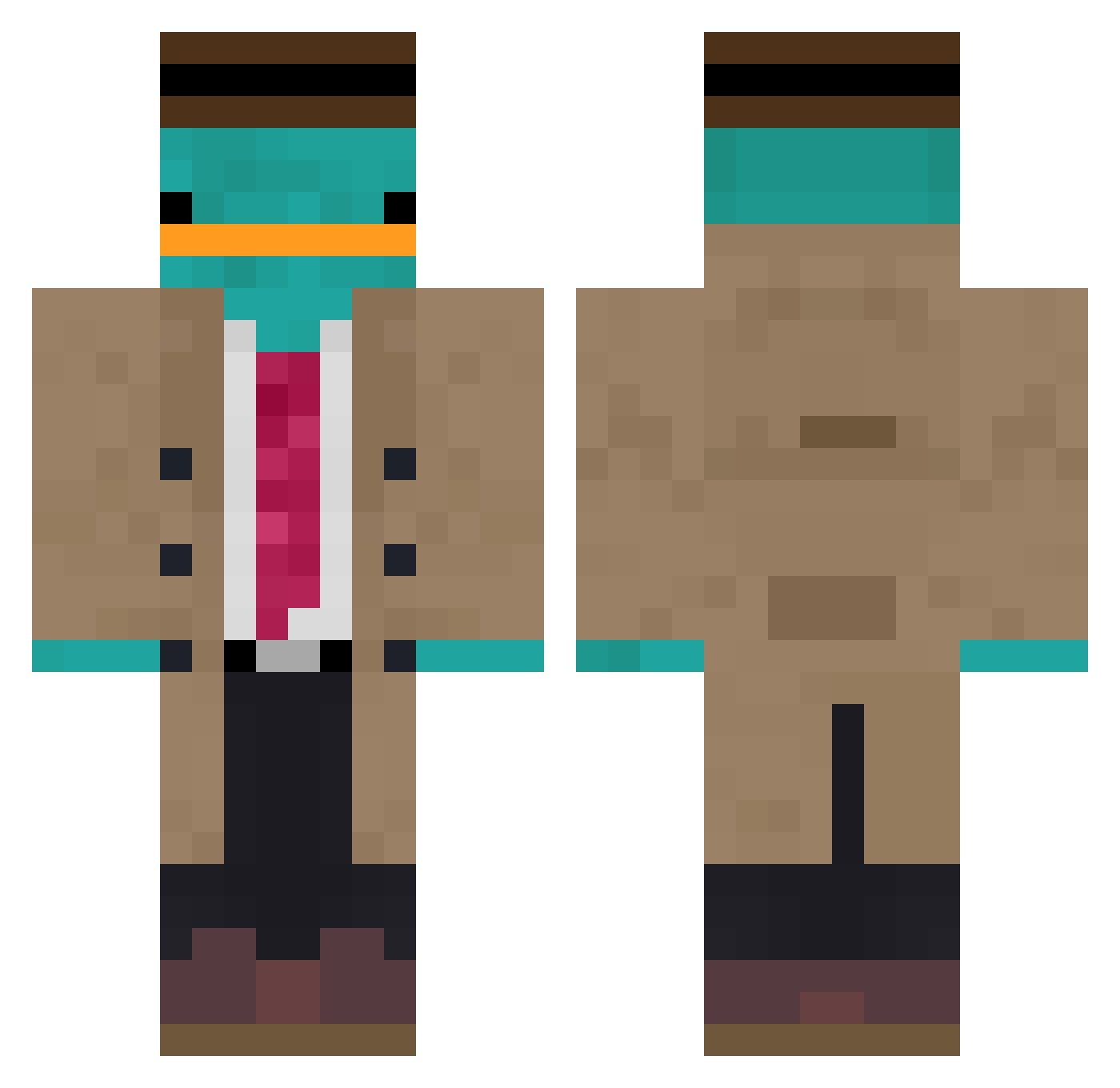
Other players with this skin (891)
superjer2000 was the 593rd player we have seen with this skin, first spotted on 28.09.2026. The same skin was seen on these players. Open a nickname to see their current skin and skin history.
 maxTheK1NG R3W1ND_ Zay1205 KecApr Ezegamer789 Freskim7 xxikuromii1 ZiPraii LEMAMEBO Byrnmit FeuerZungeHD Crabby0818 FleischEnde4679 Bi0nicBubba sage171 BenSuarez FluffyXD___ Nick_2233 Jipayy Dertui779 Ch1ll_Guy_ Mcpew21 xehe chifrijo_suelto Sorkijan TheCountyy IDS_NAVY ComradeJackson Shaironyy Net_hero Manysphinx Emacid MinceMite Auxence09 Volic_Twilight pablaknik Nackth expiredwater70 crix2556 UpsetPlatypus Dragonuszero seblezwiki unstopabule3 BrayanI PlasmaAki Nori_PL daanos02 masik991KA Matteo_eclipse PooMonster123 xd_Prime116 Sxrims2636 K4ntiKZ ansanace Vinegar_Bottle nesteqq MrJoePerry alexjello pistachebb Youqvb
More Platypus Minecraft skins
How to install the superjer2000 skin
- Press the Download button above to save the skin as a PNG file.
- Minecraft: Bedrock Edition (PE): open the Dressing Room from the main menu (or tap your character → Edit Character), go to Classic Skins → Owned, press the + (new skin) button, choose the downloaded PNG and pick the Classic (Steve) model. Works on PC and mobile; consoles cannot import custom skins.
- Minecraft: Java Edition: open the Minecraft Launcher, go to the Skins tab, click New Skin, load the PNG, pick the Classic (Steve) model and press Save & Use. You can also upload it at minecraft.net → Profile → Change Skin.
The skin does not show up after import - what should I do?
Restart Minecraft and open the Dressing Room again - imported skins sometimes appear only after a restart. Also make sure you selected the imported skin and picked the Classic (Steve) model.
Which model should I choose, Classic or Slim?
This skin is designed for the Classic (Steve) model. If you pick the wrong model, the arms of the skin will look stretched or squeezed.
Is the skin of superjer2000 free to download?
Yes. Press Download, save the PNG file and use it in Minecraft: Bedrock Edition or Java Edition - no payment or registration needed. The skin also works on multiplayer servers and Realms.
More skins
Looking for more? Go back to all Minecraft skins and check the top skins of the week, month and all time, or find any player's skin by nickname.