
speedlight624 - Minecraft Skins & Skin History
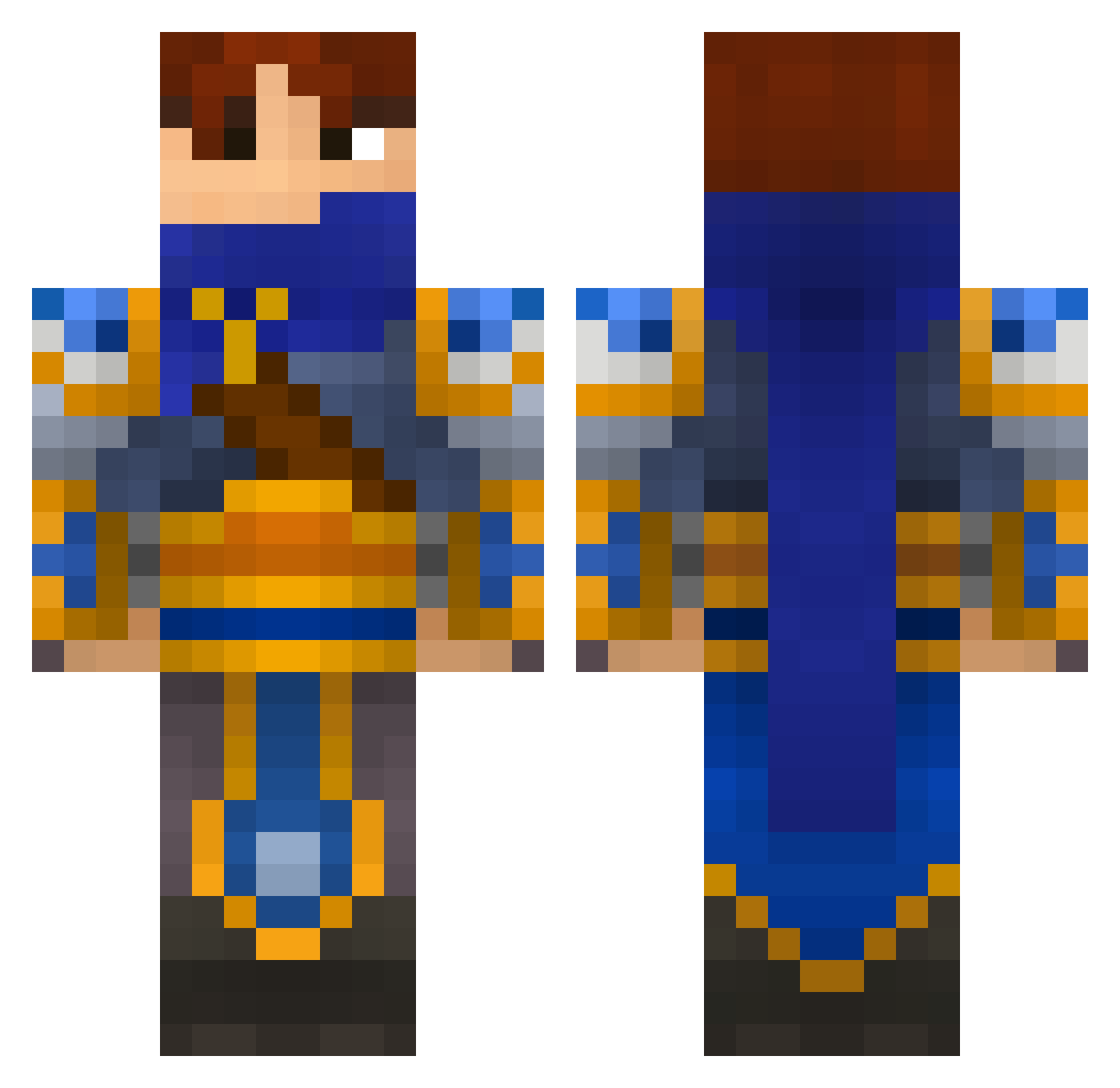
Current Minecraft skin of the player speedlight624, loaded from the official Mojang API. Rotate the 3D model with your mouse or finger, then download the skin as a PNG file and use it in Minecraft: Bedrock Edition or Java Edition for free. When speedlight624 changes their skin, this page updates automatically and the old skin stays in the history below.
Other players with this skin (696)
speedlight624 was the 259th player we have seen with this skin, first spotted on 11.09.2026. The same skin was seen on these players. Open a nickname to see their current skin and skin history.
 perlew ayatuki caleb_ahern sam_the_cat Zonder06 rekhesausebek Malfans DaddySoc RiZnRazor Lord_Hawk GhostSixx MrP4DDY Silenciium redwraiths JaardMobile iRoNxG1aCiuZ Jitx31 ravnested1 IaMLetiTgo Noice diblu Phil_denfer McZachoowsky lankykidd joschXXL ThomasL0 bigggbosss KolTrain lethalone23 PetitPingouin Chaosh Diagee McFatN0b Jerlango oyugjc Dragnarock Sir_coco k27463 Polarstern LuckyTiger7 Ankoun mushroomdo TraubeNuss ranma19 nighthawk213 OneWayInNoWayOut WebberplaysmcMC Awlx Robotronx15 bena868 jj5161 Tinarm Merkur9 triump DaedricAlduin koji104 kekkomortal spreef Tyh05 semak
More Warrior Minecraft skins
How to install the speedlight624 skin
- Press the Download button above to save the skin as a PNG file.
- Minecraft: Bedrock Edition (PE): open the Dressing Room from the main menu (or tap your character → Edit Character), go to Classic Skins → Owned, press the + (new skin) button, choose the downloaded PNG and pick the Classic (Steve) model. Works on PC and mobile; consoles cannot import custom skins.
- Minecraft: Java Edition: open the Minecraft Launcher, go to the Skins tab, click New Skin, load the PNG, pick the Classic (Steve) model and press Save & Use. You can also upload it at minecraft.net → Profile → Change Skin.
The skin does not show up after import - what should I do?
Restart Minecraft and open the Dressing Room again - imported skins sometimes appear only after a restart. Also make sure you selected the imported skin and picked the Classic (Steve) model.
Which model should I choose, Classic or Slim?
This skin is designed for the Classic (Steve) model. If you pick the wrong model, the arms of the skin will look stretched or squeezed.
Is the skin of speedlight624 free to download?
Yes. Press Download, save the PNG file and use it in Minecraft: Bedrock Edition or Java Edition - no payment or registration needed. The skin also works on multiplayer servers and Realms.
More skins
Looking for more? Go back to all Minecraft skins and check the top skins of the week, month and all time, or find any player's skin by nickname.