
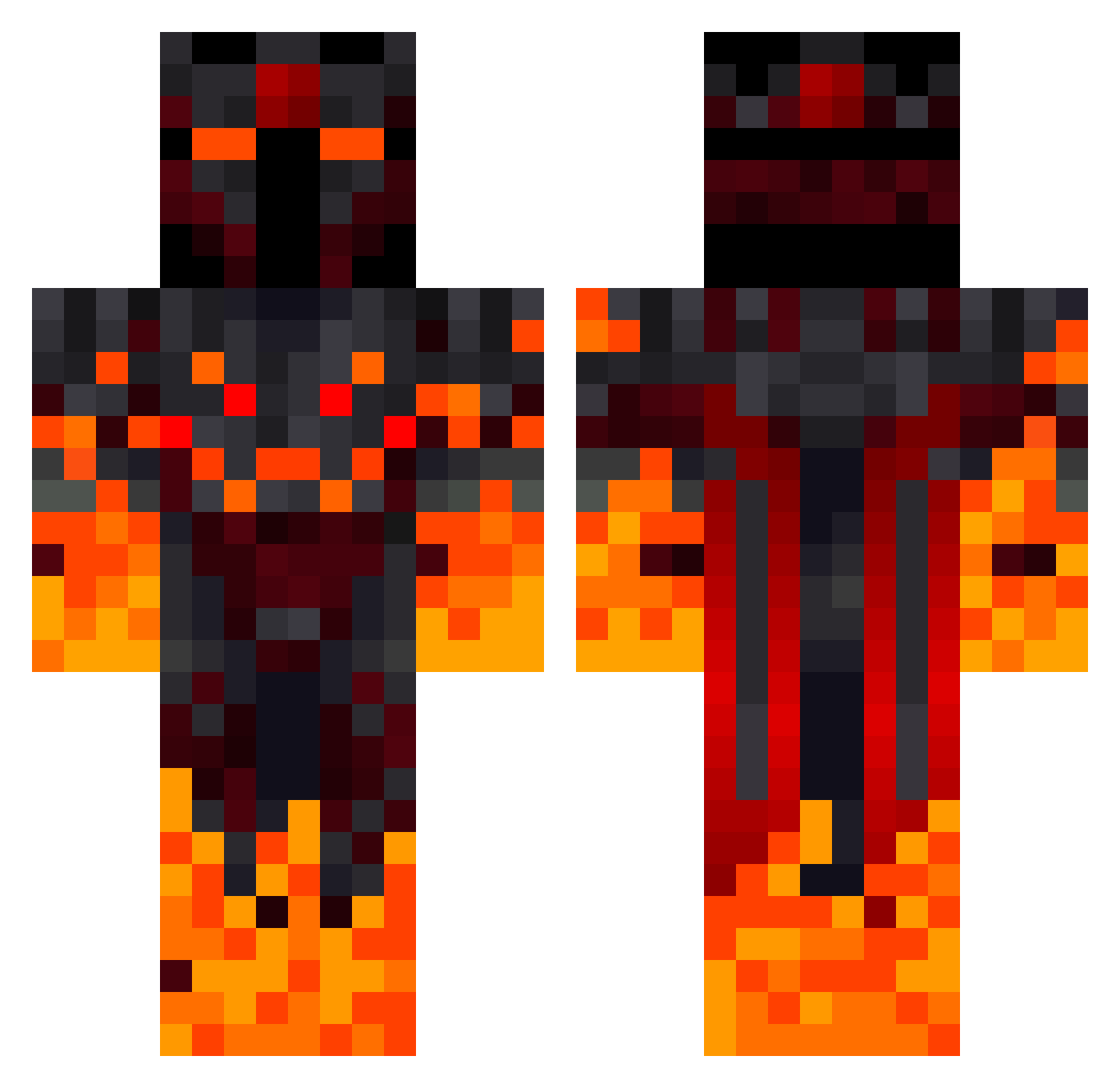
Current Minecraft skin of the player sonTac_, loaded from the official Mojang API. Rotate the 3D model with your mouse or finger, then download the skin as a PNG file and use it in Minecraft: Bedrock Edition or Java Edition for free. When sonTac_ changes their skin, this page updates automatically and the old skin stays in the history below.
Other players with this skin (308)
sonTac_ was the 108th player we have seen with this skin, first spotted on 21.08.2026. The same skin was seen on these players. Open a nickname to see their current skin and skin history.
 FJ112 wyattlannya Bullit1304 Acredison massey_65x_4x2 ALPHAA_02 panetone007 afdaag Zolda1 NightCrusher2 moonmoondoge Flame_Insidious FireDragon_98 UnafraidFlea191 SignorVeneto BENABBASLAN zawisza2014 kaiser1952 SaruElAbu CaganDD MrWolf1510 Kalmidor32 DisgustedAsh76 shiki7509 PaperyDragon259 _Hunter10 LeleGaming2010
 Tokithe0107 Edykil BIU007 Dutchkiller04 Hoppl123 JanAchterhans ARTITHZ DonLeone09 Anonimo005 Zajdys cave00 Ethernal09 Tat0u_ raff_gaste Samuchen Neogenesis115 AggressiveLead Nitin_XD nomysz6593 DarthLeao Rockett3 o4rthur MigTG xXNanukXx Stig_Johny jojojef 0815_Tim ArmyOfGiants Tankos7099 StarKill_Best_WW GroWteeR OCruz777 amvulkan
More Fire Demon Minecraft skins
How to install the sonTac_ skin
- Press the Download button above to save the skin as a PNG file.
- Minecraft: Bedrock Edition (PE): open the Dressing Room from the main menu (or tap your character → Edit Character), go to Classic Skins → Owned, press the + (new skin) button, choose the downloaded PNG and pick the Classic (Steve) model. Works on PC and mobile; consoles cannot import custom skins.
- Minecraft: Java Edition: open the Minecraft Launcher, go to the Skins tab, click New Skin, load the PNG, pick the Classic (Steve) model and press Save & Use. You can also upload it at minecraft.net → Profile → Change Skin.
The skin does not show up after import - what should I do?
Restart Minecraft and open the Dressing Room again - imported skins sometimes appear only after a restart. Also make sure you selected the imported skin and picked the Classic (Steve) model.
Which model should I choose, Classic or Slim?
This skin is designed for the Classic (Steve) model. If you pick the wrong model, the arms of the skin will look stretched or squeezed.
Is the skin of sonTac_ free to download?
Yes. Press Download, save the PNG file and use it in Minecraft: Bedrock Edition or Java Edition - no payment or registration needed. The skin also works on multiplayer servers and Realms.
More skins
Looking for more? Go back to all Minecraft skins and check the top skins of the week, month and all time, or find any player's skin by nickname.