
snowfrog0221 - Minecraft Skins & Skin History
Current Minecraft skin of the player snowfrog0221, loaded from the official Mojang API. Rotate the 3D model with your mouse or finger, then download the skin as a PNG file and use it in Minecraft: Bedrock Edition or Java Edition for free. When snowfrog0221 changes their skin, this page updates automatically and the old skin stays in the history below.
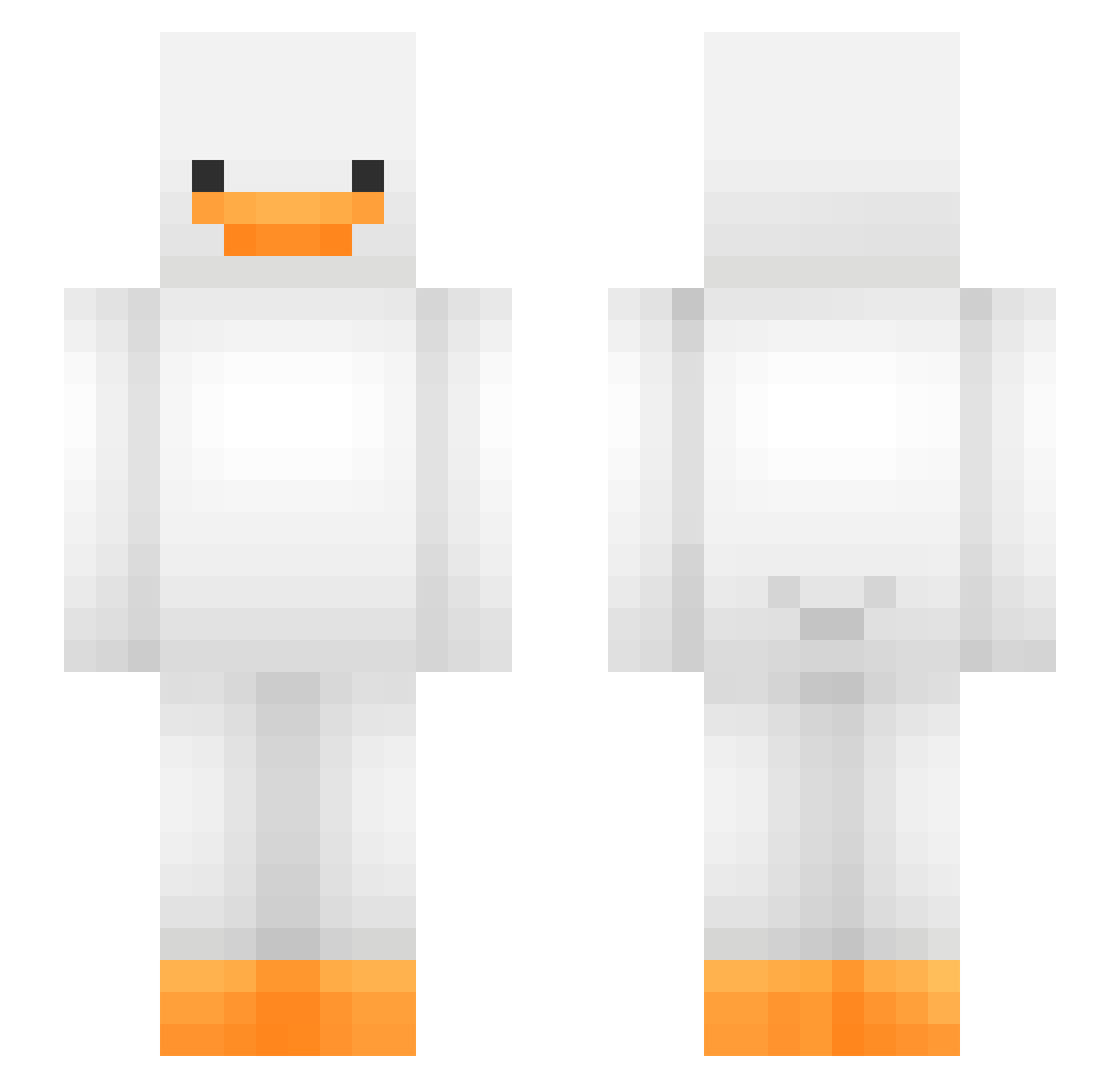
Other players with this skin (475)
snowfrog0221 was the 364th player we have seen with this skin, first spotted on 12.10.2026. The same skin was seen on these players. Open a nickname to see their current skin and skin history.
 sophdog15 MAUSANWALT58748 Vaakkku rbcauxe rammer7412 kaxgaming ImDraygon Acx3ll Tabbys_13 Kokonik3 LongwayTT Cha0ri simonsays7465 theawesomegoose ChocosodaG Kimi_2 NATA1998 SamuMcPvP cam065 lolgayxd jplk0_ DrakeNet Slimer_062 6Cheese9 yvie1811 lulug69 Bzhaow miniogee Draineed_ goosegoose19 Pintoure coleverse HAjisa 18roma auyooho TreEater420 RezendexOG Teoo__2 Boarder_Monkey69 skivinx GrimPaladin wwwmmm333 Enymph noi9 pjeuii allurenes AlpineF12023 spiderboy0804 Pindooca AllieStarr JII_IIN Kuchi745 Hindpon N1k0212 JKJACK4 Portita12 Kenneth_AG FTCcaden xDv2 kiedas
More Duck Minecraft skins
How to install the snowfrog0221 skin
- Press the Download button above to save the skin as a PNG file.
- Minecraft: Bedrock Edition (PE): open the Dressing Room from the main menu (or tap your character → Edit Character), go to Classic Skins → Owned, press the + (new skin) button, choose the downloaded PNG and pick the Slim (Alex) model. Works on PC and mobile; consoles cannot import custom skins.
- Minecraft: Java Edition: open the Minecraft Launcher, go to the Skins tab, click New Skin, load the PNG, pick the Slim (Alex) model and press Save & Use. You can also upload it at minecraft.net → Profile → Change Skin.
The skin does not show up after import - what should I do?
Restart Minecraft and open the Dressing Room again - imported skins sometimes appear only after a restart. Also make sure you selected the imported skin and picked the Slim (Alex) model.
Which model should I choose, Classic or Slim?
This skin is designed for the Slim (Alex) model. If you pick the wrong model, the arms of the skin will look stretched or squeezed.
Is the skin of snowfrog0221 free to download?
Yes. Press Download, save the PNG file and use it in Minecraft: Bedrock Edition or Java Edition - no payment or registration needed. The skin also works on multiplayer servers and Realms.
More skins
Looking for more? Go back to all Minecraft skins and check the top skins of the week, month and all time, or find any player's skin by nickname.