
snapthegoat - Minecraft Skins & Skin History
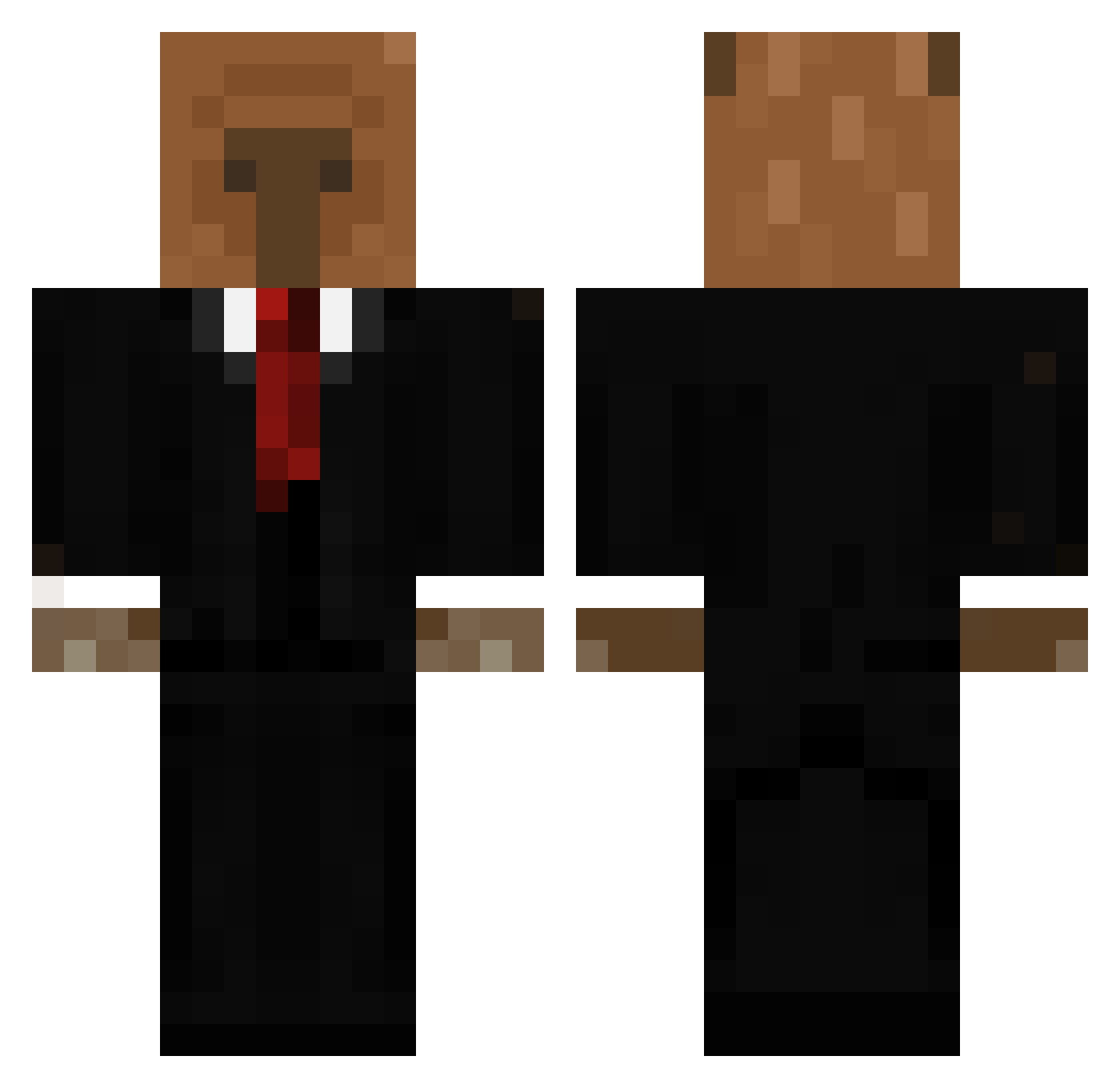
Current Minecraft skin of the player snapthegoat, loaded from the official Mojang API. Rotate the 3D model with your mouse or finger, then download the skin as a PNG file and use it in Minecraft: Bedrock Edition or Java Edition for free. When snapthegoat changes their skin, this page updates automatically and the old skin stays in the history below.
Other players with this skin (656)
snapthegoat was the 228th player we have seen with this skin, first spotted on 05.09.2026. The same skin was seen on these players. Open a nickname to see their current skin and skin history.
 kingsizedwasian KauanKanno carlonya isaac744 f4ncy__ Connorbox135 Synkaa bobi_bot pppillower Huski134 rey_insano joakopazzz larolayy CJaay101 _Nightmare_01_ WichtigerMeax crasher2306 ynzrf Cqlamity JoakoKeks mayalona
 hernanchulis Whisperfect _Kiiwii ItzAlex8 iguana34 SHIIRANUIT
 K0cck_ Luckeso KrkUBulju Doctor_Isma David734 Kfm851 adoksian Memingo_ k0fi_1 dekaraxd Brzozka437 zAngel18_ LauranVG Lobsterology caiomazepa07 KoalaKousei _Nxi xrcc REVIENTAPOLLAS ZyphyxV2 Zice_ Enfur ClevasCristo Leon2333156 poliverr AntiCube_69 ppangshik_8030 SKAPTOD297 Sofyrox Orionzovick Ramco0 ImWeary D1dakos
More Business Bear Minecraft skins
See all 11 Business Bear skins
How to install the snapthegoat skin
- Press the Download button above to save the skin as a PNG file.
- Minecraft: Bedrock Edition (PE): open the Dressing Room from the main menu (or tap your character → Edit Character), go to Classic Skins → Owned, press the + (new skin) button, choose the downloaded PNG and pick the Classic (Steve) model. Works on PC and mobile; consoles cannot import custom skins.
- Minecraft: Java Edition: open the Minecraft Launcher, go to the Skins tab, click New Skin, load the PNG, pick the Classic (Steve) model and press Save & Use. You can also upload it at minecraft.net → Profile → Change Skin.
The skin does not show up after import - what should I do?
Restart Minecraft and open the Dressing Room again - imported skins sometimes appear only after a restart. Also make sure you selected the imported skin and picked the Classic (Steve) model.
Which model should I choose, Classic or Slim?
This skin is designed for the Classic (Steve) model. If you pick the wrong model, the arms of the skin will look stretched or squeezed.
Is the skin of snapthegoat free to download?
Yes. Press Download, save the PNG file and use it in Minecraft: Bedrock Edition or Java Edition - no payment or registration needed. The skin also works on multiplayer servers and Realms.
More skins
Looking for more? Go back to all Minecraft skins and check the top skins of the week, month and all time, or find any player's skin by nickname.