
Ramco0 - Minecraft Skins & Skin History
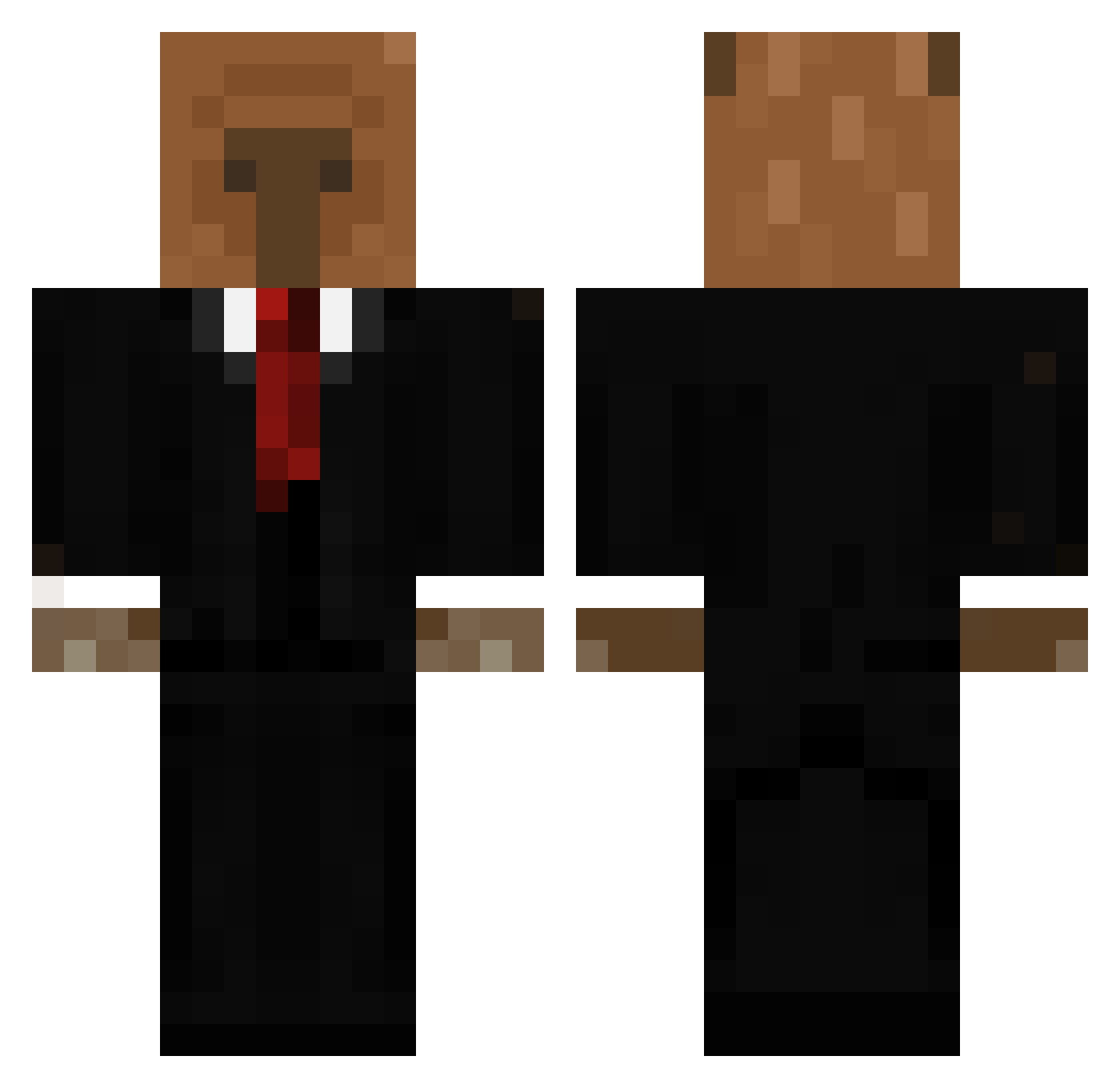
Current Minecraft skin of the player Ramco0, loaded from the official Mojang API. Rotate the 3D model with your mouse or finger, then download the skin as a PNG file and use it in Minecraft: Bedrock Edition or Java Edition for free. When Ramco0 changes their skin, this page updates automatically and the old skin stays in the history below.
Other players with this skin (656)
Ramco0 was the 198th player we have seen with this skin, first spotted on 31.08.2026. The same skin was seen on these players. Open a nickname to see their current skin and skin history.
 Orionzovick Sofyrox SKAPTOD297 D1dakos Felinpinhogames2 UNICURNZ Leon2333156 kingfloppa_2009 NikBax di3go3725 ZyphyxV2 REVIENTAPOLLAS _Nxi PanKakao111 finosee dasan9533 Ste_6 MiXu_MC AlCapypone Zimbel_Feflix KoalaKousei Lobsterology LauranVG zAngel18_ PlayboiStef_ error_bak KeinZiel vaggelis08 Brzozka437 dekaraxd wumens Eddna Kfm851 Sacizeira _AlexNet Brunardoo kawislime mino273 Luckeso Whisperfect THOMASTHEOGPLAY RainBow114514 KDARKZONE JoakoKeks Cqlamity ynzrf _Nightmare_01_ CJaay101 joakopazzz
 Pollosupremacia GalGal_123 Thesoldier44 pppillower Synkaa Connorbox135 f4ncy__ isaac744 Alis208 LOVE_GALOBKI carlonya
More Business Bear Minecraft skins
See all 11 Business Bear skins
How to install the Ramco0 skin
- Press the Download button above to save the skin as a PNG file.
- Minecraft: Bedrock Edition (PE): open the Dressing Room from the main menu (or tap your character → Edit Character), go to Classic Skins → Owned, press the + (new skin) button, choose the downloaded PNG and pick the Classic (Steve) model. Works on PC and mobile; consoles cannot import custom skins.
- Minecraft: Java Edition: open the Minecraft Launcher, go to the Skins tab, click New Skin, load the PNG, pick the Classic (Steve) model and press Save & Use. You can also upload it at minecraft.net → Profile → Change Skin.
The skin does not show up after import - what should I do?
Restart Minecraft and open the Dressing Room again - imported skins sometimes appear only after a restart. Also make sure you selected the imported skin and picked the Classic (Steve) model.
Which model should I choose, Classic or Slim?
This skin is designed for the Classic (Steve) model. If you pick the wrong model, the arms of the skin will look stretched or squeezed.
Is the skin of Ramco0 free to download?
Yes. Press Download, save the PNG file and use it in Minecraft: Bedrock Edition or Java Edition - no payment or registration needed. The skin also works on multiplayer servers and Realms.
More skins
Looking for more? Go back to all Minecraft skins and check the top skins of the week, month and all time, or find any player's skin by nickname.