
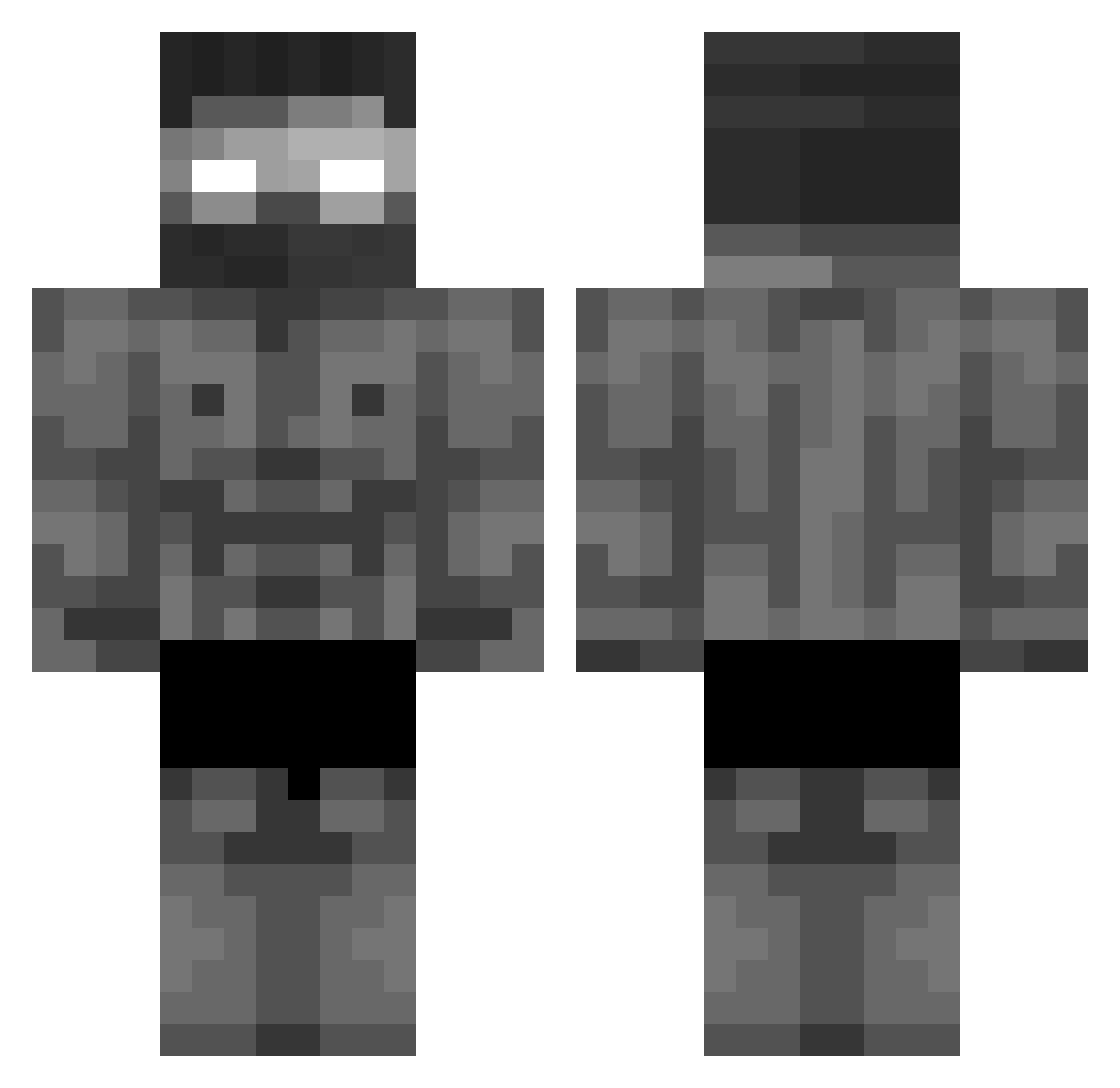
Current Minecraft skin of the player skibidisigmabals, loaded from the official Mojang API. Rotate the 3D model with your mouse or finger, then download the skin as a PNG file and use it in Minecraft: Bedrock Edition or Java Edition for free. When skibidisigmabals changes their skin, this page updates automatically and the old skin stays in the history below.
Other players with this skin (375)
skibidisigmabals was the 341st player we have seen with this skin, first spotted on 09.10.2026. The same skin was seen on these players. Open a nickname to see their current skin and skin history.
 Alk3tbi Matt_2_0_ Z3RO_Niki RdXD017 HeyBriad Kemizu Ayopro_360 koloblok ShrekNeverDie Arttubooi KwameVasconcelos _DunkZz_ lefast32 Valgoman Matezin01 Musdu CHRISTI_2008 BitBald sakred322 NWGENarutin Slimeatron69 glue_eater2 deoxid2002 BecauseICan21 Shark_Man1121 Fakalmiggaballs Fraser_White MidDayz MartinElPolaco smyl545 Jake3425 Jeca_Gay Sorin2236 CAMABINGA586 osko2322 Pixeljooo Jinnelov Jamal_381 Ivy_501 Leolzta Seagah prechti_28 cindrace KRZESKI_STIGMA ZEXuS773344 AsAnnn Drip1979 Avilat3s ShinyFlakess huandalepringl Kizameg LurkinCurrently Darknith_Victeur Mestre_PW mustafaysr2121 bogdenof SIlveirawzz Youtube_gabzezfr AstroFN1 GabUrban
More Buff Minecraft skins
How to install the skibidisigmabals skin
- Press the Download button above to save the skin as a PNG file.
- Minecraft: Bedrock Edition (PE): open the Dressing Room from the main menu (or tap your character → Edit Character), go to Classic Skins → Owned, press the + (new skin) button, choose the downloaded PNG and pick the Classic (Steve) model. Works on PC and mobile; consoles cannot import custom skins.
- Minecraft: Java Edition: open the Minecraft Launcher, go to the Skins tab, click New Skin, load the PNG, pick the Classic (Steve) model and press Save & Use. You can also upload it at minecraft.net → Profile → Change Skin.
The skin does not show up after import - what should I do?
Restart Minecraft and open the Dressing Room again - imported skins sometimes appear only after a restart. Also make sure you selected the imported skin and picked the Classic (Steve) model.
Which model should I choose, Classic or Slim?
This skin is designed for the Classic (Steve) model. If you pick the wrong model, the arms of the skin will look stretched or squeezed.
Is the skin of skibidisigmabals free to download?
Yes. Press Download, save the PNG file and use it in Minecraft: Bedrock Edition or Java Edition - no payment or registration needed. The skin also works on multiplayer servers and Realms.
More skins
Looking for more? Go back to all Minecraft skins and check the top skins of the week, month and all time, or find any player's skin by nickname.