
skibbzy - Minecraft Skins & Skin History
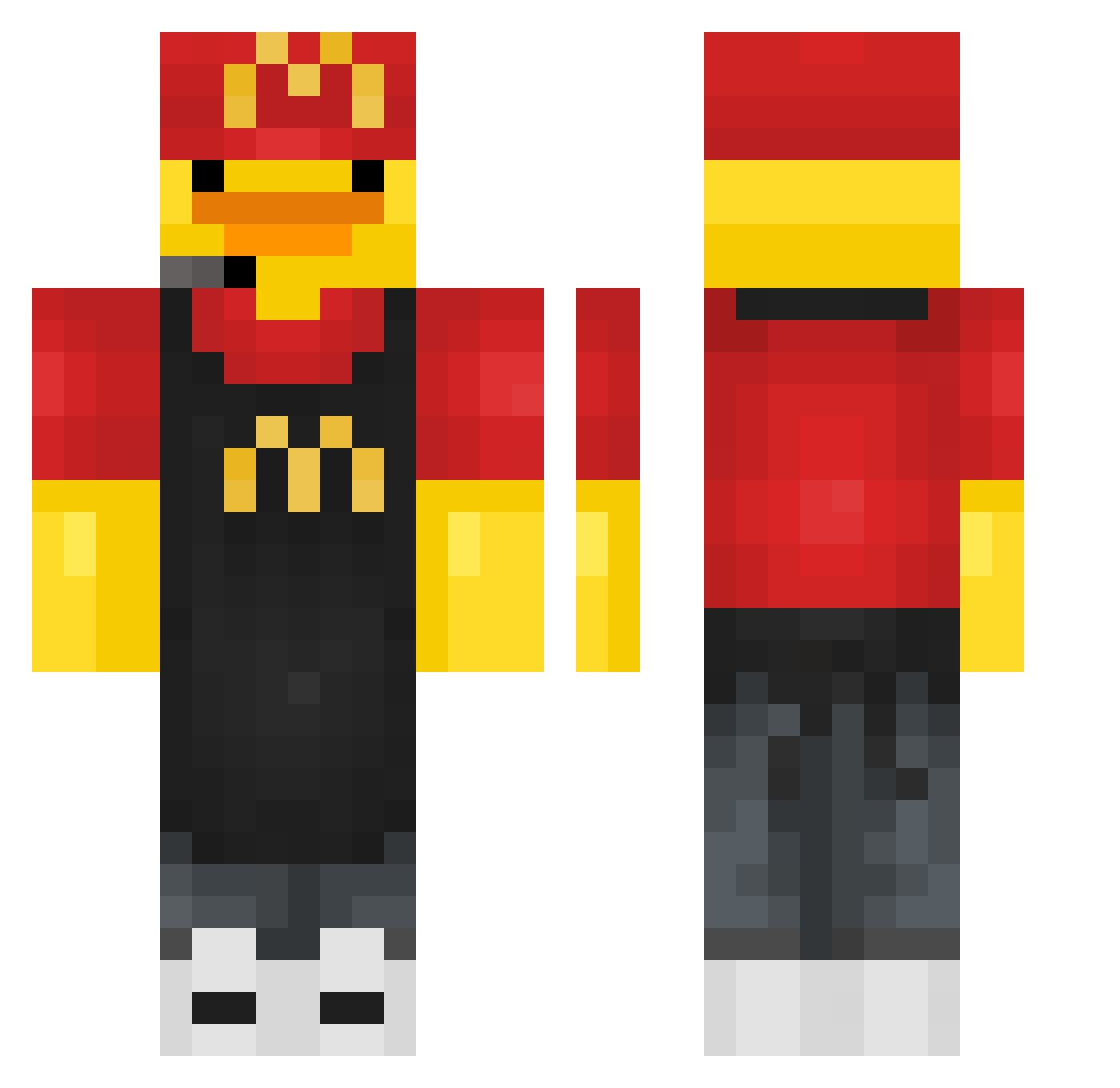
Current Minecraft skin of the player skibbzy, loaded from the official Mojang API. Rotate the 3D model with your mouse or finger, then download the skin as a PNG file and use it in Minecraft: Bedrock Edition or Java Edition for free. When skibbzy changes their skin, this page updates automatically and the old skin stays in the history below.
Other players with this skin (433)
skibbzy was the 288th player we have seen with this skin, first spotted on 05.10.2026. The same skin was seen on these players. Open a nickname to see their current skin and skin history.
 Scapety_Ben2010 LeyendaOscura babidi_deftones Briicou chaeminnn MorningWid NOKIANOAH hxll_yue _fra_tm_ vrman_thelast r3black bonzoisnthiding gaiwo Itz_blace smuch Krakenss78 cHanweyss Vzyuup JuniorGj12 bum2_s0 rayalee Pxs1__ Rimidia melikoli Medeloooo FabCougar Kame76 _PaToX_ YACCC0324 Nonoben42 Cinnabunzz24 DaiBaDLianHua Jimmy7008 pipipi00 JuanGoku2008 Santigamr23 NChipi Huntman0514 sffsef Dutzend HardyeX Gamecraft232 yabaiiiiiii byczek78097 puedubec73 sh0yu_r4men AxelCraft777 Yeul_WeyZx Qxi07 PlionhZ SemajSenoj2 IMissHerVeryMuch zozo_349 azahara_ ChickenNuggetCEO WYD_snipe_TTV Matkas4 Kaiva06_ strickmast01 TheDusua
More Fast Food Worker Minecraft skins
See all 389 Fast Food Worker skins
How to install the skibbzy skin
- Press the Download button above to save the skin as a PNG file.
- Minecraft: Bedrock Edition (PE): open the Dressing Room from the main menu (or tap your character → Edit Character), go to Classic Skins → Owned, press the + (new skin) button, choose the downloaded PNG and pick the Classic (Steve) model. Works on PC and mobile; consoles cannot import custom skins.
- Minecraft: Java Edition: open the Minecraft Launcher, go to the Skins tab, click New Skin, load the PNG, pick the Classic (Steve) model and press Save & Use. You can also upload it at minecraft.net → Profile → Change Skin.
The skin does not show up after import - what should I do?
Restart Minecraft and open the Dressing Room again - imported skins sometimes appear only after a restart. Also make sure you selected the imported skin and picked the Classic (Steve) model.
Which model should I choose, Classic or Slim?
This skin is designed for the Classic (Steve) model. If you pick the wrong model, the arms of the skin will look stretched or squeezed.
Is the skin of skibbzy free to download?
Yes. Press Download, save the PNG file and use it in Minecraft: Bedrock Edition or Java Edition - no payment or registration needed. The skin also works on multiplayer servers and Realms.
More skins
Looking for more? Go back to all Minecraft skins and check the top skins of the week, month and all time, or find any player's skin by nickname.