
 1augie3 B1gro tinsel Peaceops Muzzy2007 KingBlue1201 Chan052518 BuBuB6 Supermonkeydial Atlairus Ctblitz Krasix MiguelilloPro hervoxzak Mian_999 woooshu junweil ddangdol12 blinixx Tappuccha CRksrudy BeNz_n IchbinKaiza Senhor_Jack KUBASIUU W0LF123456 Maxooou Otheking1 rasse3006 gomanegi Skyheon krypticv1 _j3ss1_ xxmandito italos90 Swagmaster476 Gardeken DuckBoy0623 jaJn_ googledockey AlbaniaDuck brayan213 chuy1988 Y1gro imachudboy KeepingTable438 Orangeziscool PICADYO Kixd2345 darkshark031212 maxi220106 SamirSpider sipielcrack Papaocchi svmmxr Benthor258 rbxs rhinocake White_Chocolat33 yeeyeesoo
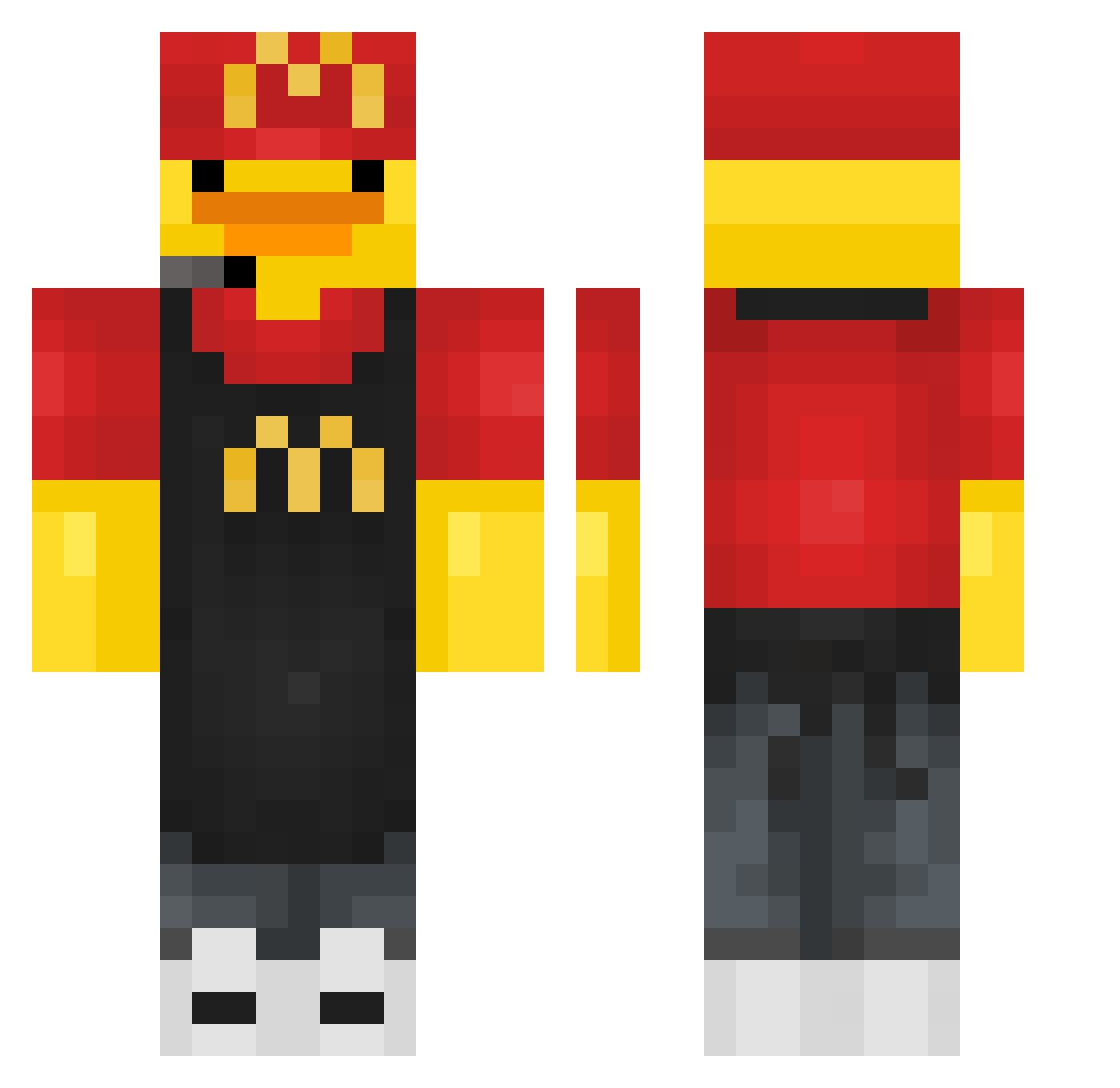
Minecraft skin of Zuzannka2012. Rotate the 3D model with your mouse or finger to view the skin from every angle, then download it as a PNG file and use it in Minecraft: Bedrock Edition or Java Edition for free. Rate the skin with stars to help other players find the best skins in our collection.
How to install the Zuzannka2012 skin
- Press the Download button above to save the skin as a PNG file.
- Minecraft: Bedrock Edition (PE): open the Dressing Room from the main menu (or tap your character → Edit Character), go to Classic Skins → Owned, press the + (new skin) button, choose the downloaded PNG and pick the Classic (Steve) model. Works on PC and mobile; consoles cannot import custom skins.
- Minecraft: Java Edition: open the Minecraft Launcher, go to the Skins tab, click New Skin, load the PNG, pick the Classic (Steve) model and press Save & Use. You can also upload it at minecraft.net → Profile → Change Skin.
The skin does not show up after import - what should I do?
Restart Minecraft and open the Dressing Room again - imported skins sometimes appear only after a restart. Also make sure you selected the imported skin and picked the Classic (Steve) model.
Which model should I choose, Classic or Slim?
This skin is designed for the Classic (Steve) model. If you pick the wrong model, the arms of the skin will look stretched or squeezed.
Is this skin free to use?
Yes. Press Download, save the PNG file and use it in Minecraft: Bedrock Edition or Java Edition - no payment or registration needed. The skin also works on multiplayer servers and Realms.
More Fast Food Worker Minecraft skins
See all 389 Fast Food Worker skins
More skins
Looking for more? Go back to all Minecraft skins and check the top skins of the week, month and all time, or find any player's skin by nickname.