
siyaq - Minecraft Skins & Skin History
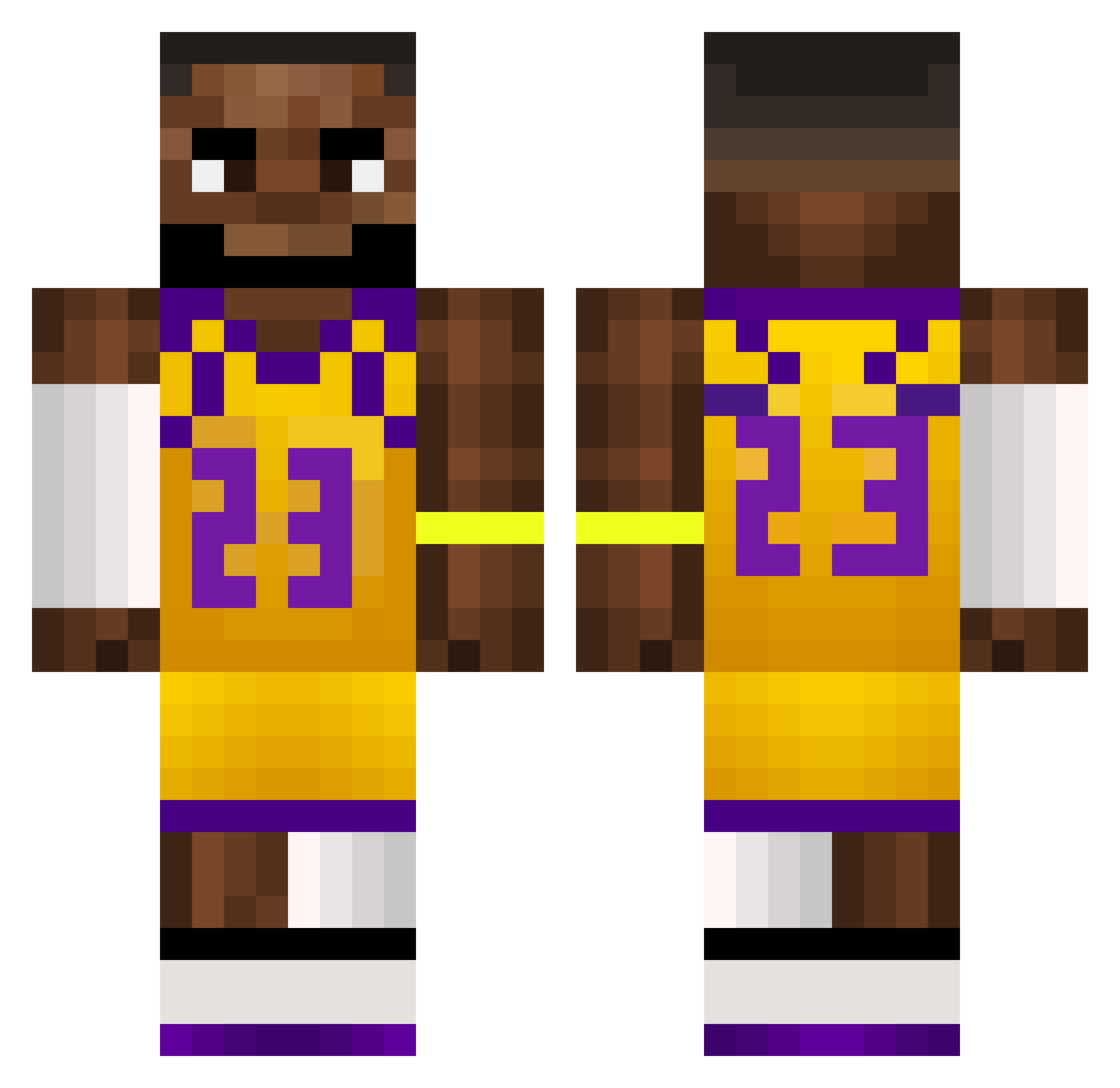
Current Minecraft skin of the player siyaq, loaded from the official Mojang API. Rotate the 3D model with your mouse or finger, then download the skin as a PNG file and use it in Minecraft: Bedrock Edition or Java Edition for free. When siyaq changes their skin, this page updates automatically and the old skin stays in the history below.
Other players with this skin (581)
siyaq was the 563rd player we have seen with this skin, first spotted on 29.10.2026. The same skin was seen on these players. Open a nickname to see their current skin and skin history.
 SpeedyDarsh123 ryanmacleannn Alcock namogal alexfx12 4SP3CTPLAYS turn2z mappersk8ter Krevetosik Insollar alphachan11 Lilkirkir17 Kiryu24 njcool499 pardonne zyxku Furkan_sama flagmedaddyowadw 420Hi11 Bangggggg Tailio AlexM255 Kev2ISBEST Hilstad_69 Shankyboy030 Buby2207 ollebolletrolle Dooeh Timwig23 WarzyMistrz69 SY4fU adsadaswd R_osT abcfreek JuicyHoshi docskie TrashStansB Maxipaxi4551 enzoisdelicious BielnikPL adsik feetfindermaster BattyAA5 General_lhama Dudi222 Benny0106 CelNegruCaramel Flipzikk Crislebron Ramenskie Traktor_01 Siekier lawet_ edp44455 zorvyz sangmingay TraceIsTheBest AyM_4EvER Testerko Aark17
More Lakers Minecraft skins
How to install the siyaq skin
- Press the Download button above to save the skin as a PNG file.
- Minecraft: Bedrock Edition (PE): open the Dressing Room from the main menu (or tap your character → Edit Character), go to Classic Skins → Owned, press the + (new skin) button, choose the downloaded PNG and pick the Classic (Steve) model. Works on PC and mobile; consoles cannot import custom skins.
- Minecraft: Java Edition: open the Minecraft Launcher, go to the Skins tab, click New Skin, load the PNG, pick the Classic (Steve) model and press Save & Use. You can also upload it at minecraft.net → Profile → Change Skin.
The skin does not show up after import - what should I do?
Restart Minecraft and open the Dressing Room again - imported skins sometimes appear only after a restart. Also make sure you selected the imported skin and picked the Classic (Steve) model.
Which model should I choose, Classic or Slim?
This skin is designed for the Classic (Steve) model. If you pick the wrong model, the arms of the skin will look stretched or squeezed.
Is the skin of siyaq free to download?
Yes. Press Download, save the PNG file and use it in Minecraft: Bedrock Edition or Java Edition - no payment or registration needed. The skin also works on multiplayer servers and Realms.
More skins
Looking for more? Go back to all Minecraft skins and check the top skins of the week, month and all time, or find any player's skin by nickname.