
seizebiao - Minecraft Skins & Skin History
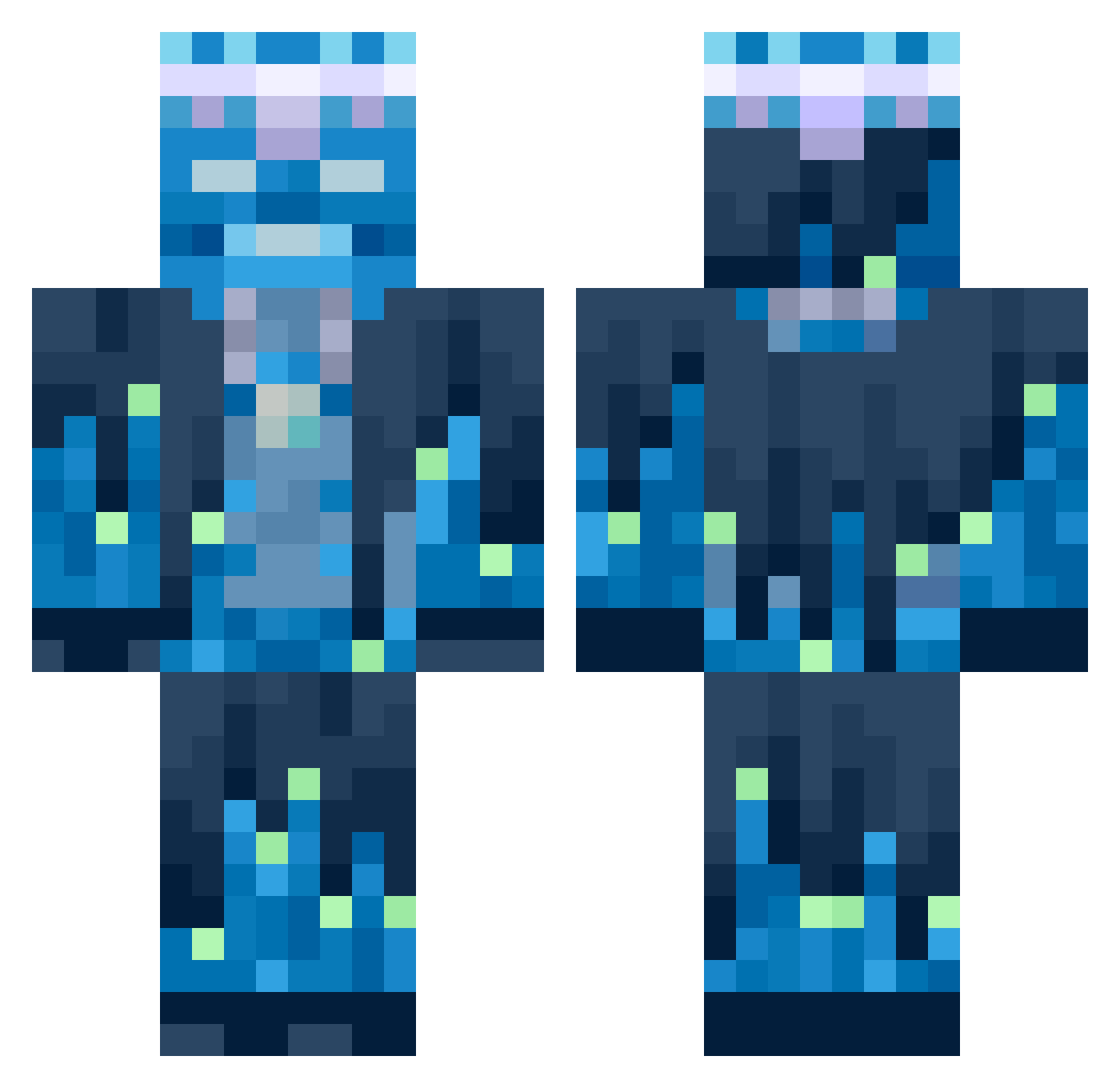
Current Minecraft skin of the player seizebiao, loaded from the official Mojang API. Rotate the 3D model with your mouse or finger, then download the skin as a PNG file and use it in Minecraft: Bedrock Edition or Java Edition for free. When seizebiao changes their skin, this page updates automatically and the old skin stays in the history below.
Other players with this skin (651)
seizebiao was the 370th player we have seen with this skin, first spotted on 24.09.2026. The same skin was seen on these players. Open a nickname to see their current skin and skin history.
 BigSaad2000 Pimmil KING_BALWIN_IV Commando_Reboot IGuara q8netpro bulutali entelj1002 DARKFLAME55555 Wu_fTYSl1 Oceestreet PepinoMagico77 OhBrendan japapro G0ogle_ BiggishArt35627 sim4428 Roberto1006 SamurHAI BALDGUY1234 KrzysCraft DanielCCI_YT jacksonimhimhmm asyntote Tommy83740 seaninnator EpenX sigurd0805 novadu00 VodenCIX ADRYXN InternetMoney3 bloomjoly LucaZiller desmoooo turbochickennugg SeeMy_Sharingan Tabsiiiii Zondering_ Dimimits7 IALO10 Ivan_Petrov CaptnVisser lore67 ehdgur0923 SuperTymek2012 Matti043 Devo405 Stravski acorns60 Typical_Boy sumin2810 creeperlover_2 apple12131213 Trixr01 MagmaCat0521 kgm17 cenixr Kacper_12 ShadowLeveling
More Glowing Minecraft skins
How to install the seizebiao skin
- Press the Download button above to save the skin as a PNG file.
- Minecraft: Bedrock Edition (PE): open the Dressing Room from the main menu (or tap your character → Edit Character), go to Classic Skins → Owned, press the + (new skin) button, choose the downloaded PNG and pick the Classic (Steve) model. Works on PC and mobile; consoles cannot import custom skins.
- Minecraft: Java Edition: open the Minecraft Launcher, go to the Skins tab, click New Skin, load the PNG, pick the Classic (Steve) model and press Save & Use. You can also upload it at minecraft.net → Profile → Change Skin.
The skin does not show up after import - what should I do?
Restart Minecraft and open the Dressing Room again - imported skins sometimes appear only after a restart. Also make sure you selected the imported skin and picked the Classic (Steve) model.
Which model should I choose, Classic or Slim?
This skin is designed for the Classic (Steve) model. If you pick the wrong model, the arms of the skin will look stretched or squeezed.
Is the skin of seizebiao free to download?
Yes. Press Download, save the PNG file and use it in Minecraft: Bedrock Edition or Java Edition - no payment or registration needed. The skin also works on multiplayer servers and Realms.
More skins
Looking for more? Go back to all Minecraft skins and check the top skins of the week, month and all time, or find any player's skin by nickname.