
seamexy - Minecraft Skins & Skin History
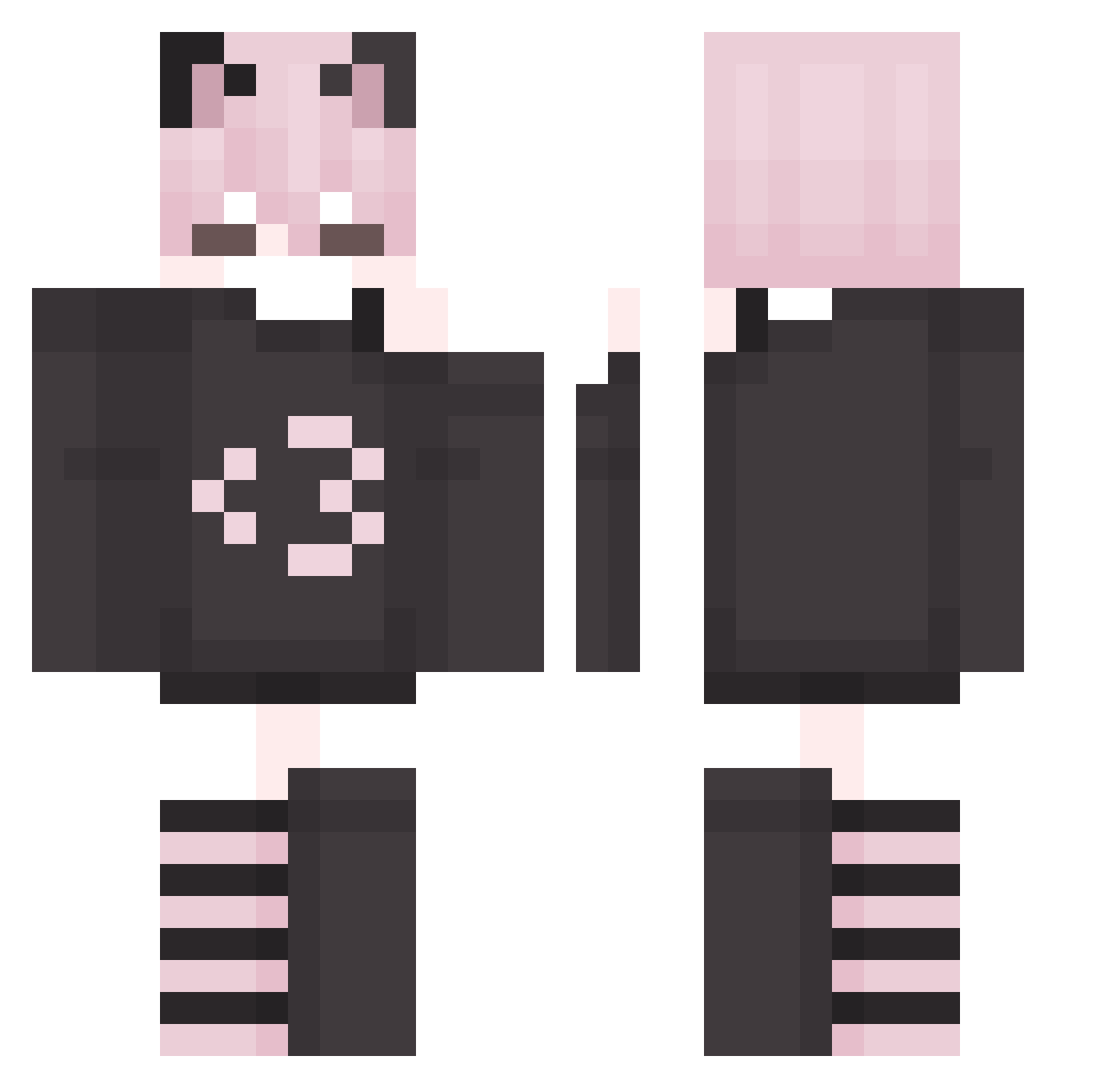
Current Minecraft skin of the player seamexy, loaded from the official Mojang API. Rotate the 3D model with your mouse or finger, then download the skin as a PNG file and use it in Minecraft: Bedrock Edition or Java Edition for free. When seamexy changes their skin, this page updates automatically and the old skin stays in the history below.
Other players with this skin (225)
seamexy was the 102nd player we have seen with this skin, first spotted on 12.09.2026. The same skin was seen on these players. Open a nickname to see their current skin and skin history.
 xTYBx CatboyYasuo ari456
 NyxPaws TCP_Tecqe moonys1 MinSeik Stormy1855 NekoRuler diamondaxe502 Zeeerii Jaffaz_ Cuteminii Llambro68 zayoo0 Schwandur PrincessOat Dreamyx2
 creepyz0
 EeveeEX KnightOTS
 TehM12Gyt KaruLovesYou Keto_Diet mewcat KoalaUnknown Kevingeo Xl_King_Nacho Pesky_b1rb RoboMask83 absurdx Sanyuu__ FamilyGuyFan25 Vnixy ilovfembo1 SillyBillyGuy Nikkyfemboyrico blehhfemboy Raeubermaus Animewifu77 monker3000 goblin_victim
 KaminaPrime ploww__ augustsau Gamer_Alan Giraffemannetje Munchyoo SNAKELVR IsMateoo RTXR3X Krembliss CruelClive1986 catzii joujousimoncz WeaponX44
 xEvqn_ Lio1200 Demus23 rnwp
Previous skins of seamexy
Skins that seamexy wore before, newest first. Click a skin to open its page and download it.
More Cat Ears Minecraft skins
How to install the seamexy skin
- Press the Download button above to save the skin as a PNG file.
- Minecraft: Bedrock Edition (PE): open the Dressing Room from the main menu (or tap your character → Edit Character), go to Classic Skins → Owned, press the + (new skin) button, choose the downloaded PNG and pick the Classic (Steve) model. Works on PC and mobile; consoles cannot import custom skins.
- Minecraft: Java Edition: open the Minecraft Launcher, go to the Skins tab, click New Skin, load the PNG, pick the Classic (Steve) model and press Save & Use. You can also upload it at minecraft.net → Profile → Change Skin.
The skin does not show up after import - what should I do?
Restart Minecraft and open the Dressing Room again - imported skins sometimes appear only after a restart. Also make sure you selected the imported skin and picked the Classic (Steve) model.
Which model should I choose, Classic or Slim?
This skin is designed for the Classic (Steve) model. If you pick the wrong model, the arms of the skin will look stretched or squeezed.
Is the skin of seamexy free to download?
Yes. Press Download, save the PNG file and use it in Minecraft: Bedrock Edition or Java Edition - no payment or registration needed. The skin also works on multiplayer servers and Realms.
More skins
Looking for more? Go back to all Minecraft skins and check the top skins of the week, month and all time, or find any player's skin by nickname.