
sandalwithbigpp - Minecraft Skins & Skin History
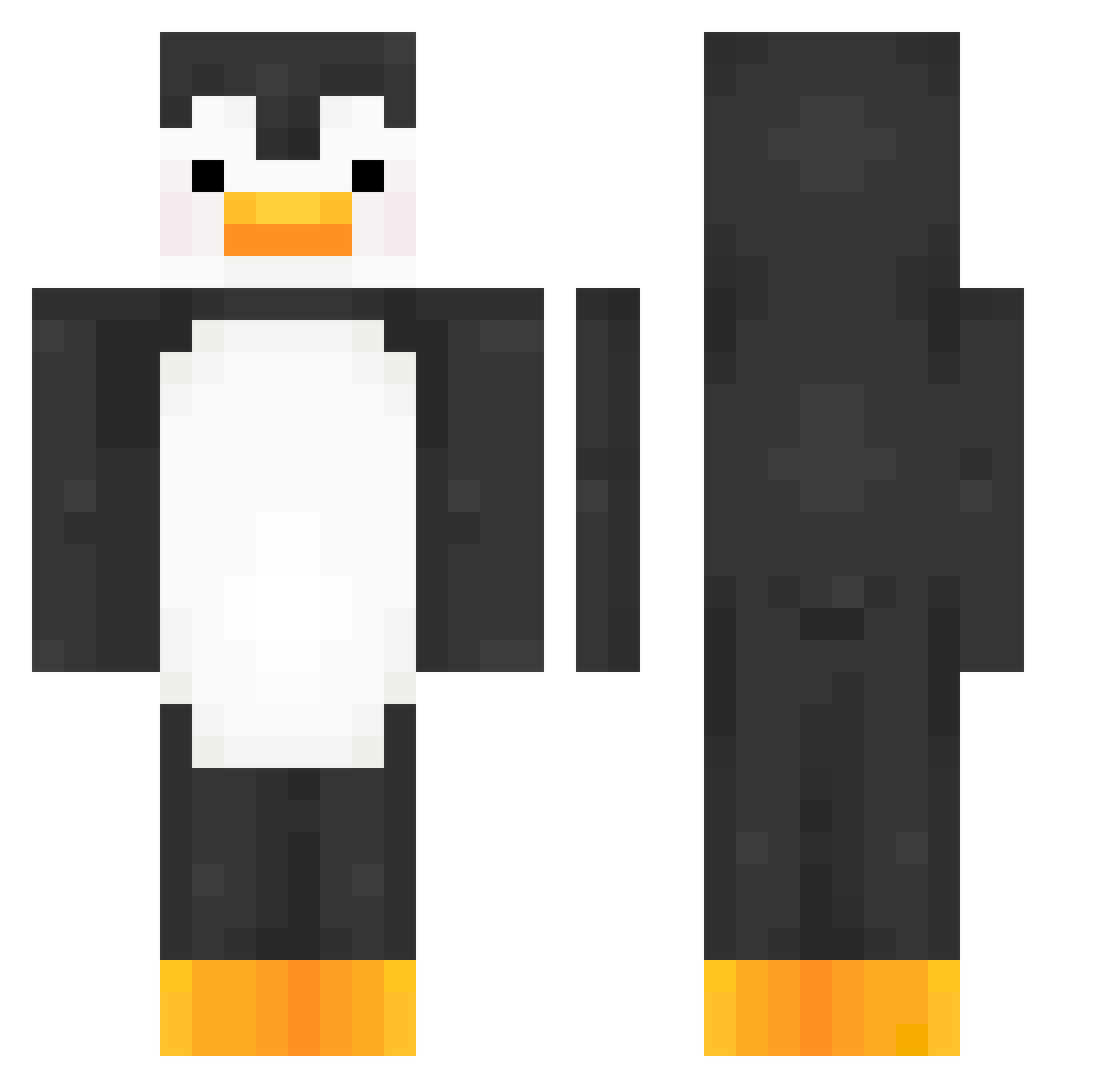
Current Minecraft skin of the player sandalwithbigpp, loaded from the official Mojang API. Rotate the 3D model with your mouse or finger, then download the skin as a PNG file and use it in Minecraft: Bedrock Edition or Java Edition for free. When sandalwithbigpp changes their skin, this page updates automatically and the old skin stays in the history below.
Other players with this skin (427)
sandalwithbigpp was the 287th player we have seen with this skin, first spotted on 13.10.2026. The same skin was seen on these players. Open a nickname to see their current skin and skin history.
 Tr1g0n0m3try imDavi__ ROOT0x57B
 femboyhq antifreezement CheezChili south223 JassyBear02 MrChango113 micah139 Ars3ltruck EmilKressander bigmonkey986 Schachbrot2 b0ri_cha NPpe Neote123 TwIIxed MKC_Toky joogie_ Debica xh_0ng Rice0930 RusFortunat angryjuju_ CAElviS 6gfa pepezinhosz rangyeoun skuderos Jet614 CL0NE2 SuperManFace sla_y FarmerCreepy Atranoe MrPengin3 DioS00009 Kzito Kaytinxd pluckymomo Kwashi NightNinja69 yzymase JakeB204 Magifican fenton20 Arkinnnn swlt4_ztl Enderiot seowon_kor CRClaus Zs01t Biguini pronoob12347 TootieFrooties Altk07 Vioolet0 kirbo_chan ReyCuy
More Animal Minecraft skins
How to install the sandalwithbigpp skin
- Press the Download button above to save the skin as a PNG file.
- Minecraft: Bedrock Edition (PE): open the Dressing Room from the main menu (or tap your character → Edit Character), go to Classic Skins → Owned, press the + (new skin) button, choose the downloaded PNG and pick the Classic (Steve) model. Works on PC and mobile; consoles cannot import custom skins.
- Minecraft: Java Edition: open the Minecraft Launcher, go to the Skins tab, click New Skin, load the PNG, pick the Classic (Steve) model and press Save & Use. You can also upload it at minecraft.net → Profile → Change Skin.
The skin does not show up after import - what should I do?
Restart Minecraft and open the Dressing Room again - imported skins sometimes appear only after a restart. Also make sure you selected the imported skin and picked the Classic (Steve) model.
Which model should I choose, Classic or Slim?
This skin is designed for the Classic (Steve) model. If you pick the wrong model, the arms of the skin will look stretched or squeezed.
Is the skin of sandalwithbigpp free to download?
Yes. Press Download, save the PNG file and use it in Minecraft: Bedrock Edition or Java Edition - no payment or registration needed. The skin also works on multiplayer servers and Realms.
More skins
Looking for more? Go back to all Minecraft skins and check the top skins of the week, month and all time, or find any player's skin by nickname.