
DioS00009 - Minecraft Skins & Skin History
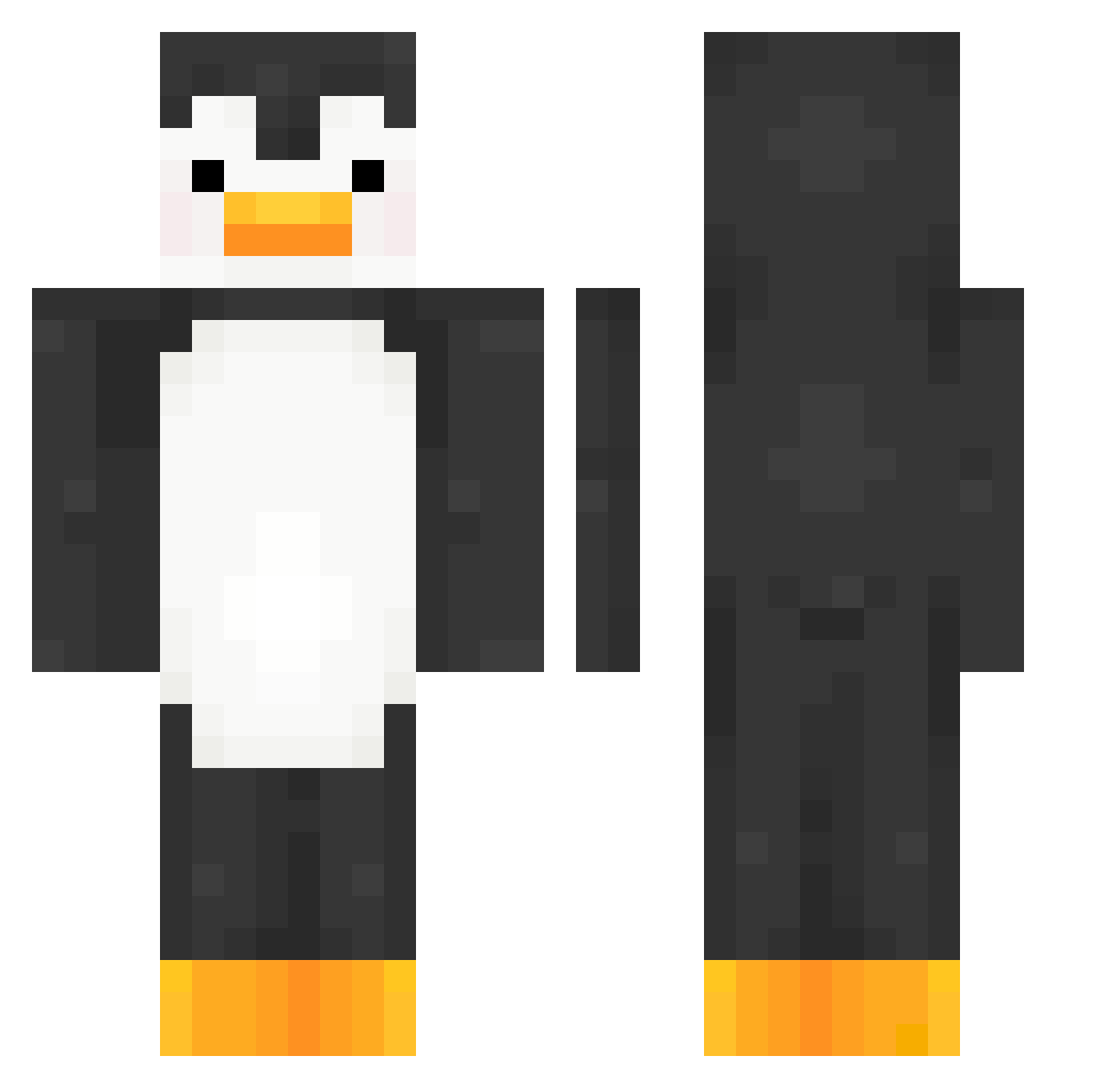
Current Minecraft skin of the player DioS00009, loaded from the official Mojang API. Rotate the 3D model with your mouse or finger, then download the skin as a PNG file and use it in Minecraft: Bedrock Edition or Java Edition for free. When DioS00009 changes their skin, this page updates automatically and the old skin stays in the history below.
Other players with this skin (356)
DioS00009 was the 266th player we have seen with this skin, first spotted on 07.10.2026. The same skin was seen on these players. Open a nickname to see their current skin and skin history.
 Kzito Kwashi NightNinja69 yzymase Atranoe JakeB204 FarmerCreepy sla_y Enderiot seowon_kor Jet614 skuderos rangyeoun pepezinhosz TootieFrooties RusFortunat Rice0930 joogie_ pinviin MorielBE M0ck1ngbird TwIIxed TT_Flex990_ Lingon8 NPpe cleradins FatJigglyPenguin Schachbrot2 BOOGALOOFLU BenTheBeast2003 bigmonkey986 m0raples EmilKressander AdrianPimentel Whoopie69 mawk9 Sh4tt3r_ south223 CheezChili Cafeole_ Yanweed antifreezement femboyhq gamja1010 Tr1g0n0m3try sandalwithbigpp imDavi__ ROOT0x57B JassyBear02 MrChango113 micah139 Ars3ltruck wooksswookss b0ri_cha NachoAlPoder Efe_Dogan02 rlawnsdn3840 DEZZexe Zster_p Neote123
More Animal Minecraft skins
How to install the DioS00009 skin
- Press the Download button above to save the skin as a PNG file.
- Minecraft: Bedrock Edition (PE): open the Dressing Room from the main menu (or tap your character → Edit Character), go to Classic Skins → Owned, press the + (new skin) button, choose the downloaded PNG and pick the Classic (Steve) model. Works on PC and mobile; consoles cannot import custom skins.
- Minecraft: Java Edition: open the Minecraft Launcher, go to the Skins tab, click New Skin, load the PNG, pick the Classic (Steve) model and press Save & Use. You can also upload it at minecraft.net → Profile → Change Skin.
The skin does not show up after import - what should I do?
Restart Minecraft and open the Dressing Room again - imported skins sometimes appear only after a restart. Also make sure you selected the imported skin and picked the Classic (Steve) model.
Which model should I choose, Classic or Slim?
This skin is designed for the Classic (Steve) model. If you pick the wrong model, the arms of the skin will look stretched or squeezed.
Is the skin of DioS00009 free to download?
Yes. Press Download, save the PNG file and use it in Minecraft: Bedrock Edition or Java Edition - no payment or registration needed. The skin also works on multiplayer servers and Realms.
More skins
Looking for more? Go back to all Minecraft skins and check the top skins of the week, month and all time, or find any player's skin by nickname.