
sadJe_soma_i_200 - Minecraft Skins & Skin History
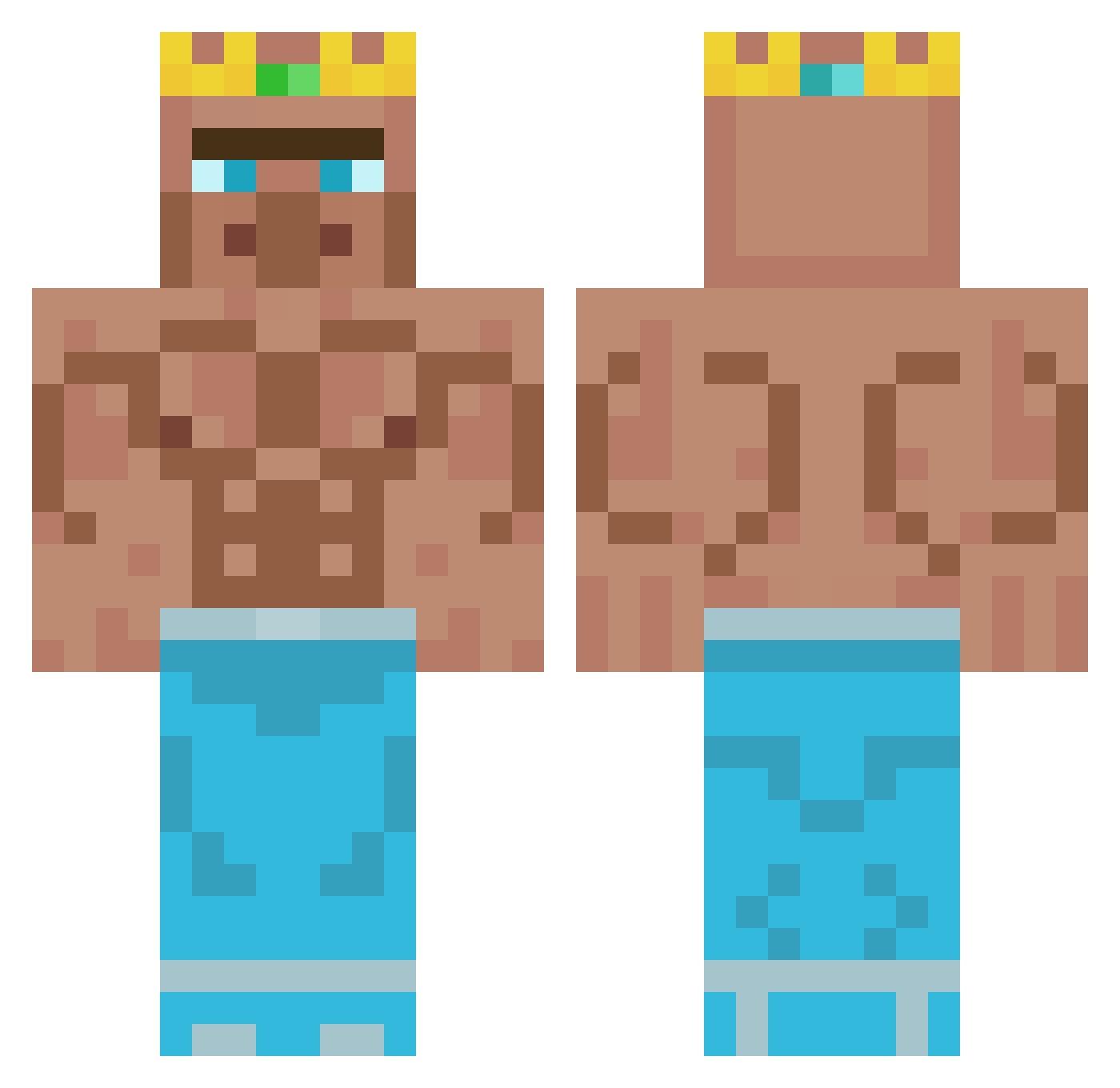
Current Minecraft skin of the player sadJe_soma_i_200, loaded from the official Mojang API. Rotate the 3D model with your mouse or finger, then download the skin as a PNG file and use it in Minecraft: Bedrock Edition or Java Edition for free. When sadJe_soma_i_200 changes their skin, this page updates automatically and the old skin stays in the history below.
Other players with this skin (348)
sadJe_soma_i_200 was the 7th player we have seen with this skin, first spotted on 25.07.2026. The same skin was seen on these players. Open a nickname to see their current skin and skin history.
 Prefreshing KingCAJ TheBigSmoke20 jakeruska Nwnaas LordL4REAL Samytow logan_paul169 Chloheh xxGolden663xx SnulleJoe Zaiyuhh Go2SawCon Maras8122 Soysauce_007 UyDa Msmontyisrealhot domithicc____ Voetenlikker Erikdekker55 Thpower123 are_lovjomas lsh5227 Mrvillager1837 G_A_I_O_S nentenkun MrFier XxBeastcanons Wild_Dwarf _Weelii_ enderman78612 Czarnyrycerz897 EL_SENSEI4 lefterkiller Abrikokos LeVenom KingJamesBoiii cmleon30 Brayden175 Hoya3234 nhickencuggers ZJXYK Nazarioo Sheldon_cooper17 Brandon9453 KrCreed Nettytro Melbern7720 PurplePancaker Reiderviller69 Whoopee_Cushion1 MasonWearsPrada dywr FGL_adrian Andreasan04 Davidwon1 WhistlingDogg PabloEscobar26 Securemoney6 2001Gandalf
More Buff Minecraft skins
How to install the sadJe_soma_i_200 skin
- Press the Download button above to save the skin as a PNG file.
- Minecraft: Bedrock Edition (PE): open the Dressing Room from the main menu (or tap your character → Edit Character), go to Classic Skins → Owned, press the + (new skin) button, choose the downloaded PNG and pick the Classic (Steve) model. Works on PC and mobile; consoles cannot import custom skins.
- Minecraft: Java Edition: open the Minecraft Launcher, go to the Skins tab, click New Skin, load the PNG, pick the Classic (Steve) model and press Save & Use. You can also upload it at minecraft.net → Profile → Change Skin.
The skin does not show up after import - what should I do?
Restart Minecraft and open the Dressing Room again - imported skins sometimes appear only after a restart. Also make sure you selected the imported skin and picked the Classic (Steve) model.
Which model should I choose, Classic or Slim?
This skin is designed for the Classic (Steve) model. If you pick the wrong model, the arms of the skin will look stretched or squeezed.
Is the skin of sadJe_soma_i_200 free to download?
Yes. Press Download, save the PNG file and use it in Minecraft: Bedrock Edition or Java Edition - no payment or registration needed. The skin also works on multiplayer servers and Realms.
More skins
Looking for more? Go back to all Minecraft skins and check the top skins of the week, month and all time, or find any player's skin by nickname.