
ryenet_ - Minecraft Skins & Skin History
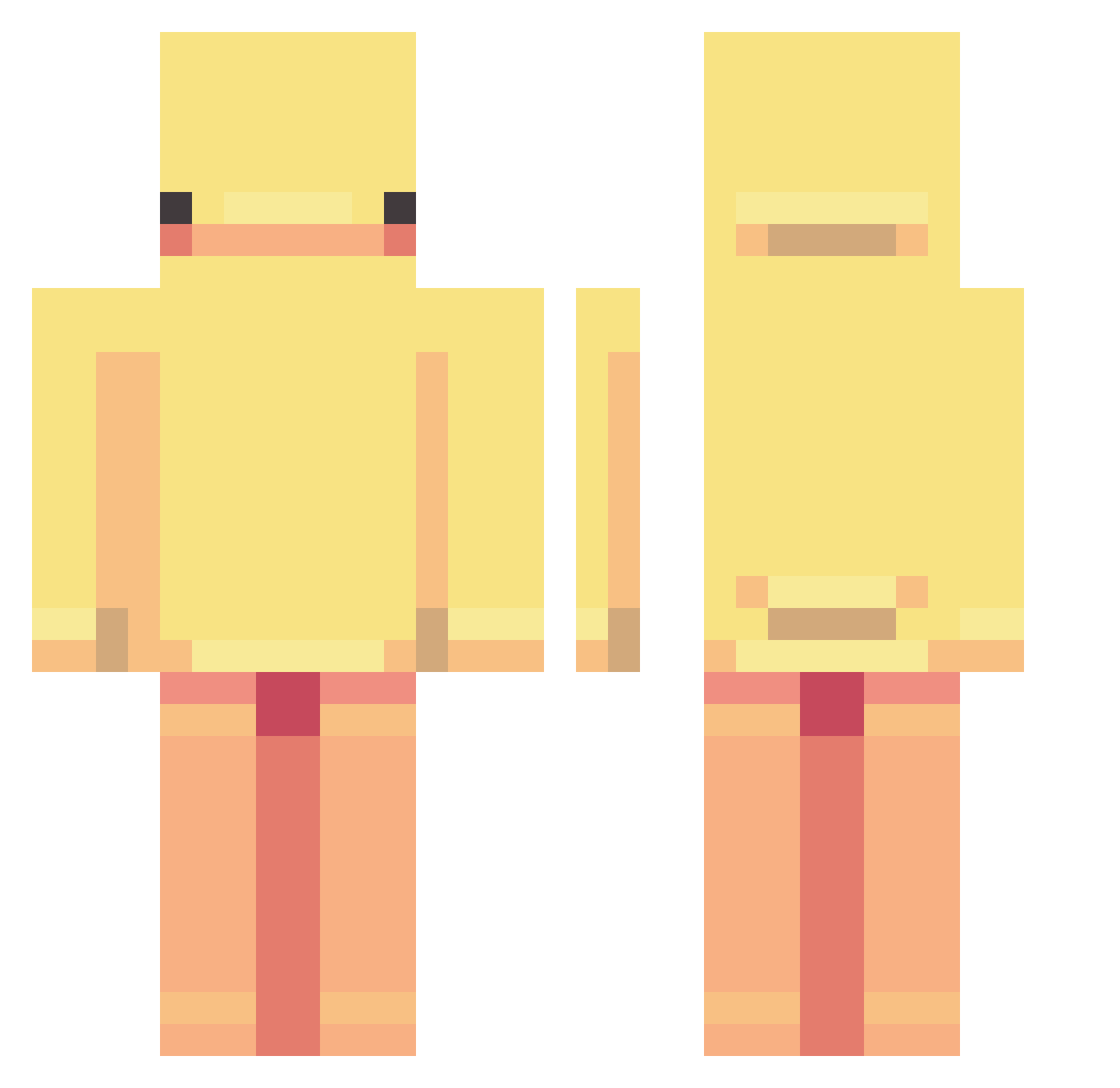
Current Minecraft skin of the player ryenet_, loaded from the official Mojang API. Rotate the 3D model with your mouse or finger, then download the skin as a PNG file and use it in Minecraft: Bedrock Edition or Java Edition for free. When ryenet_ changes their skin, this page updates automatically and the old skin stays in the history below.
Other players with this skin (266)
ryenet_ was the 82nd player we have seen with this skin, first spotted on 26.08.2026. The same skin was seen on these players. Open a nickname to see their current skin and skin history.
 cosmino75 beannsoup MokusMester1090 5r3x Arlyea DmitryBogdanov SPDRZR ssweetheartt pyrom3n ItsJubJub Aprintle yoruichi15 outisseus Lyyds DDLT15 PinkBunnie714 CheesePlates CW01SS4NT klianyue gassddd Webet1 Renbei nvsxc
 TABBS_ Yujiin qwicy_ Kemu14 FloatSeal WisCaaas Hanslabeuteu SkaapTjops DAVI30041 Nikola742 parkjiwoo0611 ZenithFPV myshiri Millsyo
 charrlie_ hehefyou Waxflies Almond_bongB MNSOR1123 Qyntrivox jason2918 eZlee_MC Chaouia _sanc_ brookiepixel sparklyscarf123 RedderT Shadow109919 ALTHEA010 Collycat97 bel488 KAMILA07 Dillbags MaksHoops Amber2283 TheOneHanded japurzko
More Duck Minecraft skins
How to install the ryenet_ skin
- Press the Download button above to save the skin as a PNG file.
- Minecraft: Bedrock Edition (PE): open the Dressing Room from the main menu (or tap your character → Edit Character), go to Classic Skins → Owned, press the + (new skin) button, choose the downloaded PNG and pick the Classic (Steve) model. Works on PC and mobile; consoles cannot import custom skins.
- Minecraft: Java Edition: open the Minecraft Launcher, go to the Skins tab, click New Skin, load the PNG, pick the Classic (Steve) model and press Save & Use. You can also upload it at minecraft.net → Profile → Change Skin.
The skin does not show up after import - what should I do?
Restart Minecraft and open the Dressing Room again - imported skins sometimes appear only after a restart. Also make sure you selected the imported skin and picked the Classic (Steve) model.
Which model should I choose, Classic or Slim?
This skin is designed for the Classic (Steve) model. If you pick the wrong model, the arms of the skin will look stretched or squeezed.
Is the skin of ryenet_ free to download?
Yes. Press Download, save the PNG file and use it in Minecraft: Bedrock Edition or Java Edition - no payment or registration needed. The skin also works on multiplayer servers and Realms.
More skins
Looking for more? Go back to all Minecraft skins and check the top skins of the week, month and all time, or find any player's skin by nickname.