
roxyter - Minecraft Skins & Skin History
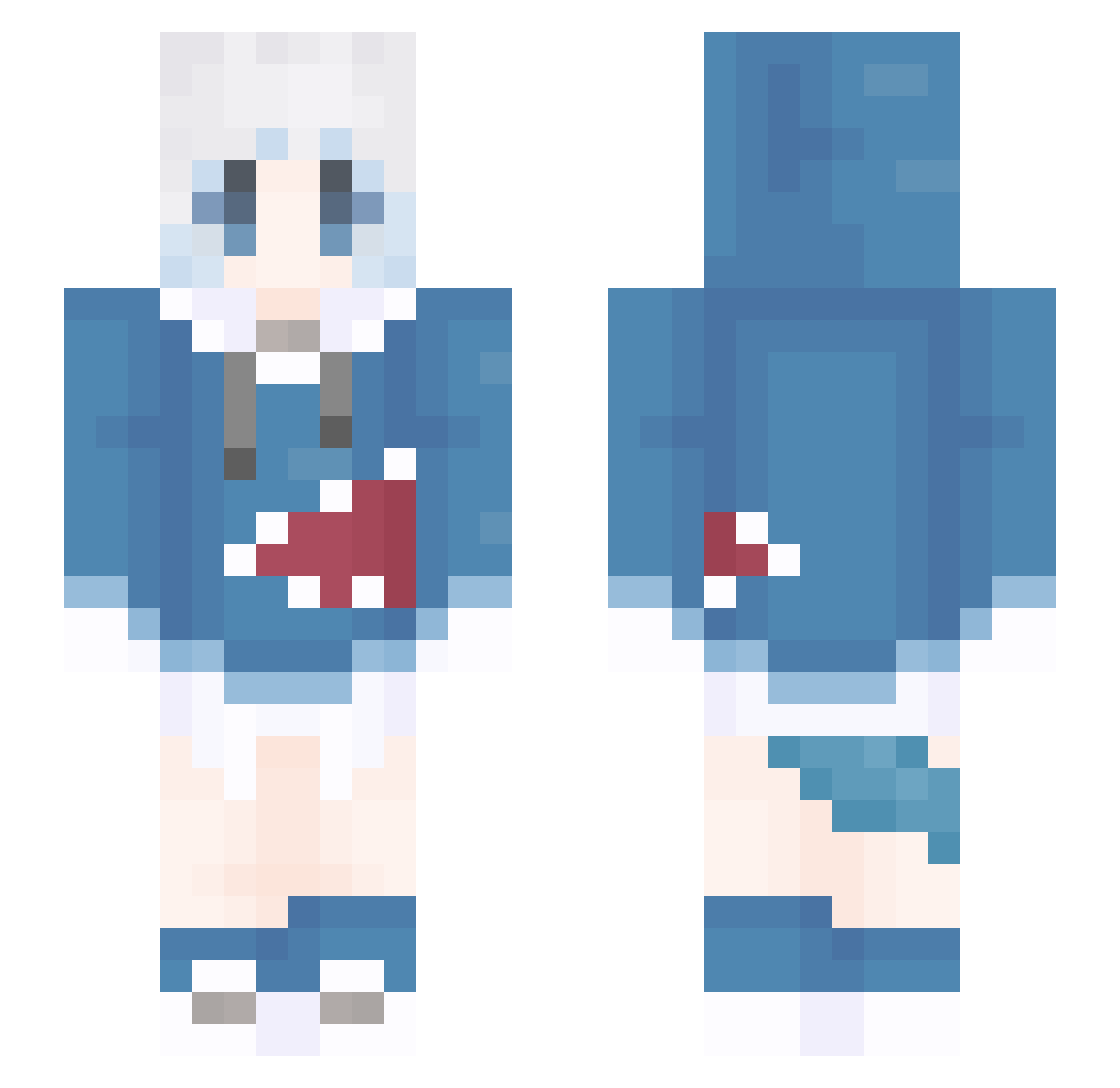
Current Minecraft skin of the player roxyter, loaded from the official Mojang API. Rotate the 3D model with your mouse or finger, then download the skin as a PNG file and use it in Minecraft: Bedrock Edition or Java Edition for free. When roxyter changes their skin, this page updates automatically and the old skin stays in the history below.
Other players with this skin (1310)
roxyter was the 629th player we have seen with this skin, first spotted on 19.09.2026. The same skin was seen on these players. Open a nickname to see their current skin and skin history.
 helperA SharkRM lihongx qwqlinlan AyanokojiHo steve11451 lanning456 sysyqy L1nkoRoy BlackCat0555 QINGYUN_ ycf999 kemurip chu_qi777 Chruit WaterMood WdabT Sisyphe7 SR24 yunlu2 Hawk_989 cobyjoeby HSIEH120 W_H0709 DanMasamune warmorcold ajeary MasterWu0 seh1yun2 wkqyyyy Jinx_baobao Livcaty iPeeeh Jhua_a MPG666 K_Zzama dengyee EEEEES6 Void_Terminator Kumayashi ASTERIAX_ rou__rou RemiliaQWQ QAQqier kelala1 Billysweet Murasame23333 Joanthann Rob888009 Fang_kuang MoneyXiang ronits manlll apple9112 masaft WatermelonJ4613 shoreguard Gaefield2 AnGo_0 Xia_Ran
More Gawr Gura Minecraft skins
How to install the roxyter skin
- Press the Download button above to save the skin as a PNG file.
- Minecraft: Bedrock Edition (PE): open the Dressing Room from the main menu (or tap your character → Edit Character), go to Classic Skins → Owned, press the + (new skin) button, choose the downloaded PNG and pick the Slim (Alex) model. Works on PC and mobile; consoles cannot import custom skins.
- Minecraft: Java Edition: open the Minecraft Launcher, go to the Skins tab, click New Skin, load the PNG, pick the Slim (Alex) model and press Save & Use. You can also upload it at minecraft.net → Profile → Change Skin.
The skin does not show up after import - what should I do?
Restart Minecraft and open the Dressing Room again - imported skins sometimes appear only after a restart. Also make sure you selected the imported skin and picked the Slim (Alex) model.
Which model should I choose, Classic or Slim?
This skin is designed for the Slim (Alex) model. If you pick the wrong model, the arms of the skin will look stretched or squeezed.
Is the skin of roxyter free to download?
Yes. Press Download, save the PNG file and use it in Minecraft: Bedrock Edition or Java Edition - no payment or registration needed. The skin also works on multiplayer servers and Realms.
More skins
Looking for more? Go back to all Minecraft skins and check the top skins of the week, month and all time, or find any player's skin by nickname.