
rocha358 - Minecraft Skins & Skin History
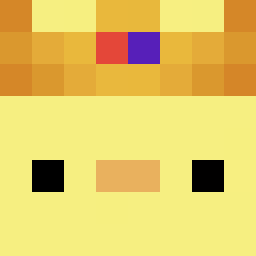
Current Minecraft skin of the player rocha358, loaded from the official Mojang API. Rotate the 3D model with your mouse or finger, then download the skin as a PNG file and use it in Minecraft: Bedrock Edition or Java Edition for free. When rocha358 changes their skin, this page updates automatically and the old skin stays in the history below.

Other players with this skin (49)
rocha358 was the 28th player we have seen with this skin, first spotted on 06.09.2026. The same skin was seen on these players. Open a nickname to see their current skin and skin history.
 ItzDem0n66_ wyspanyy The1BlueBloop N1HXLV9 PancakeMasterXD SUBXSUB Alanho0309 GoodBye_Kat graggur
 p_ht11 JakovvvS OrangeKGB ZekerGeenHacker MinecraftJayden2 Cgutierrezxxx Pelzajacy SChulito_Xavi js8592 ebbelo lxx321 Fluffykxz Isa46201089MC wiftier Pepe_ist_da Dienamic1 apprenitce OP_BOT DYOLO7 whoppy_ Lolokawa1400 panchonacho67 SAMLIN0930 Leantulus_31 Rafix3637 Phoenix_989898 ranxiuqiyyds souleeeee xGarnek Quivix123 dumandu__ GOOFY6330 HarderDragon Sm4acz3k Rez1932 Ishaim_10 ItzsGanz Santiagoh LilSantos3008 Hammond1893
More Duck Minecraft skins
How to install the rocha358 skin
- Press the Download button above to save the skin as a PNG file.
- Minecraft: Bedrock Edition (PE): open the Dressing Room from the main menu (or tap your character → Edit Character), go to Classic Skins → Owned, press the + (new skin) button, choose the downloaded PNG and pick the Classic (Steve) model. Works on PC and mobile; consoles cannot import custom skins.
- Minecraft: Java Edition: open the Minecraft Launcher, go to the Skins tab, click New Skin, load the PNG, pick the Classic (Steve) model and press Save & Use. You can also upload it at minecraft.net → Profile → Change Skin.
The skin does not show up after import - what should I do?
Restart Minecraft and open the Dressing Room again - imported skins sometimes appear only after a restart. Also make sure you selected the imported skin and picked the Classic (Steve) model.
Which model should I choose, Classic or Slim?
This skin is designed for the Classic (Steve) model. If you pick the wrong model, the arms of the skin will look stretched or squeezed.
Is the skin of rocha358 free to download?
Yes. Press Download, save the PNG file and use it in Minecraft: Bedrock Edition or Java Edition - no payment or registration needed. The skin also works on multiplayer servers and Realms.
More skins
Looking for more? Go back to all Minecraft skins and check the top skins of the week, month and all time, or find any player's skin by nickname.