
rezy710 - Minecraft Skins & Skin History
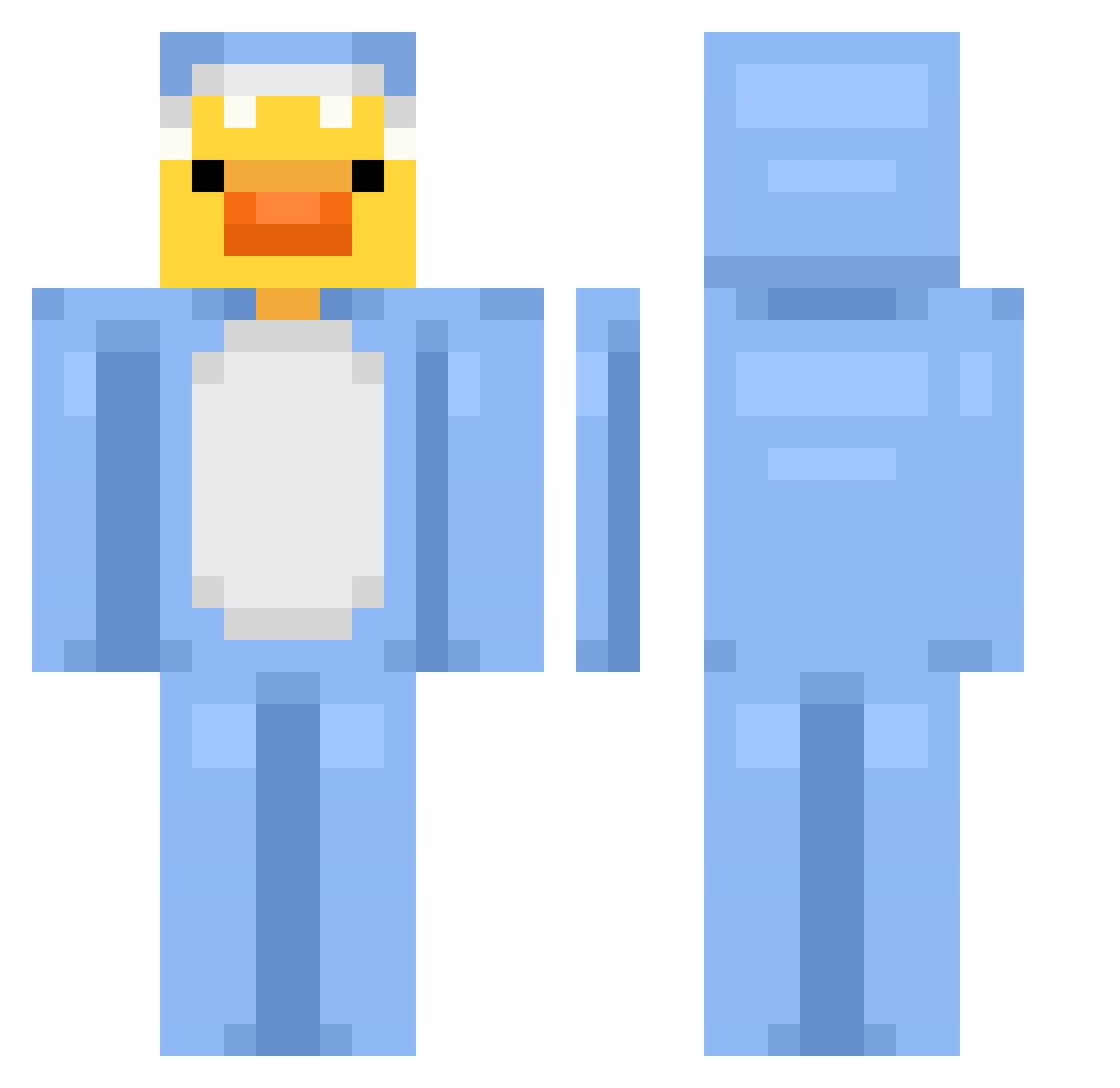
Current Minecraft skin of the player rezy710, loaded from the official Mojang API. Rotate the 3D model with your mouse or finger, then download the skin as a PNG file and use it in Minecraft: Bedrock Edition or Java Edition for free. When rezy710 changes their skin, this page updates automatically and the old skin stays in the history below.
Other players with this skin (820)
rezy710 was the 244th player we have seen with this skin, first spotted on 26.08.2026. The same skin was seen on these players. Open a nickname to see their current skin and skin history.
 Ding66666 JesusCapivara szen2 yuk1lovs AMi_BIOS whoaducks patsim222
 kennldk Gwynbe fruitcak3 akdongy arotoz XIA116 Lias_88 LordTrombone MediumWarrior67 Pooh1824 AHB7 diseased_whale kuiini MzIchan NonSn eliasludvig SuperiorDayz zZzFluffyzZz nikopon07 Uv0i Zen0Shark tewuttc_ RyanPiatos felixdemario haaatin07
 minirags Natron16 phw1209 Kaydrom sz0ne swagdawg603 SirDonaldDucks3r Levandule12 Ares0511 DorDong katepend Goodduck_ouo
 HayaletKing2084 allybrown1 hunter456789 DevynRae Tqxsn me_nub threegea Askito51 chocola0_0 Its_Duckk IreneVG Umbra816 Maestos0 BrettM25 sigmapickle534 Skohati
More Onesie Minecraft skins
How to install the rezy710 skin
- Press the Download button above to save the skin as a PNG file.
- Minecraft: Bedrock Edition (PE): open the Dressing Room from the main menu (or tap your character → Edit Character), go to Classic Skins → Owned, press the + (new skin) button, choose the downloaded PNG and pick the Classic (Steve) model. Works on PC and mobile; consoles cannot import custom skins.
- Minecraft: Java Edition: open the Minecraft Launcher, go to the Skins tab, click New Skin, load the PNG, pick the Classic (Steve) model and press Save & Use. You can also upload it at minecraft.net → Profile → Change Skin.
The skin does not show up after import - what should I do?
Restart Minecraft and open the Dressing Room again - imported skins sometimes appear only after a restart. Also make sure you selected the imported skin and picked the Classic (Steve) model.
Which model should I choose, Classic or Slim?
This skin is designed for the Classic (Steve) model. If you pick the wrong model, the arms of the skin will look stretched or squeezed.
Is the skin of rezy710 free to download?
Yes. Press Download, save the PNG file and use it in Minecraft: Bedrock Edition or Java Edition - no payment or registration needed. The skin also works on multiplayer servers and Realms.
More skins
Looking for more? Go back to all Minecraft skins and check the top skins of the week, month and all time, or find any player's skin by nickname.