
ratolixolixeira - Minecraft Skins & Skin History
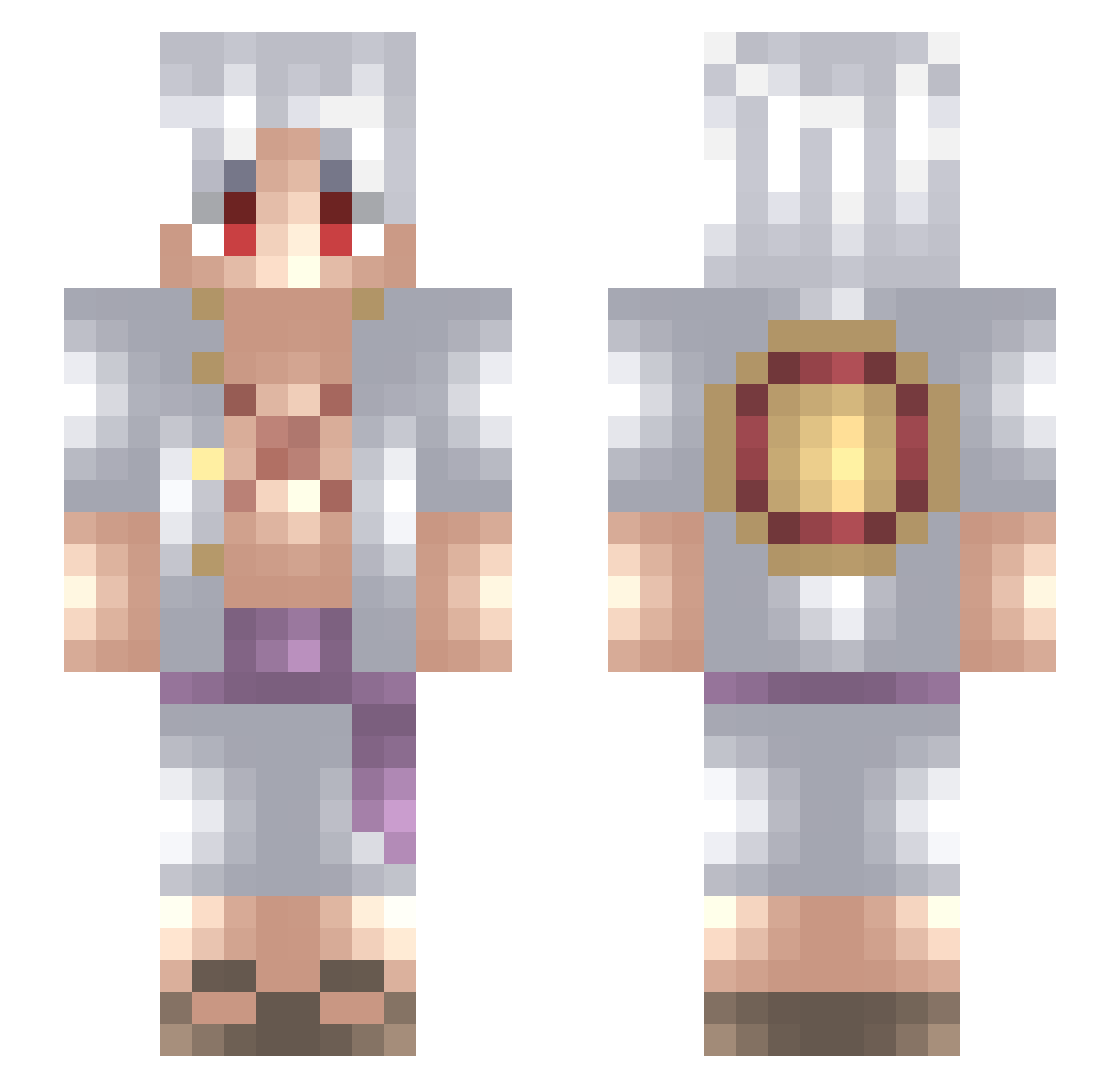
Current Minecraft skin of the player ratolixolixeira, loaded from the official Mojang API. Rotate the 3D model with your mouse or finger, then download the skin as a PNG file and use it in Minecraft: Bedrock Edition or Java Edition for free. When ratolixolixeira changes their skin, this page updates automatically and the old skin stays in the history below.
Other players with this skin (723)
ratolixolixeira was the 127th player we have seen with this skin, first spotted on 13.08.2026. The same skin was seen on these players. Open a nickname to see their current skin and skin history.
 killerverse _Speed_87 Ratje0103 Darrenlr05_ LazEgo Yosoyelral weso_2110 Matrix280402 Death_Express Zoro0072000 MedicatedM0nk L4CRIX yq08 4Hei g1shk4 MehTrix Weird_Scixnce Strawbenny_ TACODEYOGURT Horatarosu TunaLuffy purple_eye1259 _GameFreak_ GlowSzy Tamato_Sauce Mr_Dao SOLOXOTIC Genesis0604 Kivikatto iovaSan Huseinisselling Patrick983 SkywellTV monkeyninja6280 Lord_Smokey_ Inuzakabtw BernieZ DynamicSpirit Slipzer shiroishiki Jbaba12 BeatAlf GHUR5557 bromyo
 ItzrealSword kkdaniel LUCKSTAY ehab00 Leocso04 VloggiX xphys21 MinotSensei NunEverHappens YukoRyu jmah78 F3lbu X2_k0 Aizen_So Maximetex chatwhycantipick
More Monkey D Luffy Minecraft skins
See all 963 Monkey D Luffy skins
How to install the ratolixolixeira skin
- Press the Download button above to save the skin as a PNG file.
- Minecraft: Bedrock Edition (PE): open the Dressing Room from the main menu (or tap your character → Edit Character), go to Classic Skins → Owned, press the + (new skin) button, choose the downloaded PNG and pick the Slim (Alex) model. Works on PC and mobile; consoles cannot import custom skins.
- Minecraft: Java Edition: open the Minecraft Launcher, go to the Skins tab, click New Skin, load the PNG, pick the Slim (Alex) model and press Save & Use. You can also upload it at minecraft.net → Profile → Change Skin.
The skin does not show up after import - what should I do?
Restart Minecraft and open the Dressing Room again - imported skins sometimes appear only after a restart. Also make sure you selected the imported skin and picked the Slim (Alex) model.
Which model should I choose, Classic or Slim?
This skin is designed for the Slim (Alex) model. If you pick the wrong model, the arms of the skin will look stretched or squeezed.
Is the skin of ratolixolixeira free to download?
Yes. Press Download, save the PNG file and use it in Minecraft: Bedrock Edition or Java Edition - no payment or registration needed. The skin also works on multiplayer servers and Realms.
More skins
Looking for more? Go back to all Minecraft skins and check the top skins of the week, month and all time, or find any player's skin by nickname.