
rama609 - Minecraft Skins & Skin History
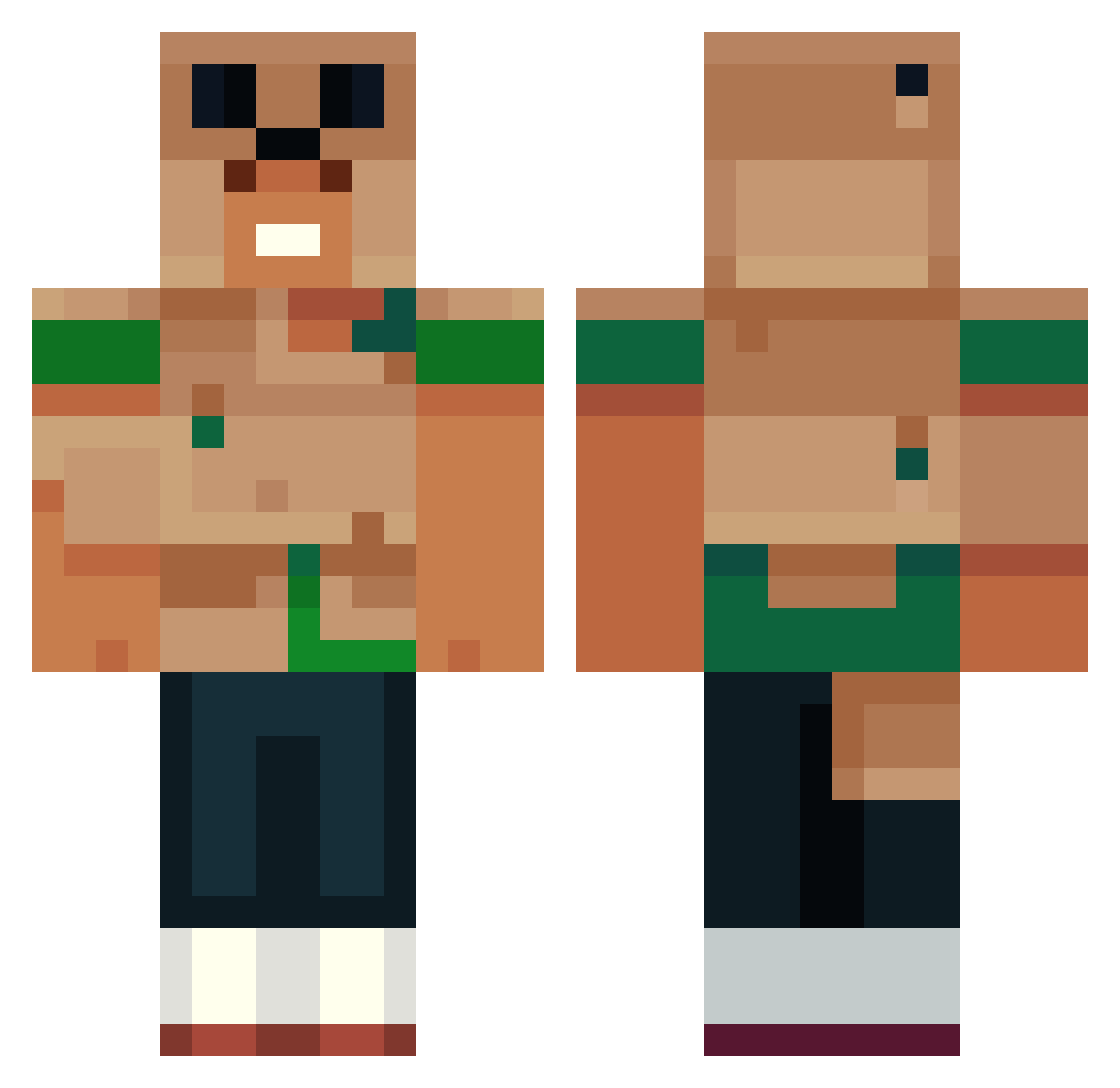
Current Minecraft skin of the player rama609, loaded from the official Mojang API. Rotate the 3D model with your mouse or finger, then download the skin as a PNG file and use it in Minecraft: Bedrock Edition or Java Edition for free. When rama609 changes their skin, this page updates automatically and the old skin stays in the history below.
Other players with this skin (551)
rama609 was the 162nd player we have seen with this skin, first spotted on 24.08.2026. The same skin was seen on these players. Open a nickname to see their current skin and skin history.
 KikoDosFoguetesX DiggzC123 Vertigoesss
 JonaTheStranger xaunzz1 kubaseklok Chapppiy Leezlii min232323 nihhaeruu FineWine69 7rti ZenOnMojang kiritooo7 heinzi1312 V______________1 Rochy282 9Tiw
 Kure0 Hops2012 ssxv1234 NotMyute MosheMeekel LPYG Tabeeem DragoonQuest8 LihuCrack Regis666 iBllue xb1acky Sos_Bottudos_ Hyville ninocarson PugMagico mAse150 Pascalllo plasmajc beeeaaannnnssss matevizer Gatorgabe wjy1123 ArkadTTV Bloppy_HB SkylarSoFly x19a12d3 SNOWDYN BARROS_L KlBS Avecus01 Compact_X WILOKY BobPop246 Silencenoble Nicolby123 alecke04 zrk845 Anship Lawful5
 manilav Sh0do
More Animal Minecraft skins
How to install the rama609 skin
- Press the Download button above to save the skin as a PNG file.
- Minecraft: Bedrock Edition (PE): open the Dressing Room from the main menu (or tap your character → Edit Character), go to Classic Skins → Owned, press the + (new skin) button, choose the downloaded PNG and pick the Classic (Steve) model. Works on PC and mobile; consoles cannot import custom skins.
- Minecraft: Java Edition: open the Minecraft Launcher, go to the Skins tab, click New Skin, load the PNG, pick the Classic (Steve) model and press Save & Use. You can also upload it at minecraft.net → Profile → Change Skin.
The skin does not show up after import - what should I do?
Restart Minecraft and open the Dressing Room again - imported skins sometimes appear only after a restart. Also make sure you selected the imported skin and picked the Classic (Steve) model.
Which model should I choose, Classic or Slim?
This skin is designed for the Classic (Steve) model. If you pick the wrong model, the arms of the skin will look stretched or squeezed.
Is the skin of rama609 free to download?
Yes. Press Download, save the PNG file and use it in Minecraft: Bedrock Edition or Java Edition - no payment or registration needed. The skin also works on multiplayer servers and Realms.
More skins
Looking for more? Go back to all Minecraft skins and check the top skins of the week, month and all time, or find any player's skin by nickname.