
quokkas1 - Minecraft Skins & Skin History
Current Minecraft skin of the player quokkas1, loaded from the official Mojang API. Rotate the 3D model with your mouse or finger, then download the skin as a PNG file and use it in Minecraft: Bedrock Edition or Java Edition for free. When quokkas1 changes their skin, this page updates automatically and the old skin stays in the history below.
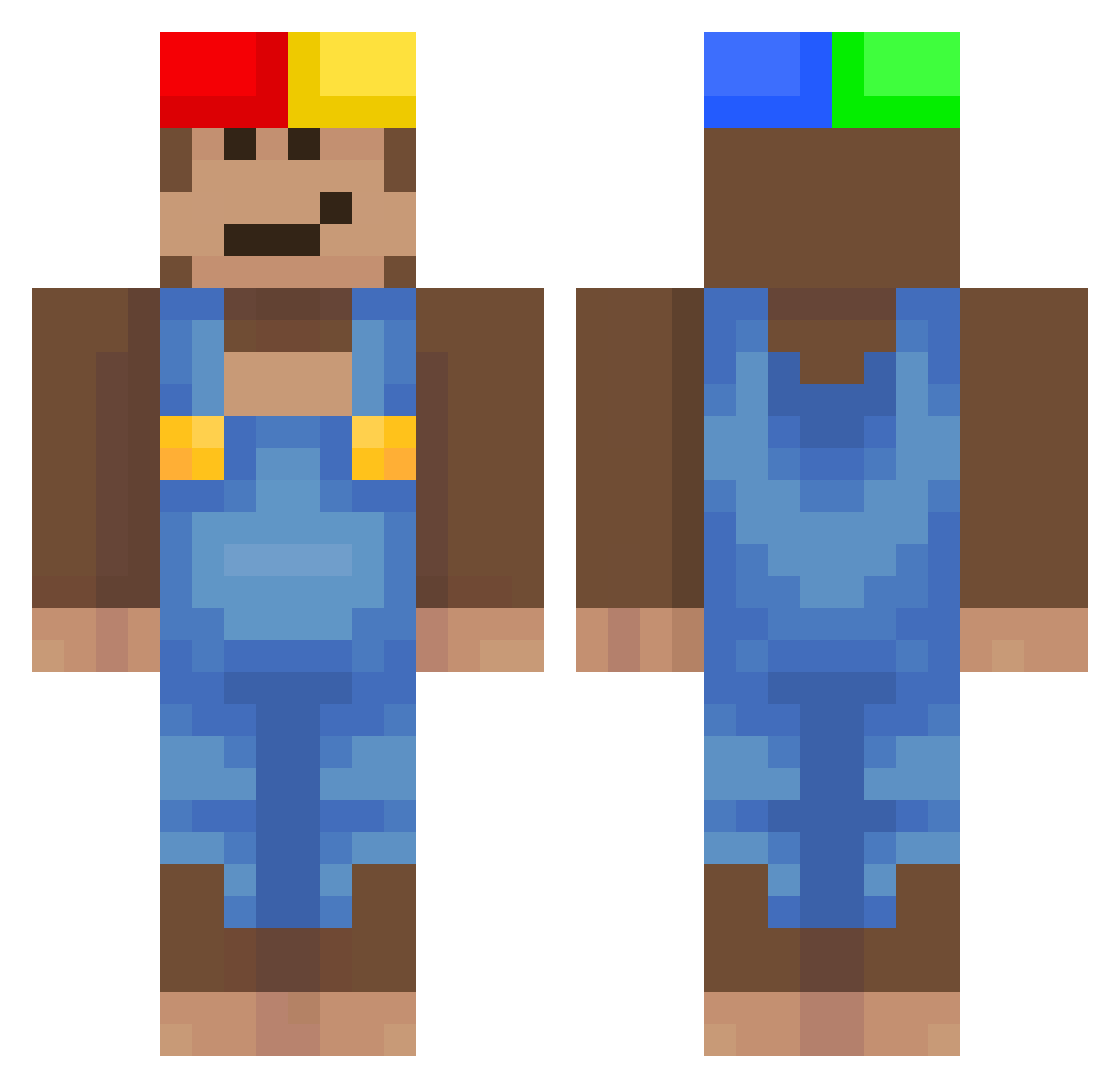
Other players with this skin (525)
quokkas1 was the 294th player we have seen with this skin, first spotted on 25.09.2026. The same skin was seen on these players. Open a nickname to see their current skin and skin history.
 a123456789 IRxcky mixarage Chameleon1241 caio4 shookin zenoxess drynaa Sianko_15 Sunneel Anarchist43267 kyh725 lovelovi Y0SEP_ KITPUPv2 kakaczka Moneky13 teuflsich6666 Mr_Kokosnus KELEBEKOSTURUR01 MOJITO_YK Aurevix_ icrukkj Marco220110 MiMucu evdam Sorvhen deitos08 tajes Ansksneiei ovo_o_v novamcx papadebacia erc965iarosstr GlitchMC0 yuyu2y _scyte aaandeeer Lan3s SWICKIFY swagyolopig hrnhnn Himad kingvon31 Spixi XwhipLL Wanouu_ ellwad Goruto_ kozanek14 Gavy1008 GurkenSohnHD ykant3 Raichu60 Slabbadask1 wiewiur_2137 orangeyogurt Torix777 Aldoni105 DiddyDestroyer_2
More Donkey Kong Minecraft skins
How to install the quokkas1 skin
- Press the Download button above to save the skin as a PNG file.
- Minecraft: Bedrock Edition (PE): open the Dressing Room from the main menu (or tap your character → Edit Character), go to Classic Skins → Owned, press the + (new skin) button, choose the downloaded PNG and pick the Classic (Steve) model. Works on PC and mobile; consoles cannot import custom skins.
- Minecraft: Java Edition: open the Minecraft Launcher, go to the Skins tab, click New Skin, load the PNG, pick the Classic (Steve) model and press Save & Use. You can also upload it at minecraft.net → Profile → Change Skin.
The skin does not show up after import - what should I do?
Restart Minecraft and open the Dressing Room again - imported skins sometimes appear only after a restart. Also make sure you selected the imported skin and picked the Classic (Steve) model.
Which model should I choose, Classic or Slim?
This skin is designed for the Classic (Steve) model. If you pick the wrong model, the arms of the skin will look stretched or squeezed.
Is the skin of quokkas1 free to download?
Yes. Press Download, save the PNG file and use it in Minecraft: Bedrock Edition or Java Edition - no payment or registration needed. The skin also works on multiplayer servers and Realms.
More skins
Looking for more? Go back to all Minecraft skins and check the top skins of the week, month and all time, or find any player's skin by nickname.