
ppokka - Minecraft Skins & Skin History
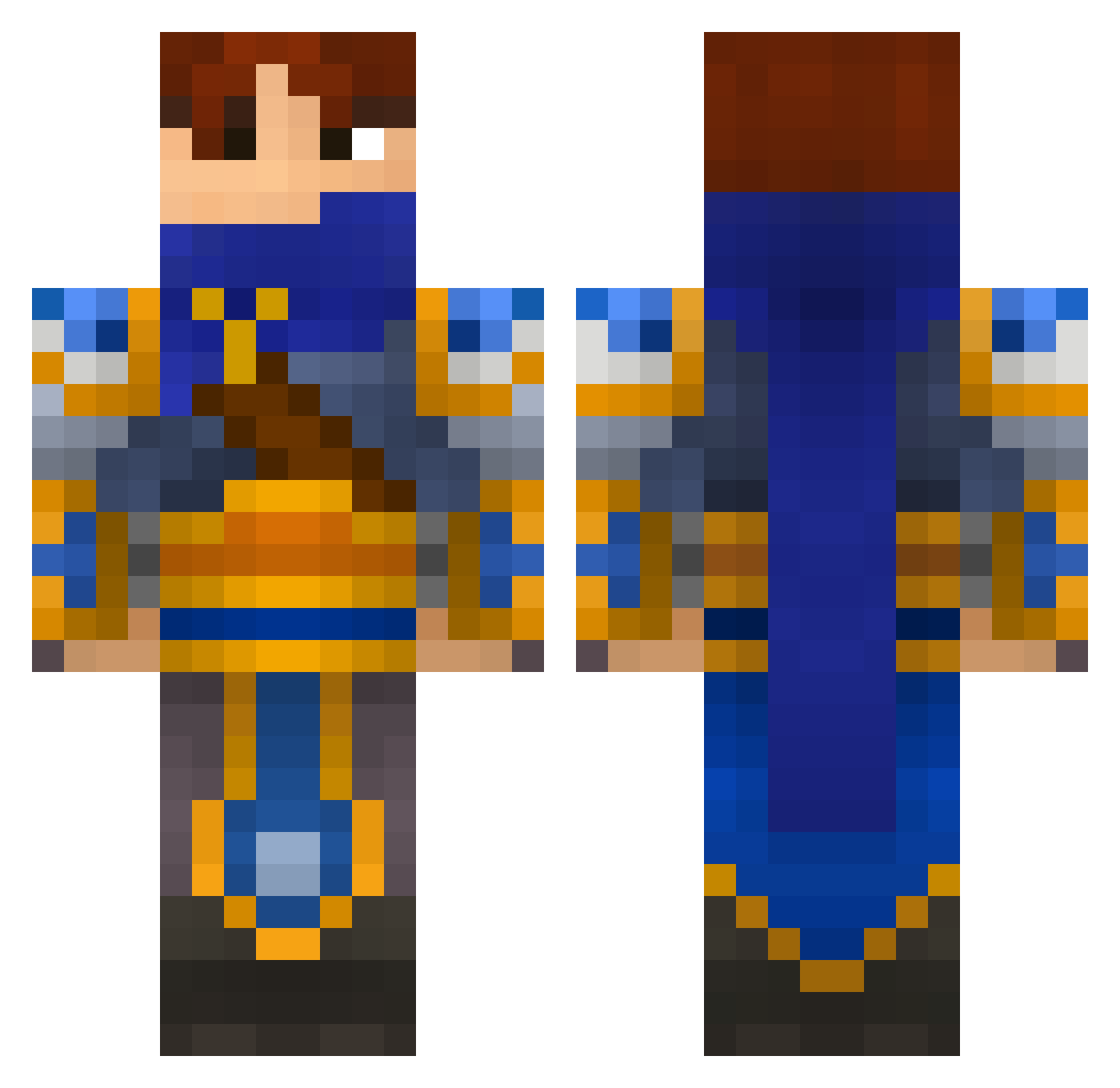
Current Minecraft skin of the player ppokka, loaded from the official Mojang API. Rotate the 3D model with your mouse or finger, then download the skin as a PNG file and use it in Minecraft: Bedrock Edition or Java Edition for free. When ppokka changes their skin, this page updates automatically and the old skin stays in the history below.
Other players with this skin (632)
ppokka was the 597th player we have seen with this skin, first spotted on 27.10.2026. The same skin was seen on these players. Open a nickname to see their current skin and skin history.
 KneelbeforeZod3 foxfire28 fearnomercy Zysero M1lkman Eastratusky Harry1003_ Mdgg master_teemo SexyMooch jordan5180 cantstopninja Megatronic20 multipeer AristiaKnight dylum peytonshedd ArmanPL FrillyHedgehog tifosi35 PizzaMcPizzaface Yankee_0008 leoliox WirexiaTube tutur51530 EmanWarrior Be4ooMad TK_Smooth diskustheone TheTrollyManXD iSHami AmoFan joe58 Valcrie Quang117 Drahondin FirepoisonX Megiusss CamStark jasonkneen NeoNThumbs novaking92 Naertis marcuswarburg Beanthorn Fatbob21 masahiko224 2preux klas44 Sir_Happster BlackArt13 Biolaw Icon1088 chickenmonke sexybeast_101 Aerentiol PoisonSwarm charlyt amercado34 shadowgab99
More Warrior Minecraft skins
How to install the ppokka skin
- Press the Download button above to save the skin as a PNG file.
- Minecraft: Bedrock Edition (PE): open the Dressing Room from the main menu (or tap your character → Edit Character), go to Classic Skins → Owned, press the + (new skin) button, choose the downloaded PNG and pick the Classic (Steve) model. Works on PC and mobile; consoles cannot import custom skins.
- Minecraft: Java Edition: open the Minecraft Launcher, go to the Skins tab, click New Skin, load the PNG, pick the Classic (Steve) model and press Save & Use. You can also upload it at minecraft.net → Profile → Change Skin.
The skin does not show up after import - what should I do?
Restart Minecraft and open the Dressing Room again - imported skins sometimes appear only after a restart. Also make sure you selected the imported skin and picked the Classic (Steve) model.
Which model should I choose, Classic or Slim?
This skin is designed for the Classic (Steve) model. If you pick the wrong model, the arms of the skin will look stretched or squeezed.
Is the skin of ppokka free to download?
Yes. Press Download, save the PNG file and use it in Minecraft: Bedrock Edition or Java Edition - no payment or registration needed. The skin also works on multiplayer servers and Realms.
More skins
Looking for more? Go back to all Minecraft skins and check the top skins of the week, month and all time, or find any player's skin by nickname.