
poupaka - Minecraft Skins & Skin History
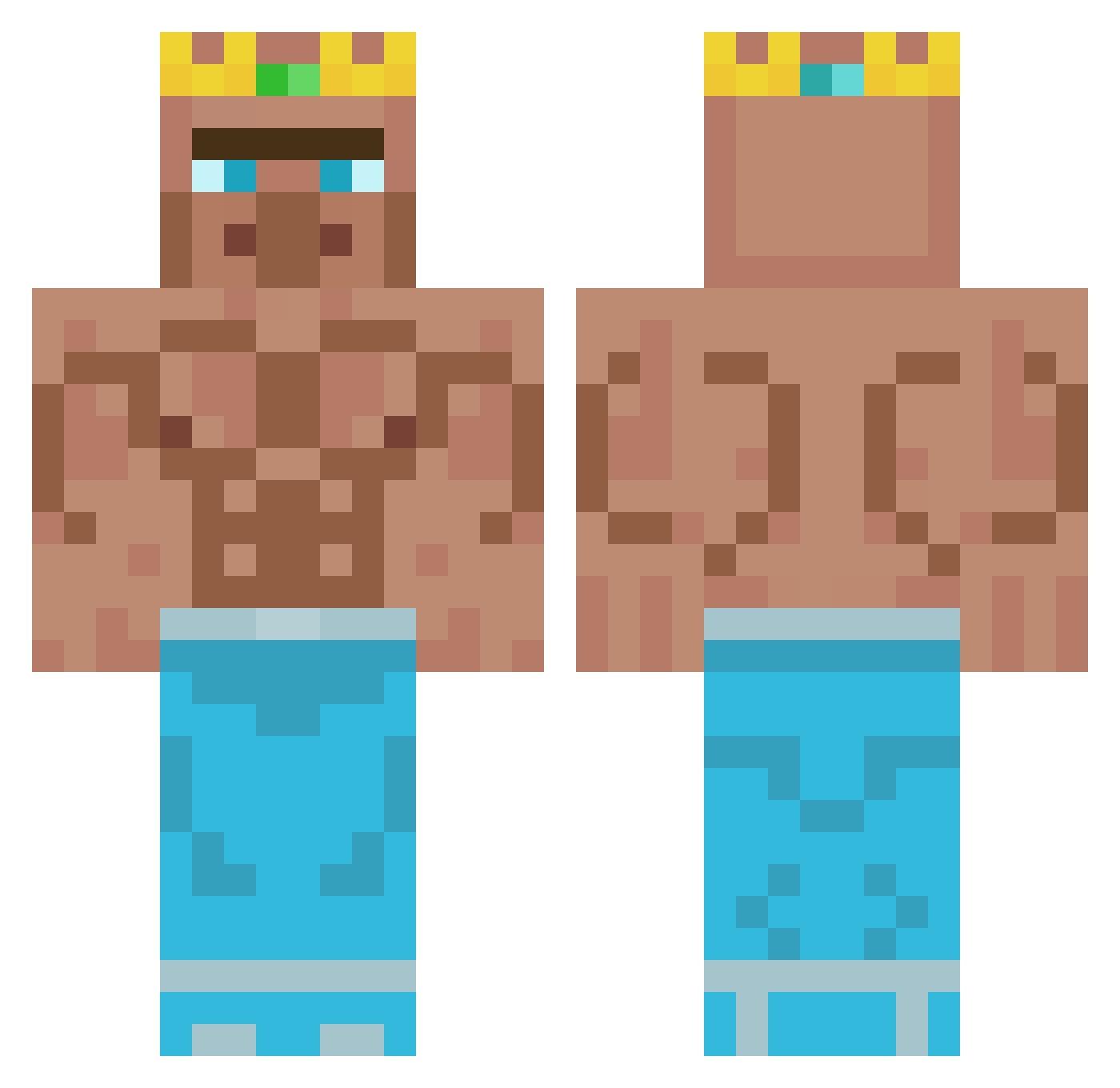
Current Minecraft skin of the player poupaka, loaded from the official Mojang API. Rotate the 3D model with your mouse or finger, then download the skin as a PNG file and use it in Minecraft: Bedrock Edition or Java Edition for free. When poupaka changes their skin, this page updates automatically and the old skin stays in the history below.
Other players with this skin (348)
poupaka was the 111th player we have seen with this skin, first spotted on 27.08.2026. The same skin was seen on these players. Open a nickname to see their current skin and skin history.
 Wildpferd2005 Keumise LuckyBulb ElDestructivo0 EggoMyLego26 Tadelio ReekKk bujude8436 adriddc2008 asdkasdka Ciejo NoobEnderman2 SavNito17 SamLynn1 brandonmxlcolm EsL78 Perducci AbdullahiChaled Horel_2006 ToTo_MeN MidgetKiller BANANK1LLER_YT LiLjers Tobst10 PIRAHNK AericPlay Revolution1590 123Fabi __fh ItsSkittishYT Elkater_ BlueShrimp5262 Porkwhy ADDOMA PoutEnjoyable646 dark_gobelet Th3FiNish3r Ikhanic1 Joseph_P_B BasedBruh Fubble_Nugget nat1368 0effort FighterSiggi Fingerlezz haubna_beni_zock kikoilcontandino Nadav1522 Mefedroniasz Huohaha_ Zamick Saiko_MS13 _Wyck_ Modjo_ POPCORN_e HarrisCallan09 goatk1ng The_Slacker Zhuushi I_MATTEO_YT
More Buff Minecraft skins
How to install the poupaka skin
- Press the Download button above to save the skin as a PNG file.
- Minecraft: Bedrock Edition (PE): open the Dressing Room from the main menu (or tap your character → Edit Character), go to Classic Skins → Owned, press the + (new skin) button, choose the downloaded PNG and pick the Classic (Steve) model. Works on PC and mobile; consoles cannot import custom skins.
- Minecraft: Java Edition: open the Minecraft Launcher, go to the Skins tab, click New Skin, load the PNG, pick the Classic (Steve) model and press Save & Use. You can also upload it at minecraft.net → Profile → Change Skin.
The skin does not show up after import - what should I do?
Restart Minecraft and open the Dressing Room again - imported skins sometimes appear only after a restart. Also make sure you selected the imported skin and picked the Classic (Steve) model.
Which model should I choose, Classic or Slim?
This skin is designed for the Classic (Steve) model. If you pick the wrong model, the arms of the skin will look stretched or squeezed.
Is the skin of poupaka free to download?
Yes. Press Download, save the PNG file and use it in Minecraft: Bedrock Edition or Java Edition - no payment or registration needed. The skin also works on multiplayer servers and Realms.
More skins
Looking for more? Go back to all Minecraft skins and check the top skins of the week, month and all time, or find any player's skin by nickname.