
popourry - Minecraft Skins & Skin History
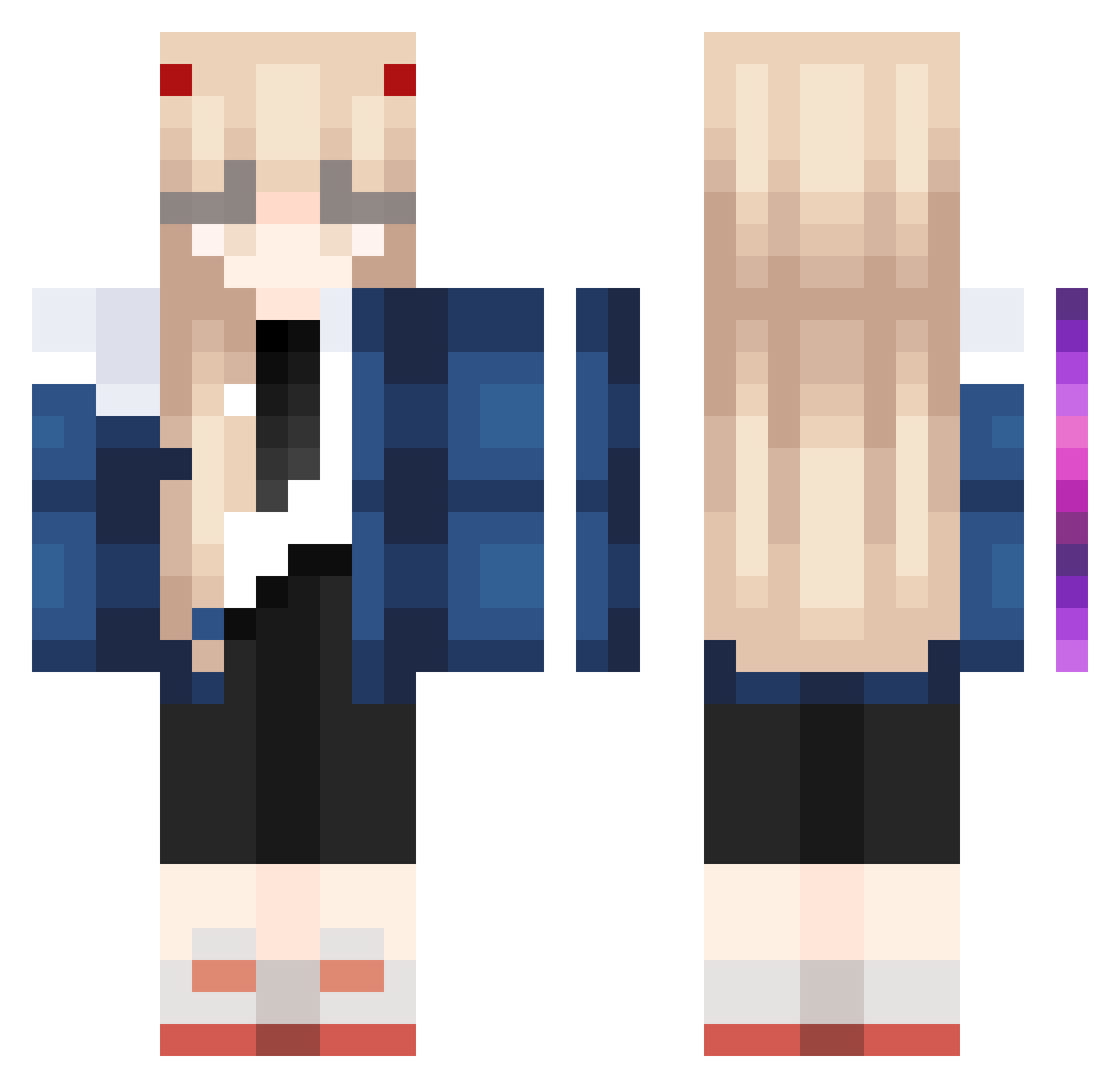
Current Minecraft skin of the player popourry, loaded from the official Mojang API. Rotate the 3D model with your mouse or finger, then download the skin as a PNG file and use it in Minecraft: Bedrock Edition or Java Edition for free. When popourry changes their skin, this page updates automatically and the old skin stays in the history below.
Other players with this skin (1023)
popourry was the 456th player we have seen with this skin, first spotted on 14.09.2026. The same skin was seen on these players. Open a nickname to see their current skin and skin history.
 emma437 sungmingyu iwtba13 Soida1 cataxd04 BlickDod Crz_Dangle hundredhanded Zofiesdog playingtofu Sternes3 LeadDylan Siell0702 Jordan5k Cupidyn sabasan0123 Hades9665 gertiem MayuuwuVT Nichiss Ramhaul marci_gd xkn666 kun811 Zuznnn 678_ TheWisleREAL AyaseT Stainz_ sodle11 Snowely ElleRose_x yyuta LunatiKSayuri NewClient1223 xingsi MissRiin nathlgnd xlivvvv HideFromMeV2 dioniuzi mrnun00 fucnm samlicious1602 DudePro777 NightPlover Dreamboatk FlatCloud533962 baiwan_0909 UselessFly unght Rocky_Rocky360 Esha1254 P4W4 FutoiYubi RobertoGay Shockoach Paytonaa Saikialt255Kusuo eb0b
More Zero Two Minecraft skins
How to install the popourry skin
- Press the Download button above to save the skin as a PNG file.
- Minecraft: Bedrock Edition (PE): open the Dressing Room from the main menu (or tap your character → Edit Character), go to Classic Skins → Owned, press the + (new skin) button, choose the downloaded PNG and pick the Classic (Steve) model. Works on PC and mobile; consoles cannot import custom skins.
- Minecraft: Java Edition: open the Minecraft Launcher, go to the Skins tab, click New Skin, load the PNG, pick the Classic (Steve) model and press Save & Use. You can also upload it at minecraft.net → Profile → Change Skin.
The skin does not show up after import - what should I do?
Restart Minecraft and open the Dressing Room again - imported skins sometimes appear only after a restart. Also make sure you selected the imported skin and picked the Classic (Steve) model.
Which model should I choose, Classic or Slim?
This skin is designed for the Classic (Steve) model. If you pick the wrong model, the arms of the skin will look stretched or squeezed.
Is the skin of popourry free to download?
Yes. Press Download, save the PNG file and use it in Minecraft: Bedrock Edition or Java Edition - no payment or registration needed. The skin also works on multiplayer servers and Realms.
More skins
Looking for more? Go back to all Minecraft skins and check the top skins of the week, month and all time, or find any player's skin by nickname.