
plohoipaketic - Minecraft Skins & Skin History
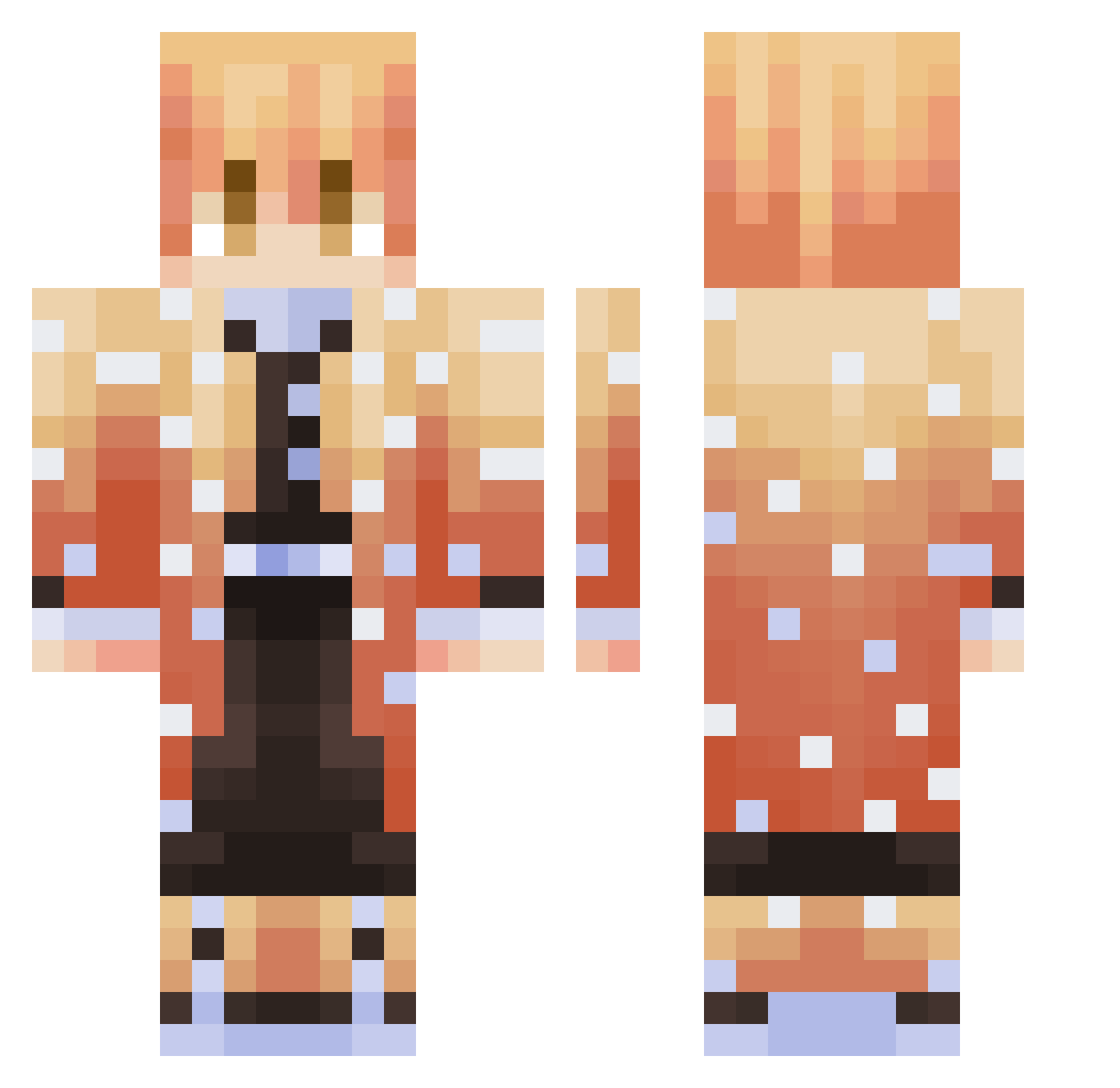
Current Minecraft skin of the player plohoipaketic, loaded from the official Mojang API. Rotate the 3D model with your mouse or finger, then download the skin as a PNG file and use it in Minecraft: Bedrock Edition or Java Edition for free. When plohoipaketic changes their skin, this page updates automatically and the old skin stays in the history below.
Other players with this skin (363)
plohoipaketic was the 237th player we have seen with this skin, first spotted on 06.10.2026. The same skin was seen on these players. Open a nickname to see their current skin and skin history.
 TheThingy1 Mateusluck MarlboroRed8MM homendoalabama macncheesecum edgyboysatn Y1fen Dark_DestroyerHD ScarDrop thegreatninja98 InterX_ Arlaner sasorry GatoGandolf astronauta345 voonnnnn geniusmarcosYT _Vc0m_ maly6r MadaraUzamaki LeNmathafak lugaaaaaaaaaaaix Mojito92 datboymvtt Sarvivalas Absyntka Arend4r BLACKB2AN FlyShix ksusha_mops iLavaMc Noro1552 ThorNQA DetlaNinja DB43Venom ZZuni99 khanda2510 panis72 7Jaws Dinosaurus836 Gokuafsigol WeRhyy xObanai1 ebb010 Yellqu1t YummyLink mini312 ItzJustTYTY XTRACLUMZY dongyun79 banua ALperENbey1 Clxwnzy1 zuez1158 Happy_News ZENITSU_TOP RYO19930903 pokbi JimsBathWater 13i4urg4t54ty7g4
More Zenitsu Agatsuma Minecraft skins
See all 204 Zenitsu Agatsuma skins
How to install the plohoipaketic skin
- Press the Download button above to save the skin as a PNG file.
- Minecraft: Bedrock Edition (PE): open the Dressing Room from the main menu (or tap your character → Edit Character), go to Classic Skins → Owned, press the + (new skin) button, choose the downloaded PNG and pick the Classic (Steve) model. Works on PC and mobile; consoles cannot import custom skins.
- Minecraft: Java Edition: open the Minecraft Launcher, go to the Skins tab, click New Skin, load the PNG, pick the Classic (Steve) model and press Save & Use. You can also upload it at minecraft.net → Profile → Change Skin.
The skin does not show up after import - what should I do?
Restart Minecraft and open the Dressing Room again - imported skins sometimes appear only after a restart. Also make sure you selected the imported skin and picked the Classic (Steve) model.
Which model should I choose, Classic or Slim?
This skin is designed for the Classic (Steve) model. If you pick the wrong model, the arms of the skin will look stretched or squeezed.
Is the skin of plohoipaketic free to download?
Yes. Press Download, save the PNG file and use it in Minecraft: Bedrock Edition or Java Edition - no payment or registration needed. The skin also works on multiplayer servers and Realms.
More skins
Looking for more? Go back to all Minecraft skins and check the top skins of the week, month and all time, or find any player's skin by nickname.