
perrtyplatypus52 - Minecraft Skins & Skin History
Current Minecraft skin of the player perrtyplatypus52, loaded from the official Mojang API. Rotate the 3D model with your mouse or finger, then download the skin as a PNG file and use it in Minecraft: Bedrock Edition or Java Edition for free. When perrtyplatypus52 changes their skin, this page updates automatically and the old skin stays in the history below.
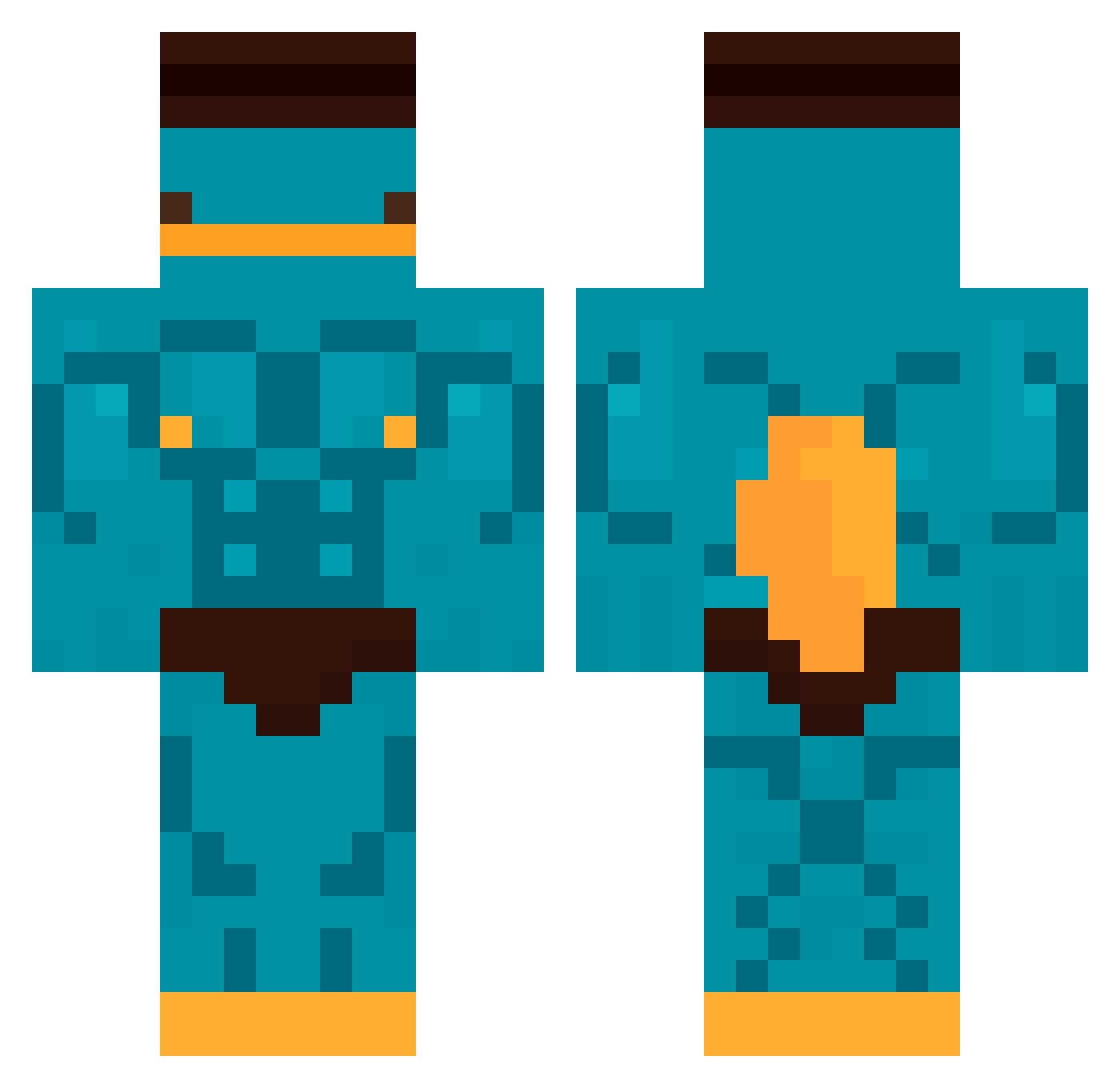
Other players with this skin (554)
perrtyplatypus52 was the 404th player we have seen with this skin, first spotted on 21.10.2026. The same skin was seen on these players. Open a nickname to see their current skin and skin history.
 manuliza JesusRodolfo07 perry37 BubaNight HellAngels45 yaxx10 Slynz_ AndrewUU Woodyy12 Miner0908 rydgg midasking1234 Hypertive Pulpo2115 ToastedRalf madaya1 m4t0co for2120 mauxx_ ZadN1Zzaa MysthRL cuteboysj2 YourFavMimi MINEIRO2007 kimjungsik Miyuman Schmaica Stiickth HacheCe27 TheDeathv2YT konewiakk Poisonbomb08 xLxcid CommanderSarcasm Leomplayer Santix34 KazuYume pauMario Dennisr18 wiliprro Samdoula TryKier Zedis76 concave79 PGHDD IgorKaczor rybiarzzz Azercroute Sennryuuu lolman7819 Maciei11 Nickmaster453 vixito81 hickzinks hmmmmmm06 Nate_Lifts Tetudox125 HadesX0 MikeStar21 ThijmenTW
More Buff Minecraft skins
How to install the perrtyplatypus52 skin
- Press the Download button above to save the skin as a PNG file.
- Minecraft: Bedrock Edition (PE): open the Dressing Room from the main menu (or tap your character → Edit Character), go to Classic Skins → Owned, press the + (new skin) button, choose the downloaded PNG and pick the Classic (Steve) model. Works on PC and mobile; consoles cannot import custom skins.
- Minecraft: Java Edition: open the Minecraft Launcher, go to the Skins tab, click New Skin, load the PNG, pick the Classic (Steve) model and press Save & Use. You can also upload it at minecraft.net → Profile → Change Skin.
The skin does not show up after import - what should I do?
Restart Minecraft and open the Dressing Room again - imported skins sometimes appear only after a restart. Also make sure you selected the imported skin and picked the Classic (Steve) model.
Which model should I choose, Classic or Slim?
This skin is designed for the Classic (Steve) model. If you pick the wrong model, the arms of the skin will look stretched or squeezed.
Is the skin of perrtyplatypus52 free to download?
Yes. Press Download, save the PNG file and use it in Minecraft: Bedrock Edition or Java Edition - no payment or registration needed. The skin also works on multiplayer servers and Realms.
More skins
Looking for more? Go back to all Minecraft skins and check the top skins of the week, month and all time, or find any player's skin by nickname.