
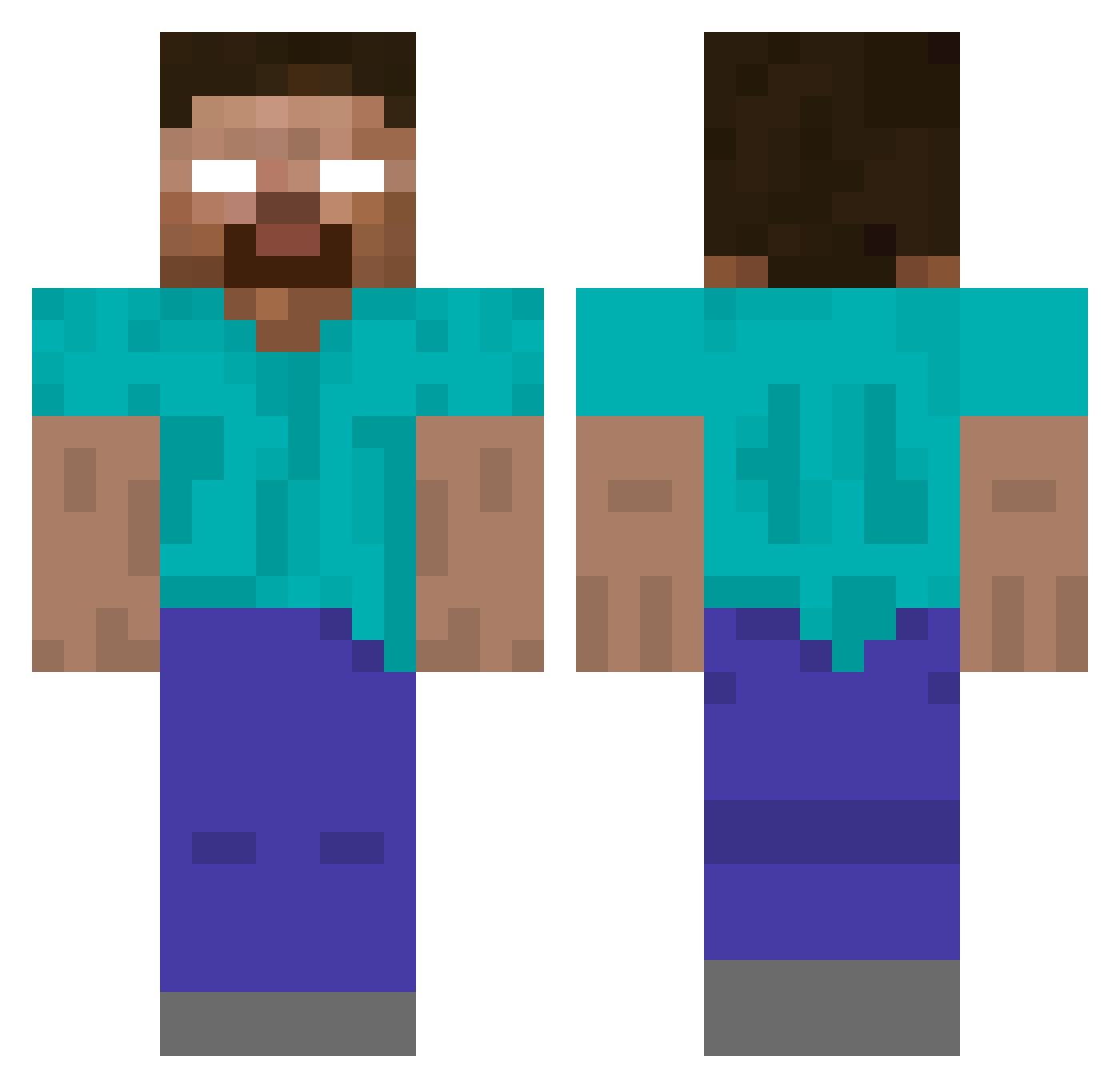
Current Minecraft skin of the player peemball, loaded from the official Mojang API. Rotate the 3D model with your mouse or finger, then download the skin as a PNG file and use it in Minecraft: Bedrock Edition or Java Edition for free. When peemball changes their skin, this page updates automatically and the old skin stays in the history below.
Other players with this skin (169)
peemball was the 119th player we have seen with this skin, first spotted on 24.09.2026. The same skin was seen on these players. Open a nickname to see their current skin and skin history.
 yunngbb HIROBAIN rmod32 VictorH18 pXvel SrHeroBrownie22 sansjmx 4fun_marcos capricornrules3 Vostok1k Brinz1k Gandalf0024 g13xz MaroSon1 Blackwell87 pepito8888 Magrur Gasueih14 JoshuaJudgement sssantonic Achiey Buddylaw Deathsnare00 Manouchka05 prismtank Ksandebri azubertzu Steamtrain228 zobotsky PheonixC147 7hed hairytoenails591 timjklllllllllll herobrine10003 Wery01 PadreBoss CHRUDJ Shiino94i IntestineBaalism nkatco Kamilllo MarkFromYahoo Mortini1 buynvidia Max_Freds caeniel2112 StrawLess_ Recursive3 UsaMehmeT1 asi0105 ottobr Stevefanumber1 Theend1020 Compakt07 plongies peppapigmama BuHayatBeniYordu OffNutty bliiiiiink Pushnina
More Herobrine Minecraft skins
How to install the peemball skin
- Press the Download button above to save the skin as a PNG file.
- Minecraft: Bedrock Edition (PE): open the Dressing Room from the main menu (or tap your character → Edit Character), go to Classic Skins → Owned, press the + (new skin) button, choose the downloaded PNG and pick the Classic (Steve) model. Works on PC and mobile; consoles cannot import custom skins.
- Minecraft: Java Edition: open the Minecraft Launcher, go to the Skins tab, click New Skin, load the PNG, pick the Classic (Steve) model and press Save & Use. You can also upload it at minecraft.net → Profile → Change Skin.
The skin does not show up after import - what should I do?
Restart Minecraft and open the Dressing Room again - imported skins sometimes appear only after a restart. Also make sure you selected the imported skin and picked the Classic (Steve) model.
Which model should I choose, Classic or Slim?
This skin is designed for the Classic (Steve) model. If you pick the wrong model, the arms of the skin will look stretched or squeezed.
Is the skin of peemball free to download?
Yes. Press Download, save the PNG file and use it in Minecraft: Bedrock Edition or Java Edition - no payment or registration needed. The skin also works on multiplayer servers and Realms.
More skins
Looking for more? Go back to all Minecraft skins and check the top skins of the week, month and all time, or find any player's skin by nickname.