
pats638 - Minecraft Skins & Skin History
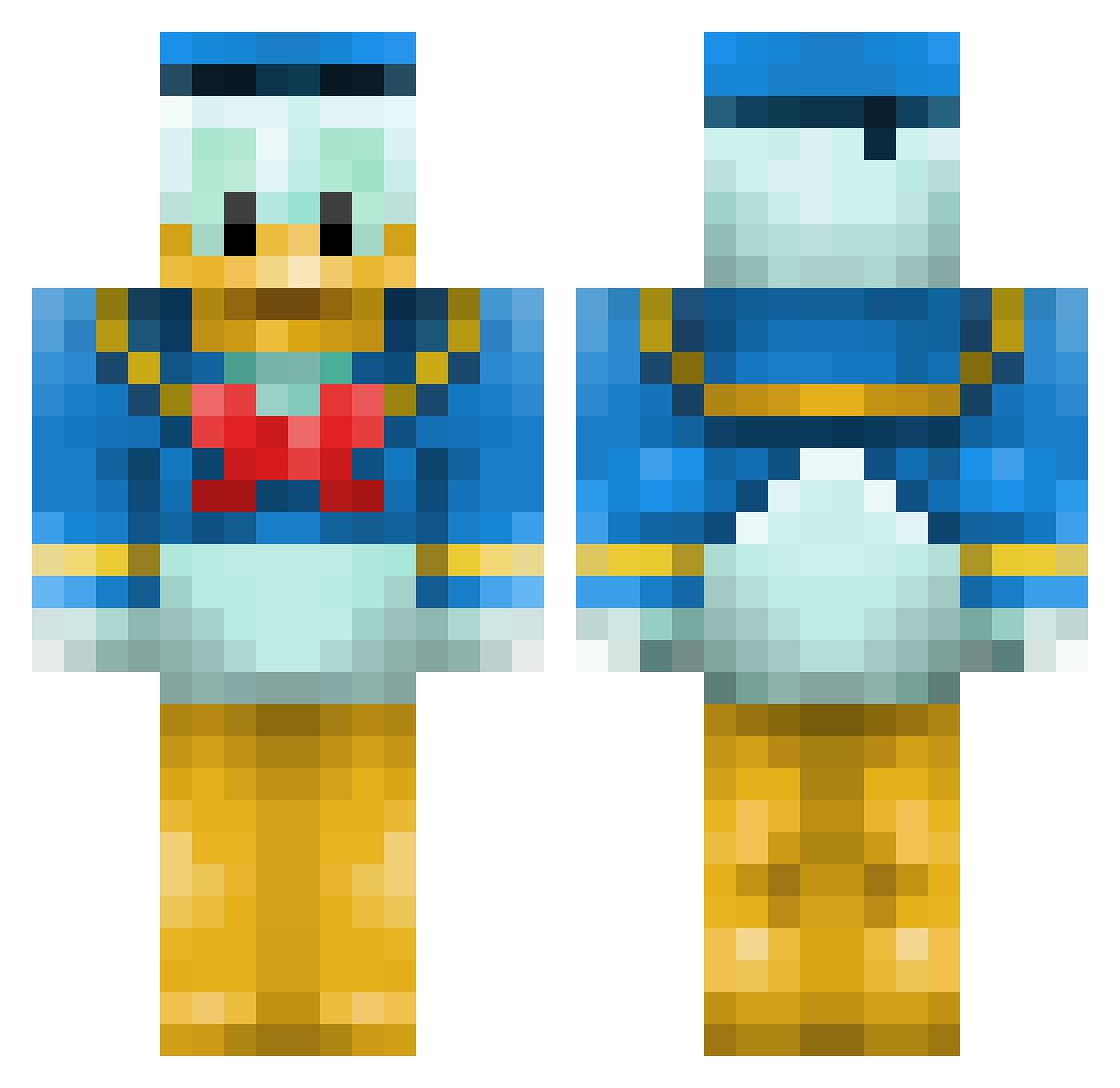
Current Minecraft skin of the player pats638, loaded from the official Mojang API. Rotate the 3D model with your mouse or finger, then download the skin as a PNG file and use it in Minecraft: Bedrock Edition or Java Edition for free. When pats638 changes their skin, this page updates automatically and the old skin stays in the history below.
Other players with this skin (660)
pats638 was the 86th player we have seen with this skin, first spotted on 07.08.2026. The same skin was seen on these players. Open a nickname to see their current skin and skin history.
 ceyvy12 Pflanzenmann benigumo0304 DonaldDu52 ivanildo07 Rabbaflabba Feygel Pruts flawlessBank Arkonne Ashford1998 louchta KoooDT pusteblume91 scottecs95 sugar64 Gardemort vilh0029 YIN_QI Dioxico Blade868 danseladinde Deetlef96 Akrillez Aleex98 Dackaree dapperkite CheDylan lolmonkeylol Billyruss TheKingBoy115 sophietsakonas Minecharlie13 ciancooper123 nrusso9112 DutchRVB SylverMouse Lukey04000 Esbrae qaaqa phillydawg Pizzaboote94 kingshea harshabar s5532018 wowjoakim dryxxice supersizesy dksprocket Dare02 and1376 jaekh olavrk99 winterbear_ Hirnson chocho37 oos4011 K3nny12 Crips_Claw joshmanrasco
More Donald Duck Minecraft skins
How to install the pats638 skin
- Press the Download button above to save the skin as a PNG file.
- Minecraft: Bedrock Edition (PE): open the Dressing Room from the main menu (or tap your character → Edit Character), go to Classic Skins → Owned, press the + (new skin) button, choose the downloaded PNG and pick the Classic (Steve) model. Works on PC and mobile; consoles cannot import custom skins.
- Minecraft: Java Edition: open the Minecraft Launcher, go to the Skins tab, click New Skin, load the PNG, pick the Classic (Steve) model and press Save & Use. You can also upload it at minecraft.net → Profile → Change Skin.
The skin does not show up after import - what should I do?
Restart Minecraft and open the Dressing Room again - imported skins sometimes appear only after a restart. Also make sure you selected the imported skin and picked the Classic (Steve) model.
Which model should I choose, Classic or Slim?
This skin is designed for the Classic (Steve) model. If you pick the wrong model, the arms of the skin will look stretched or squeezed.
Is the skin of pats638 free to download?
Yes. Press Download, save the PNG file and use it in Minecraft: Bedrock Edition or Java Edition - no payment or registration needed. The skin also works on multiplayer servers and Realms.
More skins
Looking for more? Go back to all Minecraft skins and check the top skins of the week, month and all time, or find any player's skin by nickname.