
painpekopeko_ - Minecraft Skins & Skin History
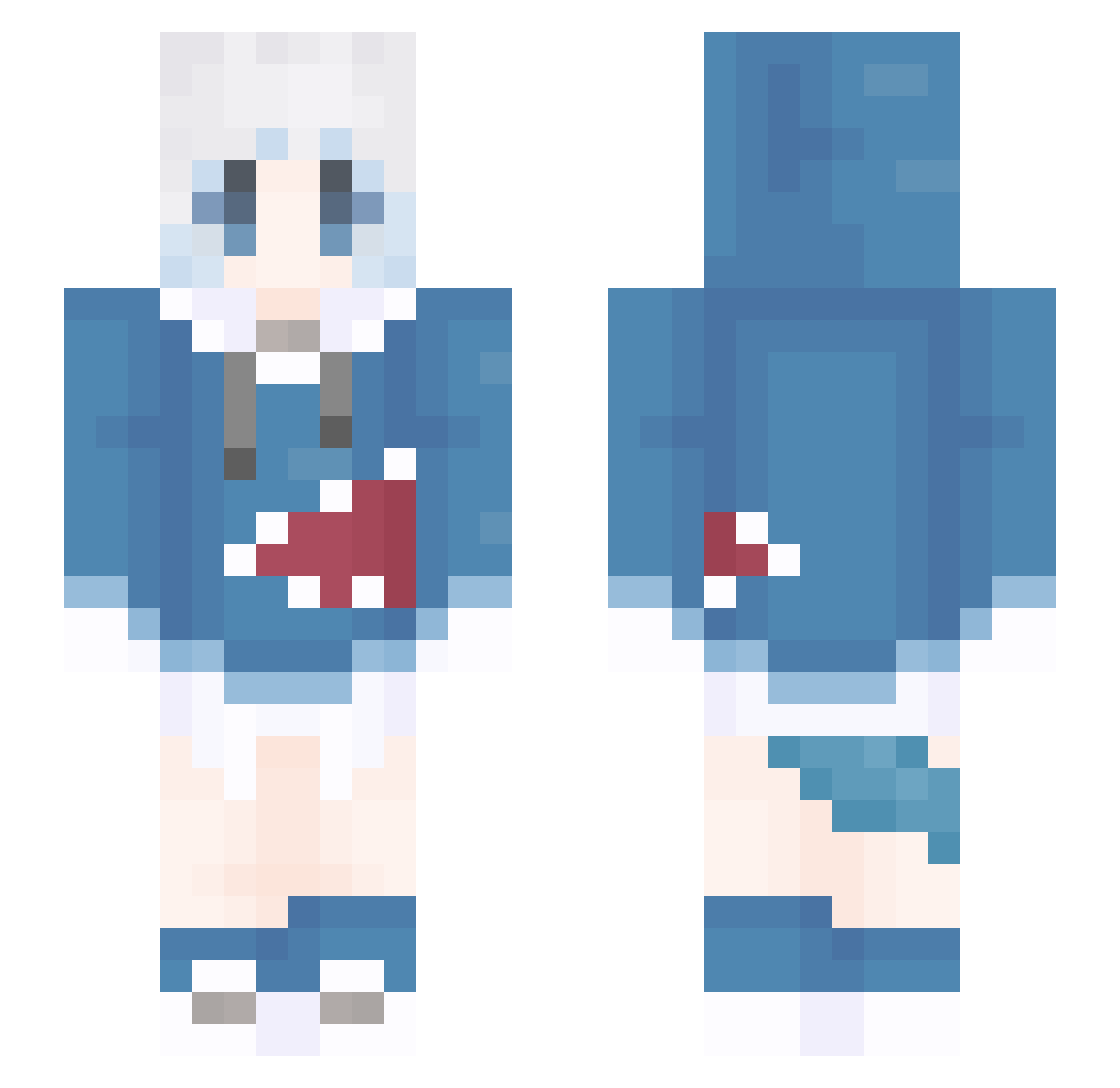
Current Minecraft skin of the player painpekopeko_, loaded from the official Mojang API. Rotate the 3D model with your mouse or finger, then download the skin as a PNG file and use it in Minecraft: Bedrock Edition or Java Edition for free. When painpekopeko_ changes their skin, this page updates automatically and the old skin stays in the history below.
Other players with this skin (1310)
painpekopeko_ was the 797th player we have seen with this skin, first spotted on 30.09.2026. The same skin was seen on these players. Open a nickname to see their current skin and skin history.
 wj____ jhq768 Nkezl Light_sworn YuchengA shiaweila lvayy cztxxx shahahark 2002CJM Conchita11 Mhadhwr Coploa jokerlove69 PAINDIE yycfd Kerish321 Roetaros gawrmimi gugugu114514 asdw4321 BlessedU hello666999 cheeeeetosssss raymond8833 Solecu okeibei nmbmstt jhaohao728 MC_GUAJI malou007 WO_zzzz Altoten Zhang3144 weiyang123 CHARAAAAAAAAA FuOMA46 JYMine233 lemon111223 SUNTIAN1234 winter_orange yuqing23 lingjvli Qiyp luoluoOvO _MC_SKUDZ_ Triangle_01 Rozen929 Skadi_Love lngi dshdht DreamCatDH zbqvq_ovo GGBond131 WongHH CincoTT xtao_z SURVING yifangong0 Ceasar007
More Gawr Gura Minecraft skins
How to install the painpekopeko_ skin
- Press the Download button above to save the skin as a PNG file.
- Minecraft: Bedrock Edition (PE): open the Dressing Room from the main menu (or tap your character → Edit Character), go to Classic Skins → Owned, press the + (new skin) button, choose the downloaded PNG and pick the Slim (Alex) model. Works on PC and mobile; consoles cannot import custom skins.
- Minecraft: Java Edition: open the Minecraft Launcher, go to the Skins tab, click New Skin, load the PNG, pick the Slim (Alex) model and press Save & Use. You can also upload it at minecraft.net → Profile → Change Skin.
The skin does not show up after import - what should I do?
Restart Minecraft and open the Dressing Room again - imported skins sometimes appear only after a restart. Also make sure you selected the imported skin and picked the Slim (Alex) model.
Which model should I choose, Classic or Slim?
This skin is designed for the Slim (Alex) model. If you pick the wrong model, the arms of the skin will look stretched or squeezed.
Is the skin of painpekopeko_ free to download?
Yes. Press Download, save the PNG file and use it in Minecraft: Bedrock Edition or Java Edition - no payment or registration needed. The skin also works on multiplayer servers and Realms.
More skins
Looking for more? Go back to all Minecraft skins and check the top skins of the week, month and all time, or find any player's skin by nickname.