
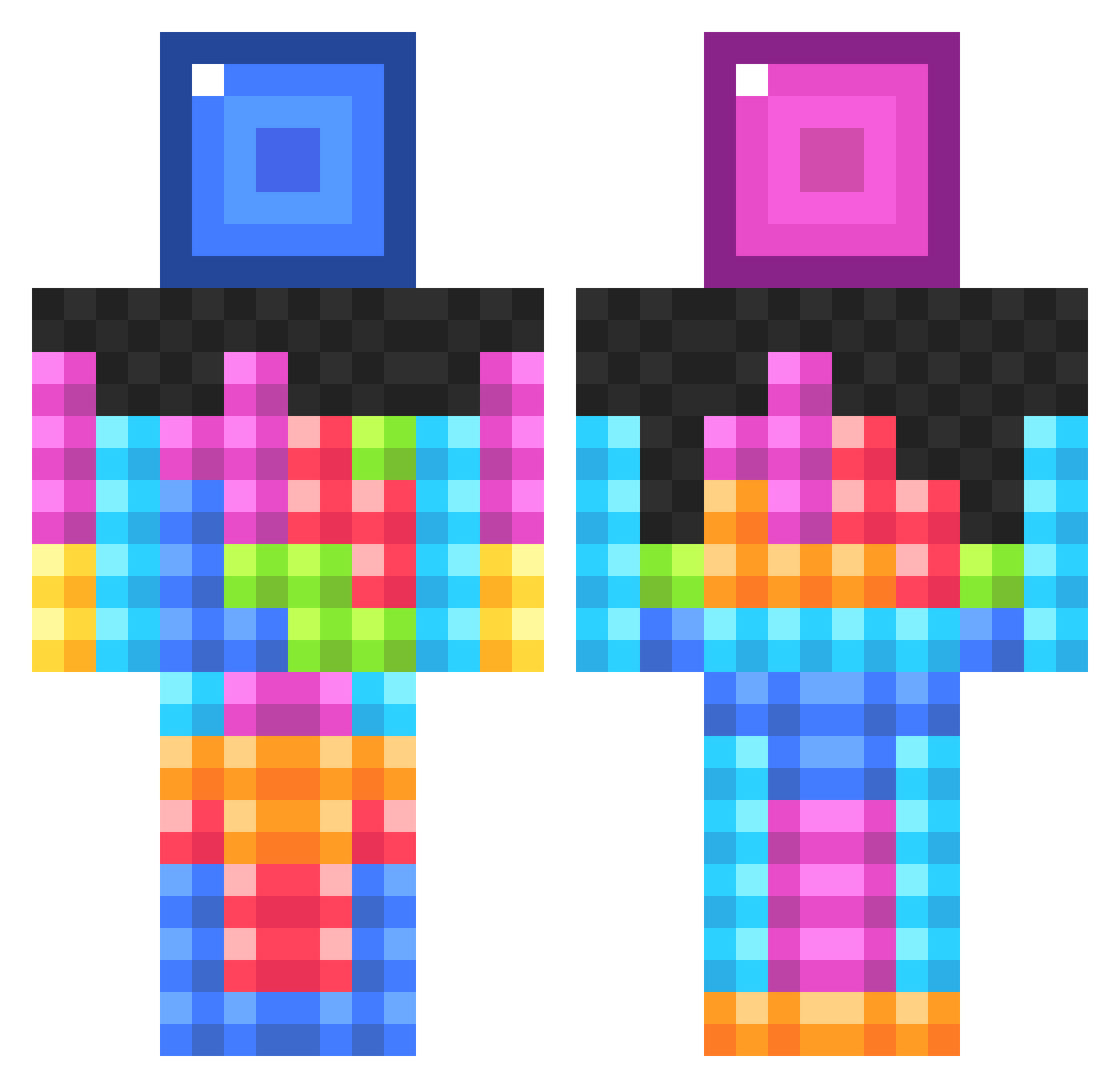
Current Minecraft skin of the player ongyiubrothers, loaded from the official Mojang API. Rotate the 3D model with your mouse or finger, then download the skin as a PNG file and use it in Minecraft: Bedrock Edition or Java Edition for free. When ongyiubrothers changes their skin, this page updates automatically and the old skin stays in the history below.
Other players with this skin (92)
ongyiubrothers was the 42nd player we have seen with this skin, first spotted on 31.08.2026. The same skin was seen on these players. Open a nickname to see their current skin and skin history.
 Leo711 Val_K SilverFishSoup AzureNotAzure Revforce3 RhettS102 N1XN4M3 karatepig99 HeroicGryphon5 Lemeur6 ZZZZZJINUZZ AntiqueDora Scion720 RizzoBoomer SPIN2 Lucky_Orz 6aro8y ModJude Opal8877 0Degrees cdex570 Yanhe_YH Uman06 bjho bug1_ Nikitamir SHINNU78 SLAYER0407 attackgod ScouSin ElNaig Stioui HurdleBeast22 chen_miao 348293819 sergoustar LaLaWolfCat2008 EveeChu ThunderHedge Nazau apahfl Skywalker00500 mangeurdebite Kum_Dumpster Mint_0735 Fl1p0ut Los_Brudalos Leyzou Xumba14 supermartin0108 Asolexfi theburi mamashengder JayvanIsCool Juriaen JasonTheHun Marlowe25 MasonG7 charcuterie8 Baciliy
More Block Minecraft skins
How to install the ongyiubrothers skin
- Press the Download button above to save the skin as a PNG file.
- Minecraft: Bedrock Edition (PE): open the Dressing Room from the main menu (or tap your character → Edit Character), go to Classic Skins → Owned, press the + (new skin) button, choose the downloaded PNG and pick the Classic (Steve) model. Works on PC and mobile; consoles cannot import custom skins.
- Minecraft: Java Edition: open the Minecraft Launcher, go to the Skins tab, click New Skin, load the PNG, pick the Classic (Steve) model and press Save & Use. You can also upload it at minecraft.net → Profile → Change Skin.
The skin does not show up after import - what should I do?
Restart Minecraft and open the Dressing Room again - imported skins sometimes appear only after a restart. Also make sure you selected the imported skin and picked the Classic (Steve) model.
Which model should I choose, Classic or Slim?
This skin is designed for the Classic (Steve) model. If you pick the wrong model, the arms of the skin will look stretched or squeezed.
Is the skin of ongyiubrothers free to download?
Yes. Press Download, save the PNG file and use it in Minecraft: Bedrock Edition or Java Edition - no payment or registration needed. The skin also works on multiplayer servers and Realms.
More skins
Looking for more? Go back to all Minecraft skins and check the top skins of the week, month and all time, or find any player's skin by nickname.