
oSaturn - Minecraft Skins & Skin History
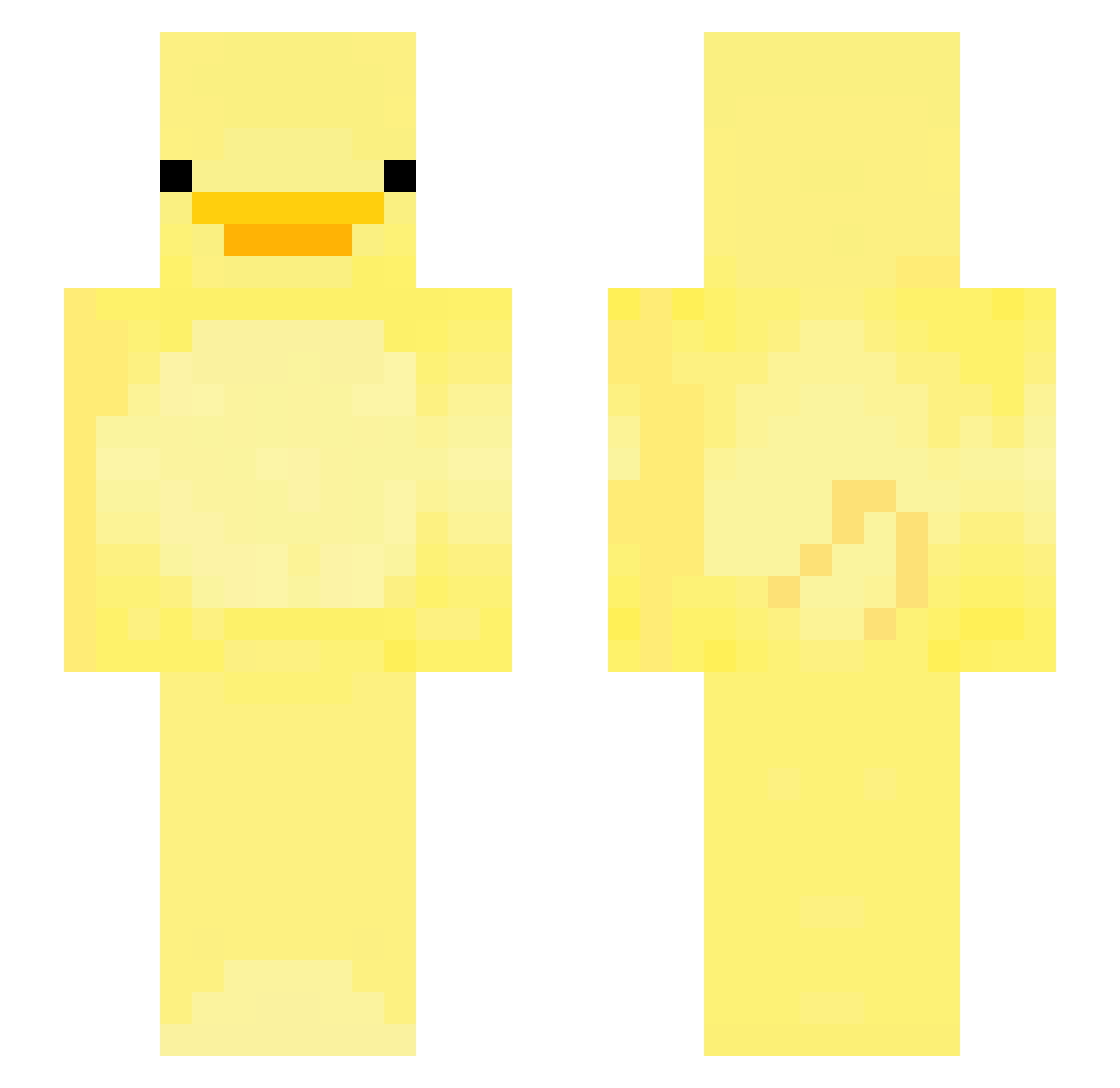
Current Minecraft skin of the player oSaturn, loaded from the official Mojang API. Rotate the 3D model with your mouse or finger, then download the skin as a PNG file and use it in Minecraft: Bedrock Edition or Java Edition for free. When oSaturn changes their skin, this page updates automatically and the old skin stays in the history below.
Other players with this skin (225)
oSaturn was the 90th player we have seen with this skin, first spotted on 11.09.2026. The same skin was seen on these players. Open a nickname to see their current skin and skin history.
 YAWSEP Bory1115 koftepattesadam Rin_undercover xXHyperStrafeXx Foca_83 Gaeul_ eknoc MorteShi2 TippyWaffles
 imrkdehwj Chloe_stevz_ Peanuttles won_bin0814 Mennacing Yanmispankek Cliam_ eun212 heyimnikki DontDuckWhitMe AKhalil PilNunez Redioux posak zixttt ryry159 HYUNMINLOVE ysj_1213 Asd_0326 HanJo0925 notsxuth Icone 13a13b gamzabokkum Xvy2137 cosmiccatto4 StinkingMasa GS26 sony20202 IntroInterlude Iungjae Su_Chan_2 BarBaQueSauce Gabrys1012 Tpi Ente_f Dxckey ZaadKwadraat Judy0919 Rigones hyukgoo SpaceBadger22 Digionix ChimIn kimjudan Chapybara1 ParCow37 SnappleFact dusdn1013 lattiamoppi
More Bird Minecraft skins
How to install the oSaturn skin
- Press the Download button above to save the skin as a PNG file.
- Minecraft: Bedrock Edition (PE): open the Dressing Room from the main menu (or tap your character → Edit Character), go to Classic Skins → Owned, press the + (new skin) button, choose the downloaded PNG and pick the Slim (Alex) model. Works on PC and mobile; consoles cannot import custom skins.
- Minecraft: Java Edition: open the Minecraft Launcher, go to the Skins tab, click New Skin, load the PNG, pick the Slim (Alex) model and press Save & Use. You can also upload it at minecraft.net → Profile → Change Skin.
The skin does not show up after import - what should I do?
Restart Minecraft and open the Dressing Room again - imported skins sometimes appear only after a restart. Also make sure you selected the imported skin and picked the Slim (Alex) model.
Which model should I choose, Classic or Slim?
This skin is designed for the Slim (Alex) model. If you pick the wrong model, the arms of the skin will look stretched or squeezed.
Is the skin of oSaturn free to download?
Yes. Press Download, save the PNG file and use it in Minecraft: Bedrock Edition or Java Edition - no payment or registration needed. The skin also works on multiplayer servers and Realms.
More skins
Looking for more? Go back to all Minecraft skins and check the top skins of the week, month and all time, or find any player's skin by nickname.