
nutrey318 - Minecraft Skins & Skin History
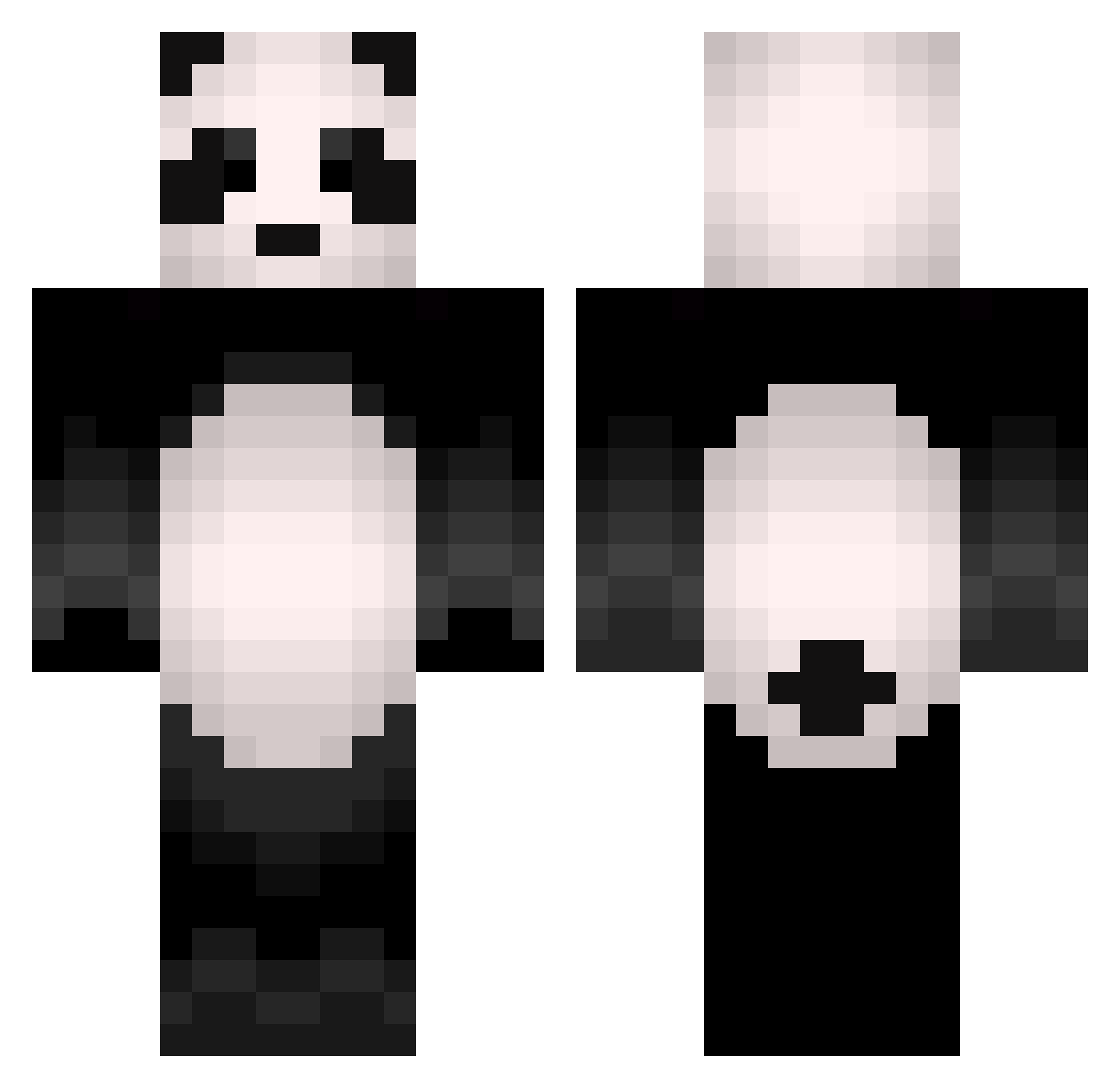
Current Minecraft skin of the player nutrey318, loaded from the official Mojang API. Rotate the 3D model with your mouse or finger, then download the skin as a PNG file and use it in Minecraft: Bedrock Edition or Java Edition for free. When nutrey318 changes their skin, this page updates automatically and the old skin stays in the history below.
Other players with this skin (505)
nutrey318 was the 184th player we have seen with this skin, first spotted on 09.09.2026. The same skin was seen on these players. Open a nickname to see their current skin and skin history.
 Lofisolite AyparBaba captain_mutant LilPanda7272 Stenbidderen Pandeded SatchPL Sandy182 Plumbummm rooCry Flash1ight Dartch15 kotaro_0922 Zanemaster hoseong0684 iPlayMC_FTW Fjyv CHANSEONG2830 Big__Panda Nost_31 Stumblzzz subjung FlashKa_ B1uePanda Azhao_0v0 xswider1337 GUN_MULJU Chechogg PixelAtlas Panda102205 tholleran17 KevinWensveen Vrokky J_ihm universebam ItsMoYoo Heibai PandaDork33 ya_zhu SEKITOMOKI LLuaBV Garfield__ El_Pandator drwoof_h2oski cut1ep1ggy Sergo0 NyakoGames Teazzerrr shaqo68 VicodinAvenue Riq_Diq_Louis kurokurokami iRestaRt_P Pieman778 VavaViolett ChocoPark _Flutie Manpandas shinjinji Gabukyee
More Animal Minecraft skins
How to install the nutrey318 skin
- Press the Download button above to save the skin as a PNG file.
- Minecraft: Bedrock Edition (PE): open the Dressing Room from the main menu (or tap your character → Edit Character), go to Classic Skins → Owned, press the + (new skin) button, choose the downloaded PNG and pick the Classic (Steve) model. Works on PC and mobile; consoles cannot import custom skins.
- Minecraft: Java Edition: open the Minecraft Launcher, go to the Skins tab, click New Skin, load the PNG, pick the Classic (Steve) model and press Save & Use. You can also upload it at minecraft.net → Profile → Change Skin.
The skin does not show up after import - what should I do?
Restart Minecraft and open the Dressing Room again - imported skins sometimes appear only after a restart. Also make sure you selected the imported skin and picked the Classic (Steve) model.
Which model should I choose, Classic or Slim?
This skin is designed for the Classic (Steve) model. If you pick the wrong model, the arms of the skin will look stretched or squeezed.
Is the skin of nutrey318 free to download?
Yes. Press Download, save the PNG file and use it in Minecraft: Bedrock Edition or Java Edition - no payment or registration needed. The skin also works on multiplayer servers and Realms.
More skins
Looking for more? Go back to all Minecraft skins and check the top skins of the week, month and all time, or find any player's skin by nickname.