
nicergirl - Minecraft Skins & Skin History
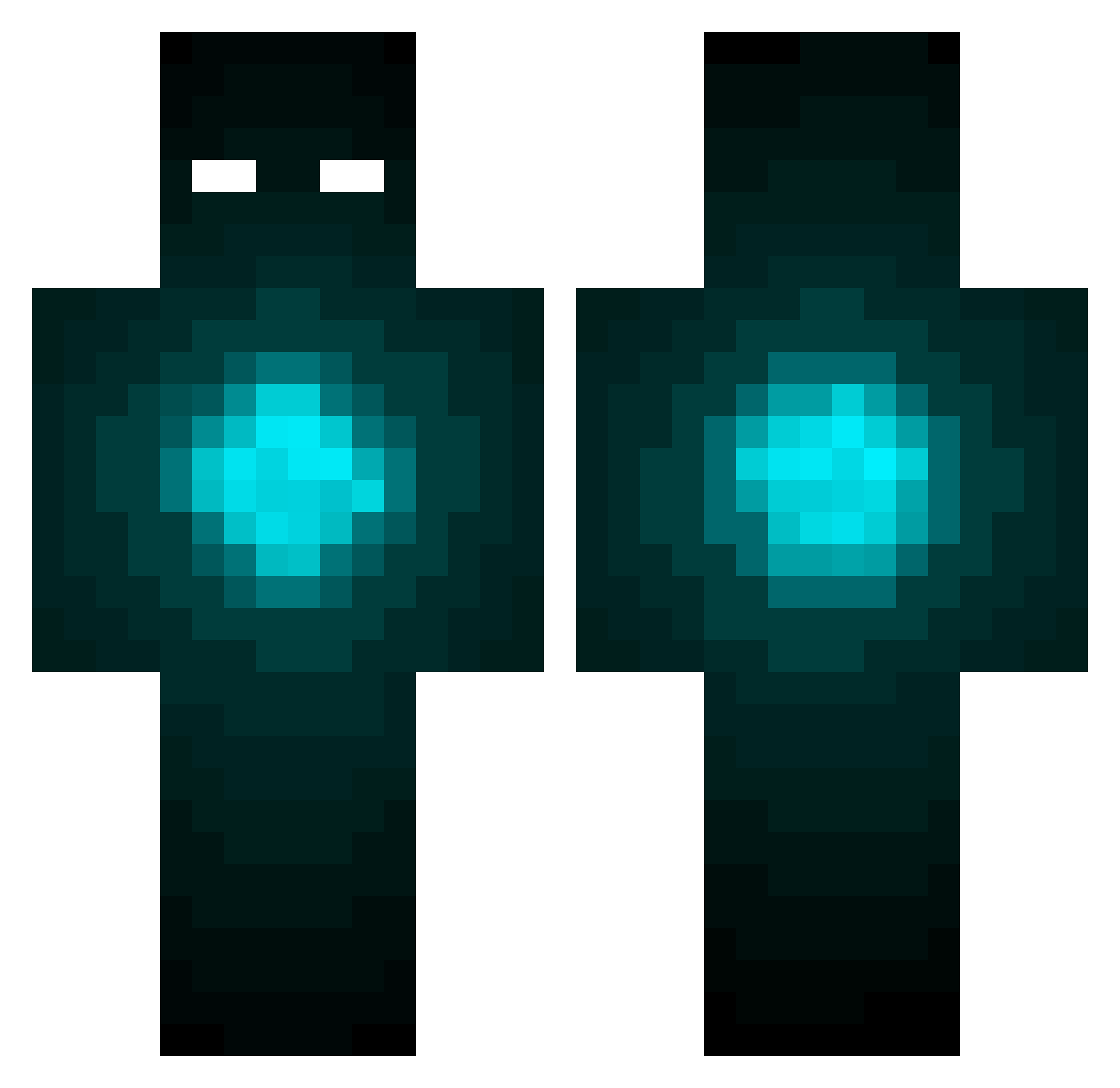
Current Minecraft skin of the player nicergirl, loaded from the official Mojang API. Rotate the 3D model with your mouse or finger, then download the skin as a PNG file and use it in Minecraft: Bedrock Edition or Java Edition for free. When nicergirl changes their skin, this page updates automatically and the old skin stays in the history below.
Other players with this skin (424)
nicergirl was the 323rd player we have seen with this skin, first spotted on 12.10.2026. The same skin was seen on these players. Open a nickname to see their current skin and skin history.
 Dat_Robot DeftTrapper JELLEXANDER JB27091 Fuhrti whydontyoushutup GoodDay2U66 mateodegaspar therealaezel TheNotoriousP98 lilypiddles RXPGA13 freswa monsiito TTthekid Sweet_Cyanide bluberry01 Tanman200287 yugo03 FelixIgnis nitrogen5112 CHRoME_MoNKee brody00704 Miguelito9874233 ExeterVeg Wenro benrocks95 _CrackS_ pinebubble BumbleFk styxdeej MalicJester blueray0204 Coffee_Cup_66 Injustice_I volcano4433 Katandtheniners floderbaba Defpresident Tranman Pjeks Rboy225 gregmiller01 dafiz CoDxGamer16 AdrianM1035 Khaosbringer jojo9090 Neonfex Bytotoxx BlaryingHyperion Crummy1 mv8796 alespot Zomonster9 GTxCHOPPERZ caido106 shunbotti splashNinjaRS Danger_a_Head
More Glowing Eyes Minecraft skins
See all 2667 Glowing Eyes skins
How to install the nicergirl skin
- Press the Download button above to save the skin as a PNG file.
- Minecraft: Bedrock Edition (PE): open the Dressing Room from the main menu (or tap your character → Edit Character), go to Classic Skins → Owned, press the + (new skin) button, choose the downloaded PNG and pick the Classic (Steve) model. Works on PC and mobile; consoles cannot import custom skins.
- Minecraft: Java Edition: open the Minecraft Launcher, go to the Skins tab, click New Skin, load the PNG, pick the Classic (Steve) model and press Save & Use. You can also upload it at minecraft.net → Profile → Change Skin.
The skin does not show up after import - what should I do?
Restart Minecraft and open the Dressing Room again - imported skins sometimes appear only after a restart. Also make sure you selected the imported skin and picked the Classic (Steve) model.
Which model should I choose, Classic or Slim?
This skin is designed for the Classic (Steve) model. If you pick the wrong model, the arms of the skin will look stretched or squeezed.
Is the skin of nicergirl free to download?
Yes. Press Download, save the PNG file and use it in Minecraft: Bedrock Edition or Java Edition - no payment or registration needed. The skin also works on multiplayer servers and Realms.
More skins
Looking for more? Go back to all Minecraft skins and check the top skins of the week, month and all time, or find any player's skin by nickname.