
mvlonikk - Minecraft Skins & Skin History
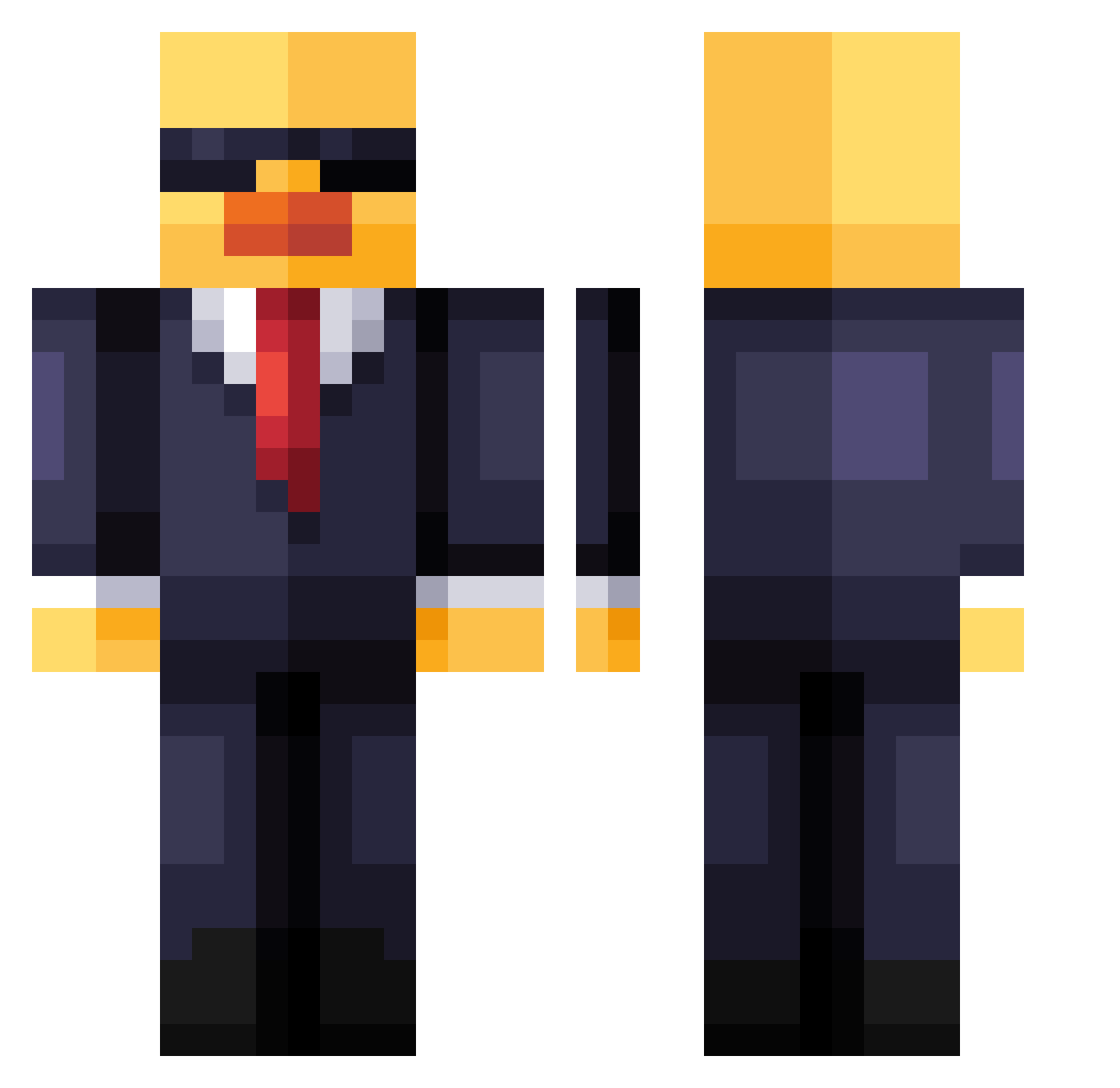
Current Minecraft skin of the player mvlonikk, loaded from the official Mojang API. Rotate the 3D model with your mouse or finger, then download the skin as a PNG file and use it in Minecraft: Bedrock Edition or Java Edition for free. When mvlonikk changes their skin, this page updates automatically and the old skin stays in the history below.
Other players with this skin (259)
mvlonikk was the 222nd player we have seen with this skin, first spotted on 02.11.2026. The same skin was seen on these players. Open a nickname to see their current skin and skin history.
 DuckAlmighty420 telugupilli Xtrip100 Dem0nNlx Surraction corrosivebro_2 Mops30 rgb_hrs bokeefe0226 allstarrolex_ RobertCRC shadow12344321 Strelok1234 Norbertsorbert reinvestigate TheGoat1099 anudari jpmiska achevvvy T4RlK EzReps chokotro18 JGyinx Lucathebob pokejax626 keytox18 _KaczkaP3Cie2ie_ Big_Flopper AGreyCat Majovnik KopfKaputt24 wanfeng81 yorick2008 osk4r_ Diiaz_ Marluuum particularize kyxzo_ Lukiees StickerStick SmoffyXD crazy_dooog Wh1ppedCr33m germannut ShogunGavin Cleminatoo jpgs_ rino1162 ser0te percxnt7 hassepls Danoontje10 BestOfBest0004 Kepkys ImAgentDuck ambausen McFresh08 A777A Camilitox1 Mavorr
More Duck Minecraft skins
How to install the mvlonikk skin
- Press the Download button above to save the skin as a PNG file.
- Minecraft: Bedrock Edition (PE): open the Dressing Room from the main menu (or tap your character → Edit Character), go to Classic Skins → Owned, press the + (new skin) button, choose the downloaded PNG and pick the Classic (Steve) model. Works on PC and mobile; consoles cannot import custom skins.
- Minecraft: Java Edition: open the Minecraft Launcher, go to the Skins tab, click New Skin, load the PNG, pick the Classic (Steve) model and press Save & Use. You can also upload it at minecraft.net → Profile → Change Skin.
The skin does not show up after import - what should I do?
Restart Minecraft and open the Dressing Room again - imported skins sometimes appear only after a restart. Also make sure you selected the imported skin and picked the Classic (Steve) model.
Which model should I choose, Classic or Slim?
This skin is designed for the Classic (Steve) model. If you pick the wrong model, the arms of the skin will look stretched or squeezed.
Is the skin of mvlonikk free to download?
Yes. Press Download, save the PNG file and use it in Minecraft: Bedrock Edition or Java Edition - no payment or registration needed. The skin also works on multiplayer servers and Realms.
More skins
Looking for more? Go back to all Minecraft skins and check the top skins of the week, month and all time, or find any player's skin by nickname.