
mmct2004 - Minecraft Skins & Skin History
Current Minecraft skin of the player mmct2004, loaded from the official Mojang API. Rotate the 3D model with your mouse or finger, then download the skin as a PNG file and use it in Minecraft: Bedrock Edition or Java Edition for free. When mmct2004 changes their skin, this page updates automatically and the old skin stays in the history below.
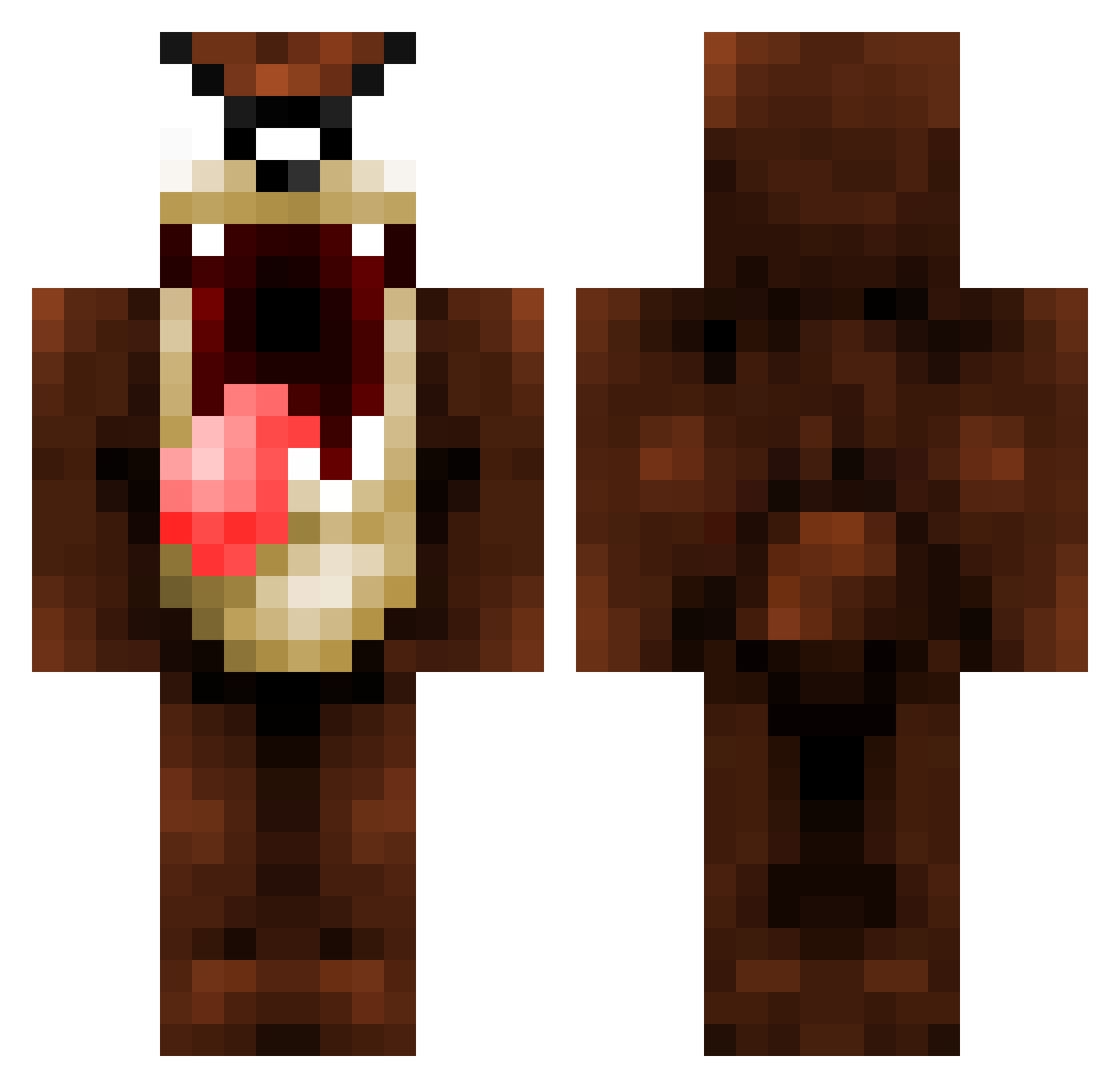
Other players with this skin (1092)
mmct2004 was the 954th player we have seen with this skin, first spotted on 23.10.2026. The same skin was seen on these players. Open a nickname to see their current skin and skin history.
 superdog63 NeeGrowSlavery TazTSGH Jackarii xSkylitx bubbles_x hrdeacon rorywillliams DomAnthony PhUKub Connah001 morphxeno furouwen I_F_YOMOM Ksafe KakaRere Genzeh Muggin12 GenesisZz RSoldado95 SpaceDog ManuleCoq Dopehijacker420 lefocus_ J0EY56 Adriano199917 JRMlax21 moogstertm stifler_brasil MeisterPropper11 NikePyke Jonnyhjr Deadstroyers Shaynis jose1357 hamotime Zanmoto ItMeMatt Beloveit warixis Dibbly Lexhoz zootycoon3421 0ElPaco0 Viltex KrysEdo TazLoko alvarorm ICEBYT7 SGTBoom01 Ikki4 Siamounette Shelbygirl80 Phebus75 mastorm15 demonclan louispapper F4rCry my_Zatza antidave
More Taz Minecraft skins
How to install the mmct2004 skin
- Press the Download button above to save the skin as a PNG file.
- Minecraft: Bedrock Edition (PE): open the Dressing Room from the main menu (or tap your character → Edit Character), go to Classic Skins → Owned, press the + (new skin) button, choose the downloaded PNG and pick the Classic (Steve) model. Works on PC and mobile; consoles cannot import custom skins.
- Minecraft: Java Edition: open the Minecraft Launcher, go to the Skins tab, click New Skin, load the PNG, pick the Classic (Steve) model and press Save & Use. You can also upload it at minecraft.net → Profile → Change Skin.
The skin does not show up after import - what should I do?
Restart Minecraft and open the Dressing Room again - imported skins sometimes appear only after a restart. Also make sure you selected the imported skin and picked the Classic (Steve) model.
Which model should I choose, Classic or Slim?
This skin is designed for the Classic (Steve) model. If you pick the wrong model, the arms of the skin will look stretched or squeezed.
Is the skin of mmct2004 free to download?
Yes. Press Download, save the PNG file and use it in Minecraft: Bedrock Edition or Java Edition - no payment or registration needed. The skin also works on multiplayer servers and Realms.
More skins
Looking for more? Go back to all Minecraft skins and check the top skins of the week, month and all time, or find any player's skin by nickname.