
midoux0 - Minecraft Skins & Skin History
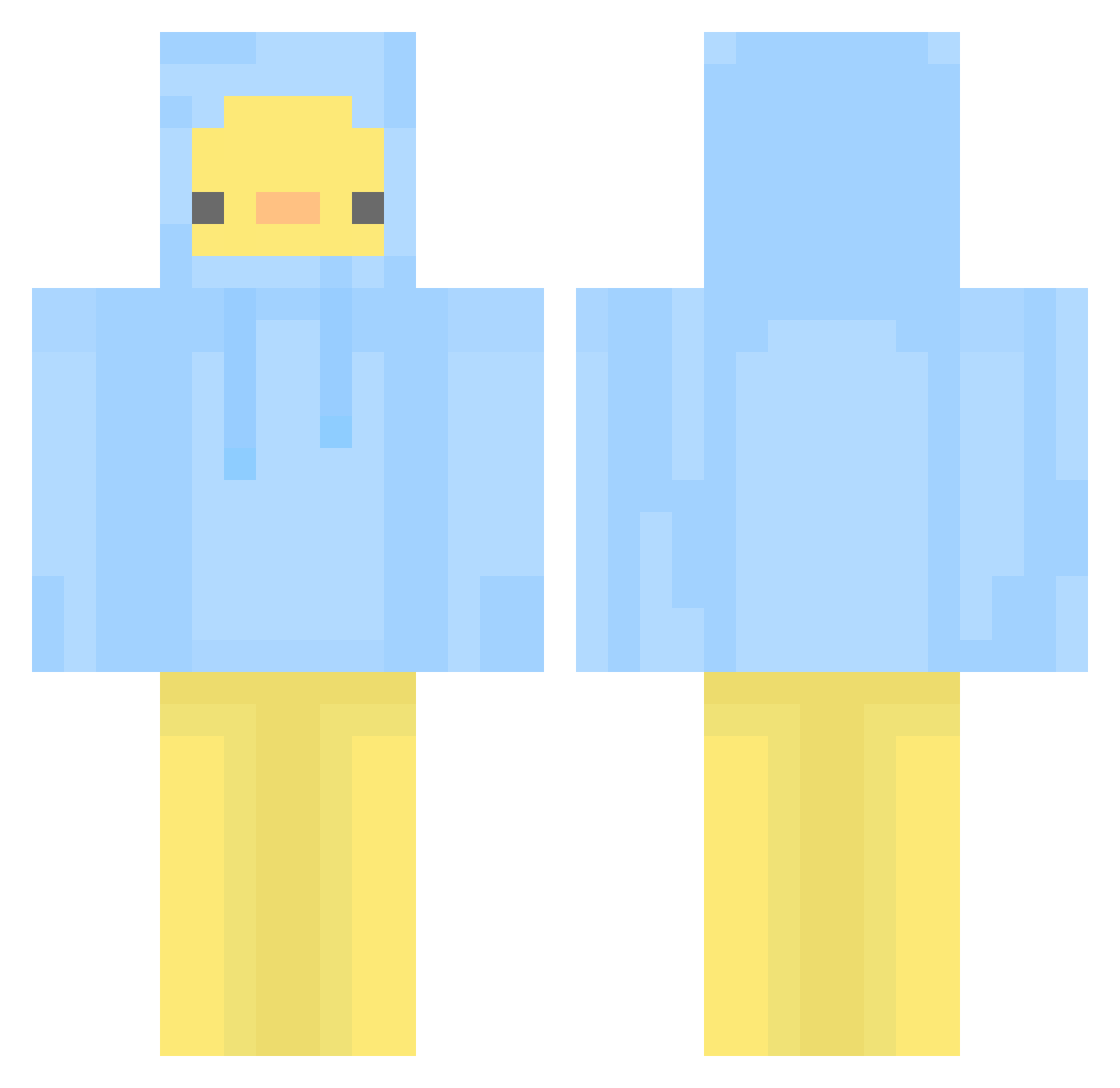
Current Minecraft skin of the player midoux0, loaded from the official Mojang API. Rotate the 3D model with your mouse or finger, then download the skin as a PNG file and use it in Minecraft: Bedrock Edition or Java Edition for free. When midoux0 changes their skin, this page updates automatically and the old skin stays in the history below.
Other players with this skin (581)
midoux0 was the 557th player we have seen with this skin, first spotted on 14.11.2026. The same skin was seen on these players. Open a nickname to see their current skin and skin history.
 hou_hou_ Kuodaniel Z3nith_03 seulleeeee sata523 HeitungAn EksuyBlue Quack212006 F_ing mulisian ChickyFightr YelloDuck7 unlimitedsiwoo Gokdenizust snoahp D4ckinsun Vainille luka9058 Ducky_afk_alt Roxy111 DukePanther lovelyaka_ Lehyra seoyoen120 xxingjian gurumaani Duck_Management JAEmin0618 LuckyJ1520 mildlava sleepyy09 nnaa913 rayunin rosiepaposie02 Razaldia na_bong_ McCraft44 MoguJJang_a rauv ThinkUCanTakeME 0Staks0 rkddn362 Fe1da gyuna0330 Sulhwa0112 Rizmiry Huuu_ny FLO3A RUKICHA DAWONE2 Wuod DemonQueen3937 ThrowitBakk O0OJ BensAlt saseum_ FalseGrimm Mellowcaustic BananaBiBi mimimiae
More Duck Minecraft skins
How to install the midoux0 skin
- Press the Download button above to save the skin as a PNG file.
- Minecraft: Bedrock Edition (PE): open the Dressing Room from the main menu (or tap your character → Edit Character), go to Classic Skins → Owned, press the + (new skin) button, choose the downloaded PNG and pick the Classic (Steve) model. Works on PC and mobile; consoles cannot import custom skins.
- Minecraft: Java Edition: open the Minecraft Launcher, go to the Skins tab, click New Skin, load the PNG, pick the Classic (Steve) model and press Save & Use. You can also upload it at minecraft.net → Profile → Change Skin.
The skin does not show up after import - what should I do?
Restart Minecraft and open the Dressing Room again - imported skins sometimes appear only after a restart. Also make sure you selected the imported skin and picked the Classic (Steve) model.
Which model should I choose, Classic or Slim?
This skin is designed for the Classic (Steve) model. If you pick the wrong model, the arms of the skin will look stretched or squeezed.
Is the skin of midoux0 free to download?
Yes. Press Download, save the PNG file and use it in Minecraft: Bedrock Edition or Java Edition - no payment or registration needed. The skin also works on multiplayer servers and Realms.
More skins
Looking for more? Go back to all Minecraft skins and check the top skins of the week, month and all time, or find any player's skin by nickname.