
louisSNCK - Minecraft Skins & Skin History
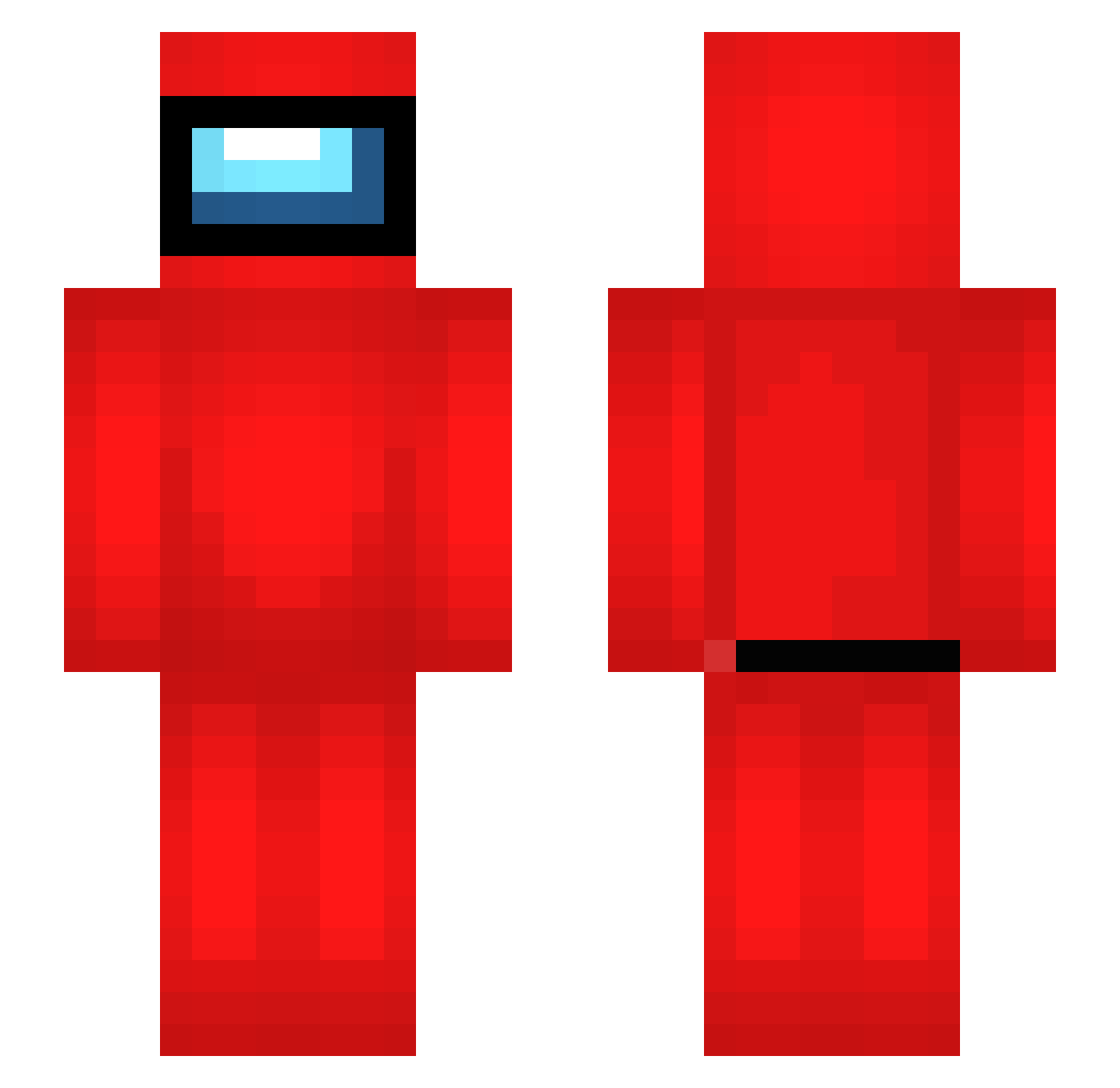
Current Minecraft skin of the player louisSNCK, loaded from the official Mojang API. Rotate the 3D model with your mouse or finger, then download the skin as a PNG file and use it in Minecraft: Bedrock Edition or Java Edition for free. When louisSNCK changes their skin, this page updates automatically and the old skin stays in the history below.
Other players with this skin (513)
louisSNCK was the 205th player we have seen with this skin, first spotted on 06.09.2026. The same skin was seen on these players. Open a nickname to see their current skin and skin history.
 Yoru2712 JANGAH123 Ezequiasz Ezoxx10 No6_Taro Smasher_01 kavanagh2k5 ynjh9318 hhy1344 karshishos LuluBenck Hugostoso69 megazombie777 Eddyhmx allweknow99 CMY0422 GoatDolphin A_Mongoose_ NecronsNuggetz qzzTim SandrM Mathugis easymoneysniper5 HyunjiC LachsJeff Sorvete_123 YingYann 3dArray greykax g3l00 Imagine_LosingL memesrcool funny_dog06 IrXec XXAbsiiXX MxDxS21 indhyagg amungoose cote226 Bunnyterrestrial Gammab BielF04 El_L0b0_R0j0 balou64400 YuzVR Hamza13 Pitty4Little aubr0 Puppet6969 txrrox Florisssssss lil_loczek Colinator224 fagatron4 LuckyLuke69420 Lanfear1989 _T0bY_9 DarkSHADOVV alfieinnitpogg Panzer3B
More Crewmate Minecraft skins
How to install the louisSNCK skin
- Press the Download button above to save the skin as a PNG file.
- Minecraft: Bedrock Edition (PE): open the Dressing Room from the main menu (or tap your character → Edit Character), go to Classic Skins → Owned, press the + (new skin) button, choose the downloaded PNG and pick the Slim (Alex) model. Works on PC and mobile; consoles cannot import custom skins.
- Minecraft: Java Edition: open the Minecraft Launcher, go to the Skins tab, click New Skin, load the PNG, pick the Slim (Alex) model and press Save & Use. You can also upload it at minecraft.net → Profile → Change Skin.
The skin does not show up after import - what should I do?
Restart Minecraft and open the Dressing Room again - imported skins sometimes appear only after a restart. Also make sure you selected the imported skin and picked the Slim (Alex) model.
Which model should I choose, Classic or Slim?
This skin is designed for the Slim (Alex) model. If you pick the wrong model, the arms of the skin will look stretched or squeezed.
Is the skin of louisSNCK free to download?
Yes. Press Download, save the PNG file and use it in Minecraft: Bedrock Edition or Java Edition - no payment or registration needed. The skin also works on multiplayer servers and Realms.
More skins
Looking for more? Go back to all Minecraft skins and check the top skins of the week, month and all time, or find any player's skin by nickname.