
linleaf - Minecraft Skins & Skin History
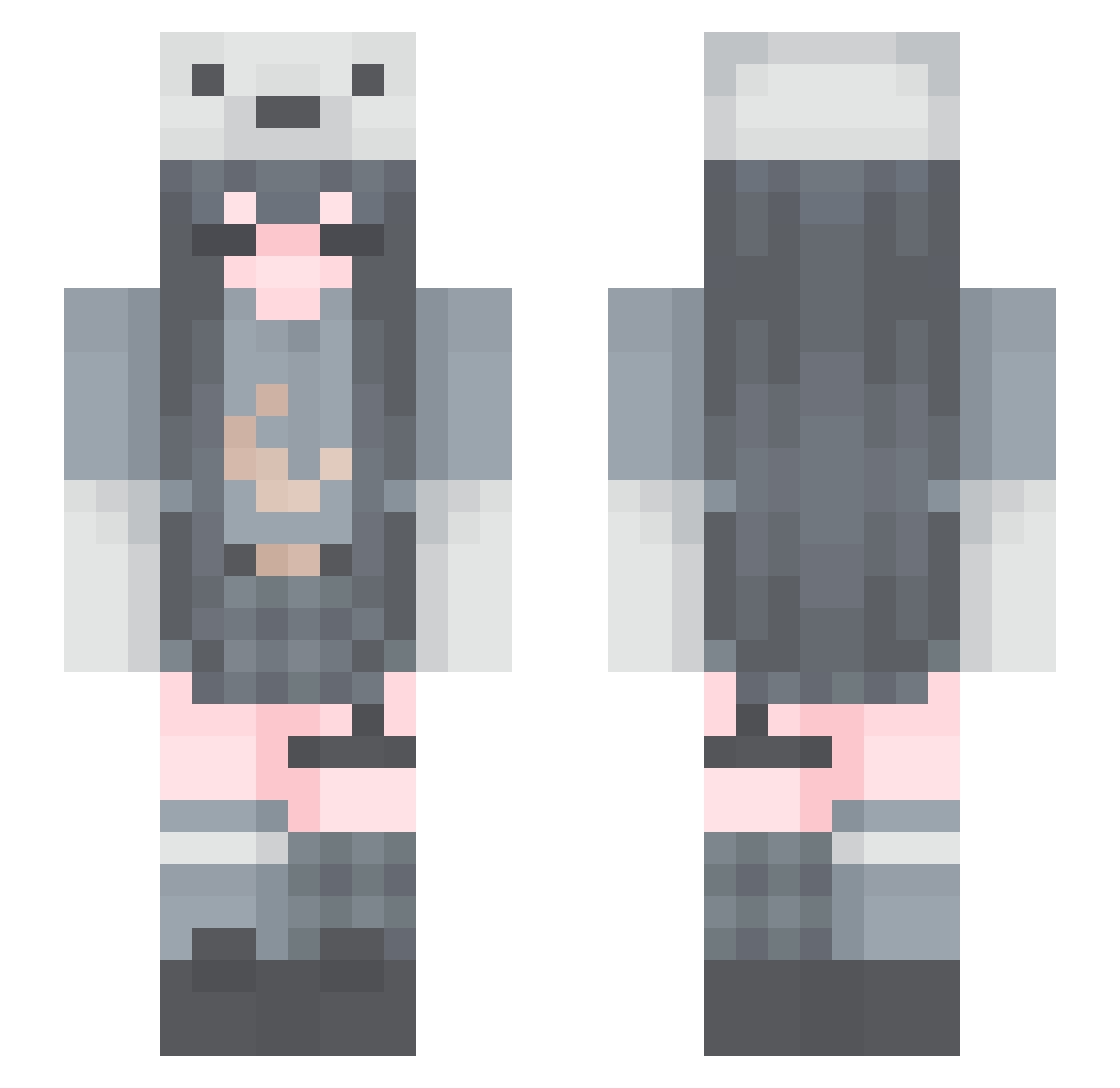
Current Minecraft skin of the player linleaf, loaded from the official Mojang API. Rotate the 3D model with your mouse or finger, then download the skin as a PNG file and use it in Minecraft: Bedrock Edition or Java Edition for free. When linleaf changes their skin, this page updates automatically and the old skin stays in the history below.
Other players with this skin (124)
linleaf was the 64th player we have seen with this skin, first spotted on 31.08.2026. The same skin was seen on these players. Open a nickname to see their current skin and skin history.
 tansan3391 Itachi_Uchiha123
 xghosttea ReenieKinz Soraya1220 mubai_Q Annababy16 EndlessStory amemepanda Anxious_720 tripleA_battery Promewizard Reactiony GoldenAppleQ lorissss233 xxxanny_ laxiaoya Slient000 moody_jazz kareat Leblebi8 Siero01 su_leaf Nelleris_ lusilune NiniNeko cinnamonoroll Cadlf_ paper012 Bluniversee Fox_son arcticissleepy YUKIBEAR2000 SleepyWoof leshaXx arkadangiren konomiyaki hannah_jooo bamborough Birnensindlecker cuchuflitta yaoranx XxCujoxX MaveRick9742 kotch3 Triple_SSS graveyardgh0ul zMango1 _Lunachu_ avocad0rable DragViZ SleepyBlock73 zhiren23 KkeirAh NORI421 AriaEN rina_A LittleJana1 madss1526 InarChar
More Polar Bear Hat Minecraft skins
See all 42 Polar Bear Hat skins
How to install the linleaf skin
- Press the Download button above to save the skin as a PNG file.
- Minecraft: Bedrock Edition (PE): open the Dressing Room from the main menu (or tap your character → Edit Character), go to Classic Skins → Owned, press the + (new skin) button, choose the downloaded PNG and pick the Slim (Alex) model. Works on PC and mobile; consoles cannot import custom skins.
- Minecraft: Java Edition: open the Minecraft Launcher, go to the Skins tab, click New Skin, load the PNG, pick the Slim (Alex) model and press Save & Use. You can also upload it at minecraft.net → Profile → Change Skin.
The skin does not show up after import - what should I do?
Restart Minecraft and open the Dressing Room again - imported skins sometimes appear only after a restart. Also make sure you selected the imported skin and picked the Slim (Alex) model.
Which model should I choose, Classic or Slim?
This skin is designed for the Slim (Alex) model. If you pick the wrong model, the arms of the skin will look stretched or squeezed.
Is the skin of linleaf free to download?
Yes. Press Download, save the PNG file and use it in Minecraft: Bedrock Edition or Java Edition - no payment or registration needed. The skin also works on multiplayer servers and Realms.
More skins
Looking for more? Go back to all Minecraft skins and check the top skins of the week, month and all time, or find any player's skin by nickname.