
laekresteg - Minecraft Skins & Skin History
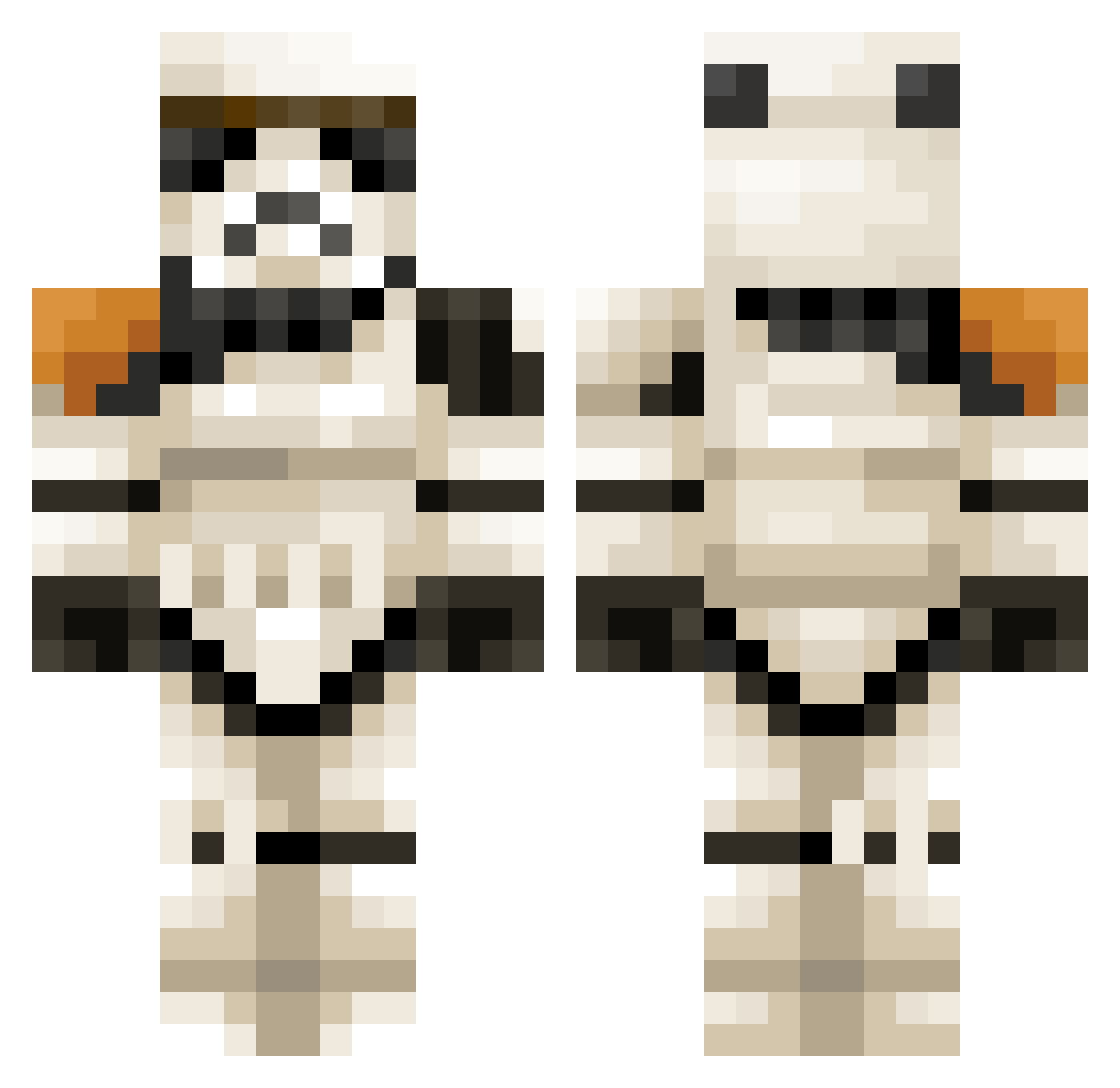
Current Minecraft skin of the player laekresteg, loaded from the official Mojang API. Rotate the 3D model with your mouse or finger, then download the skin as a PNG file and use it in Minecraft: Bedrock Edition or Java Edition for free. When laekresteg changes their skin, this page updates automatically and the old skin stays in the history below.
Other players with this skin (85)
laekresteg was the 28th player we have seen with this skin, first spotted on 02.09.2026. The same skin was seen on these players. Open a nickname to see their current skin and skin history.
 MrHawkEagle Miross Jakxes Blu3_Nova Moccasin Diphenoxylate BusyBeeIsBusy MinecraftGriefer Phosphatic Liimma LOTRfan02 zuzihyuk98 Sir_Hero LukeStag Lordka24k tillschuelke Jackiepoo2012 Noro113 mjdgoldeneye jadedshrooms WLCW219 nevf DFKRXWING NorthWind____ SrBurts DJLuke112 kotkasoturi
 joshwuah hoppingmad123 Keenanbo_ SpecTeNN ThePipes Ragnxros ratteein Verano01 pica5so rozy7 Rodill0 Sjobread SzypkiRemek diegoamp18 nasuka_mk2 Perez0710 Savelli StasW
 PichicaMurciana SeaCharlie209 panter876 Mantis9429 Boozimo SeroTR01 Sacrilegiously BigDawson34 VOITUREDE skenderx Nariah Apolo2717 VerionZz 3lhamster wito_22
More Stormtrooper Minecraft skins
See all 536 Stormtrooper skins
How to install the laekresteg skin
- Press the Download button above to save the skin as a PNG file.
- Minecraft: Bedrock Edition (PE): open the Dressing Room from the main menu (or tap your character → Edit Character), go to Classic Skins → Owned, press the + (new skin) button, choose the downloaded PNG and pick the Classic (Steve) model. Works on PC and mobile; consoles cannot import custom skins.
- Minecraft: Java Edition: open the Minecraft Launcher, go to the Skins tab, click New Skin, load the PNG, pick the Classic (Steve) model and press Save & Use. You can also upload it at minecraft.net → Profile → Change Skin.
The skin does not show up after import - what should I do?
Restart Minecraft and open the Dressing Room again - imported skins sometimes appear only after a restart. Also make sure you selected the imported skin and picked the Classic (Steve) model.
Which model should I choose, Classic or Slim?
This skin is designed for the Classic (Steve) model. If you pick the wrong model, the arms of the skin will look stretched or squeezed.
Is the skin of laekresteg free to download?
Yes. Press Download, save the PNG file and use it in Minecraft: Bedrock Edition or Java Edition - no payment or registration needed. The skin also works on multiplayer servers and Realms.
More skins
Looking for more? Go back to all Minecraft skins and check the top skins of the week, month and all time, or find any player's skin by nickname.