
kwak0809 - Minecraft Skins & Skin History
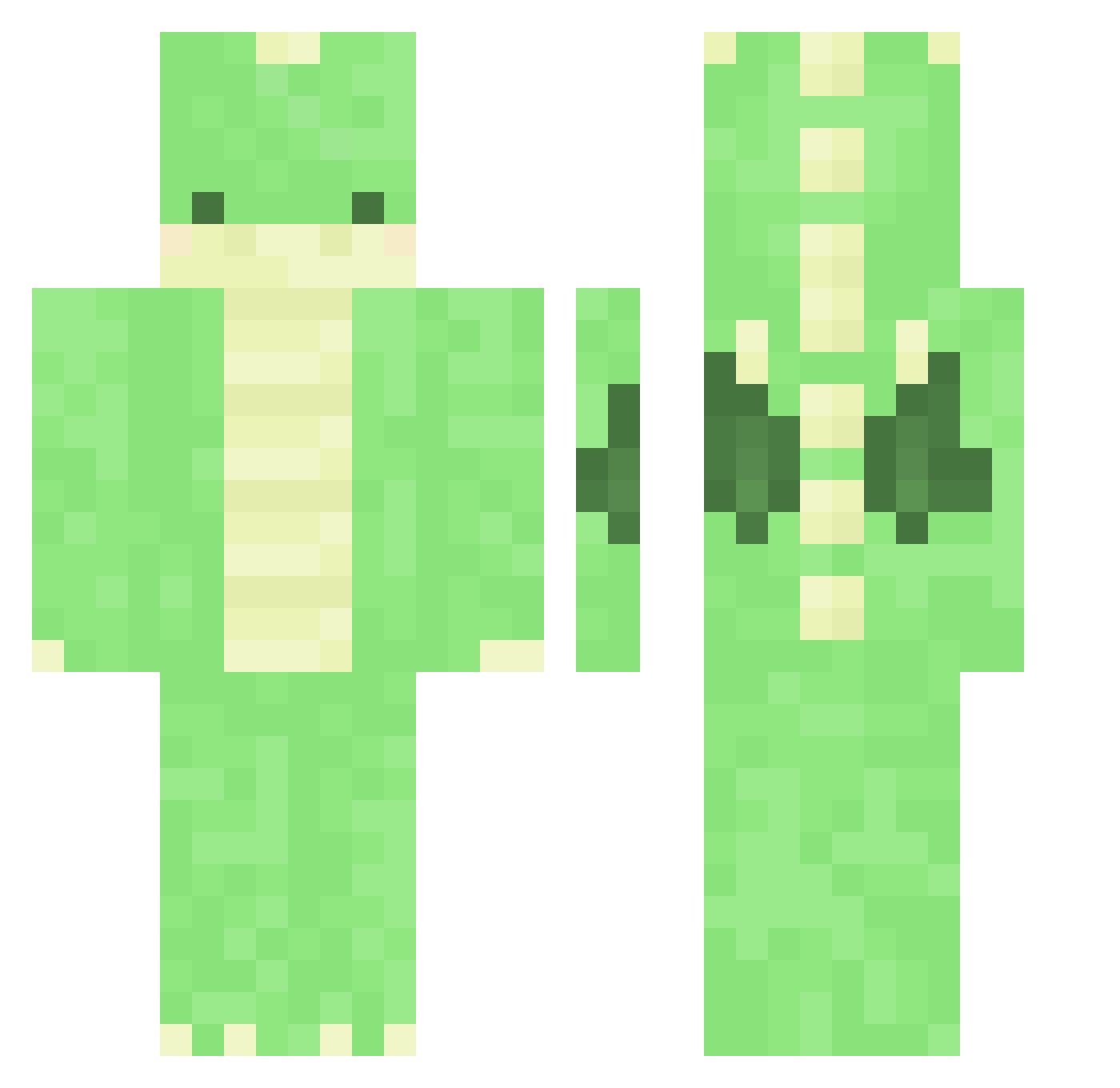
Current Minecraft skin of the player kwak0809, loaded from the official Mojang API. Rotate the 3D model with your mouse or finger, then download the skin as a PNG file and use it in Minecraft: Bedrock Edition or Java Edition for free. When kwak0809 changes their skin, this page updates automatically and the old skin stays in the history below.
Other players with this skin (375)
kwak0809 was the 89th player we have seen with this skin, first spotted on 25.08.2026. The same skin was seen on these players. Open a nickname to see their current skin and skin history.
 Mandragora_zo Xxeytea778265 DragonChess jaegeun_jo Juuulieeee deeboos HappyDino777 Avionaut wormbe pfs_deelnemer_17 kaldess underwear_519 HunterHarnisch08 pfs_deelnemer_31 MaYa1_ DuDu96 Yeomso0720 Park_Gwangil Pixie110_ _Piernik_ 21m0n3_ Placima pfs_deelnemer_28 Torask_ lexiarex arcipello Draxxbolada TKiGKi kristof23 PoLyNooDLeS FNTLDN KrispyTurkey618 kiia000 roreeu e1l3 Bluebird420 moon_0710 Chizzumi chickienuggets Thebestnamelol Leejagun mangmallow pfs_deelnemer_12 odo_rian Djdixon99 ChickenHD_ Nxile7 Dhynosoar Asuscresma Wer_Lin NyaPI_kun EMMSHAW el_bell8 DONG20070114 AlbaAspen asiankoolaidman DraconicRager Itsme_Lambo realPlatax Biggie_G
More Dinosaur Minecraft skins
How to install the kwak0809 skin
- Press the Download button above to save the skin as a PNG file.
- Minecraft: Bedrock Edition (PE): open the Dressing Room from the main menu (or tap your character → Edit Character), go to Classic Skins → Owned, press the + (new skin) button, choose the downloaded PNG and pick the Classic (Steve) model. Works on PC and mobile; consoles cannot import custom skins.
- Minecraft: Java Edition: open the Minecraft Launcher, go to the Skins tab, click New Skin, load the PNG, pick the Classic (Steve) model and press Save & Use. You can also upload it at minecraft.net → Profile → Change Skin.
The skin does not show up after import - what should I do?
Restart Minecraft and open the Dressing Room again - imported skins sometimes appear only after a restart. Also make sure you selected the imported skin and picked the Classic (Steve) model.
Which model should I choose, Classic or Slim?
This skin is designed for the Classic (Steve) model. If you pick the wrong model, the arms of the skin will look stretched or squeezed.
Is the skin of kwak0809 free to download?
Yes. Press Download, save the PNG file and use it in Minecraft: Bedrock Edition or Java Edition - no payment or registration needed. The skin also works on multiplayer servers and Realms.
More skins
Looking for more? Go back to all Minecraft skins and check the top skins of the week, month and all time, or find any player's skin by nickname.