
NyaPI_kun - Minecraft Skins & Skin History
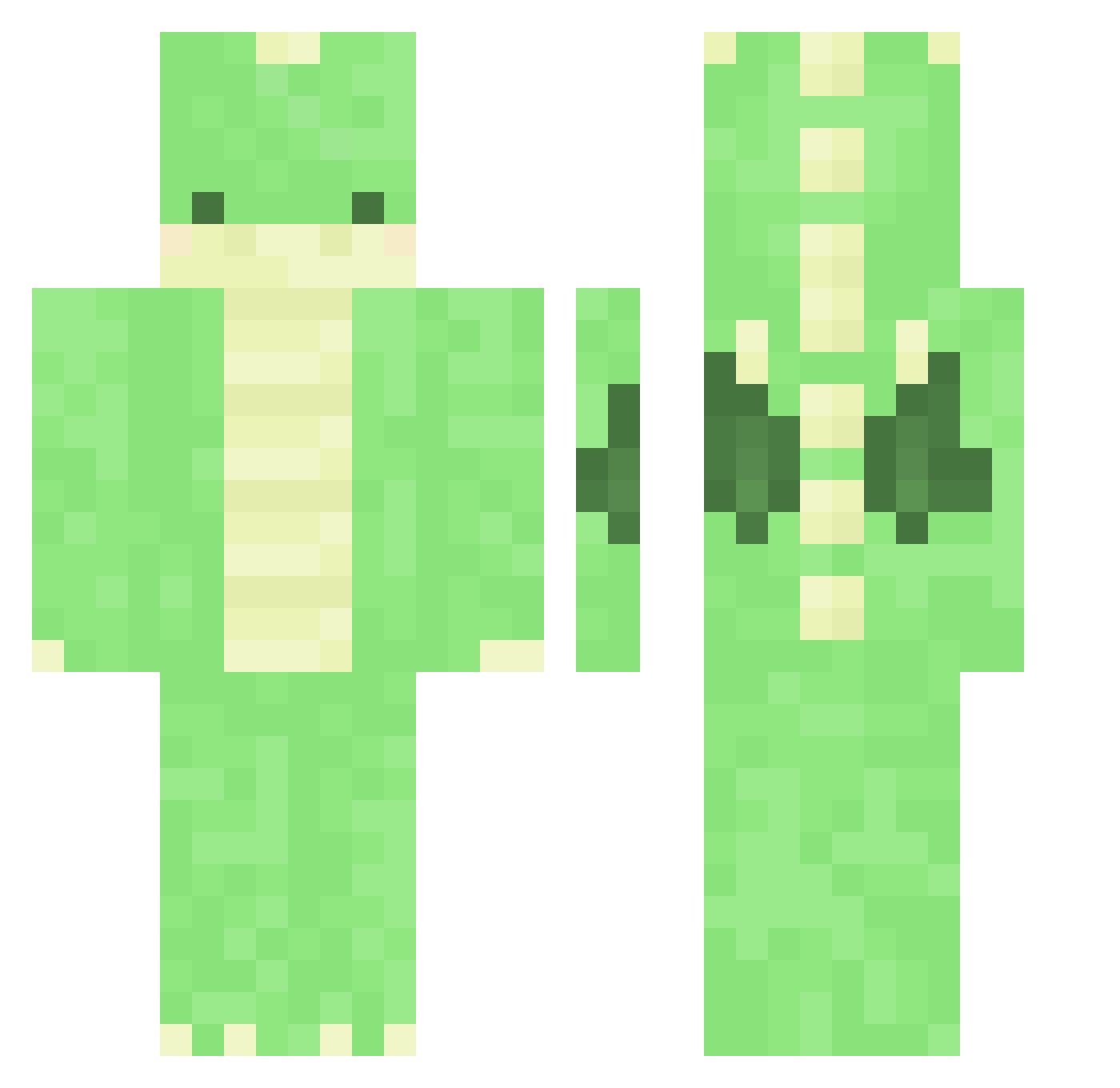
Current Minecraft skin of the player NyaPI_kun, loaded from the official Mojang API. Rotate the 3D model with your mouse or finger, then download the skin as a PNG file and use it in Minecraft: Bedrock Edition or Java Edition for free. When NyaPI_kun changes their skin, this page updates automatically and the old skin stays in the history below.
Other players with this skin (375)
NyaPI_kun was the 69th player we have seen with this skin, first spotted on 18.08.2026. The same skin was seen on these players. Open a nickname to see their current skin and skin history.
 Wer_Lin Asuscresma el_bell8 DraconicRager Itsme_Lambo Nxile7 Biggie_G Djdixon99 odo_rian guiltyg00se pequ24 fr1no pfs_deelnemer_8 Da_DanDan moon_0710 Bluebird420 roreeu kiia000 FNTLDN kulu8010 kristof23 lexiarex Ninaa5 tempestamei Placima _Piernik_ Jonebek Yeomso0720 DuDu96 1Eat PapaFaye Jimin9797 wormbe TheoSlayer INFP_A GoldennNuggett Axrazell Coralays FainterStew2737 Juuulieeee DragonChess Jeffy7724 Dolphinbreeze kwak0809 Mandragora_zo DanDan_OwO Xxeytea778265 jaegeun_jo shudderrrs deeboos HappyDino777 Pleba_Rekt Avionaut pfs_deelnemer_17 kaldess underwear_519 HunterHarnisch08 pfs_deelnemer_31 _nb MaYa1_
More Dinosaur Minecraft skins
How to install the NyaPI_kun skin
- Press the Download button above to save the skin as a PNG file.
- Minecraft: Bedrock Edition (PE): open the Dressing Room from the main menu (or tap your character → Edit Character), go to Classic Skins → Owned, press the + (new skin) button, choose the downloaded PNG and pick the Classic (Steve) model. Works on PC and mobile; consoles cannot import custom skins.
- Minecraft: Java Edition: open the Minecraft Launcher, go to the Skins tab, click New Skin, load the PNG, pick the Classic (Steve) model and press Save & Use. You can also upload it at minecraft.net → Profile → Change Skin.
The skin does not show up after import - what should I do?
Restart Minecraft and open the Dressing Room again - imported skins sometimes appear only after a restart. Also make sure you selected the imported skin and picked the Classic (Steve) model.
Which model should I choose, Classic or Slim?
This skin is designed for the Classic (Steve) model. If you pick the wrong model, the arms of the skin will look stretched or squeezed.
Is the skin of NyaPI_kun free to download?
Yes. Press Download, save the PNG file and use it in Minecraft: Bedrock Edition or Java Edition - no payment or registration needed. The skin also works on multiplayer servers and Realms.
More skins
Looking for more? Go back to all Minecraft skins and check the top skins of the week, month and all time, or find any player's skin by nickname.