
korea_mins - Minecraft Skins & Skin History
Current Minecraft skin of the player korea_mins, loaded from the official Mojang API. Rotate the 3D model with your mouse or finger, then download the skin as a PNG file and use it in Minecraft: Bedrock Edition or Java Edition for free. When korea_mins changes their skin, this page updates automatically and the old skin stays in the history below.
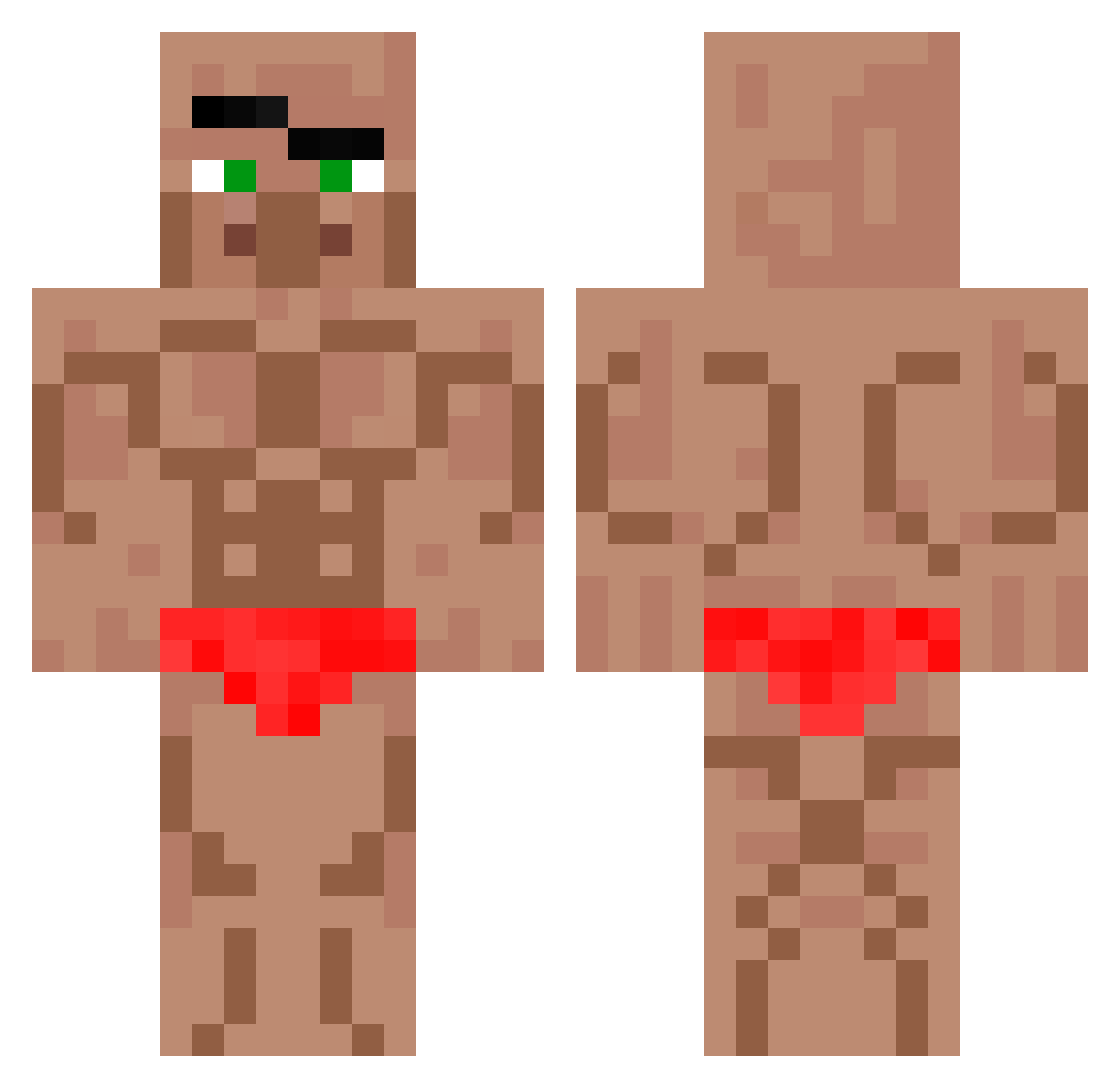
Other players with this skin (571)
korea_mins was the 283rd player we have seen with this skin, first spotted on 10.09.2026. The same skin was seen on these players. Open a nickname to see their current skin and skin history.
 Drako96 Machonut BingYu12 yooo685 Manjae07 DONUTNECK poopybird27 ayolixn huangsang Loyrrr GetCrystaled12
 pazdzierx RichAndSkinny boksershorts Chung1201 sujung5995 LadyJaneZ TheH0llowKnight walkiri2 Superclashman Adamas811 ILoveMiners8008s HardPuncher1 BiwX macaR0nN GlassCityKing53 1saac2k Lupus_Fariss ruggerx belababa7
 MrB0AZ Chapoulay meaw0 sayret AlexanderSleepee Deny27 Felixin2023 wojtekss Steri _AraIder_ Gamer70003 Richi_BOMB _Bartus_ HayruVC PigLumPig awod231414 Ant0603 PxMandarinxP Maxi5TV unvord samuellecool OIOIOOIIOIIO hang0029 Karlitos7774409 Chrisxyzr Lacoste_DenisXX FlyFo titikomalaki Priestro q_7x
More Buff Minecraft skins
How to install the korea_mins skin
- Press the Download button above to save the skin as a PNG file.
- Minecraft: Bedrock Edition (PE): open the Dressing Room from the main menu (or tap your character → Edit Character), go to Classic Skins → Owned, press the + (new skin) button, choose the downloaded PNG and pick the Classic (Steve) model. Works on PC and mobile; consoles cannot import custom skins.
- Minecraft: Java Edition: open the Minecraft Launcher, go to the Skins tab, click New Skin, load the PNG, pick the Classic (Steve) model and press Save & Use. You can also upload it at minecraft.net → Profile → Change Skin.
The skin does not show up after import - what should I do?
Restart Minecraft and open the Dressing Room again - imported skins sometimes appear only after a restart. Also make sure you selected the imported skin and picked the Classic (Steve) model.
Which model should I choose, Classic or Slim?
This skin is designed for the Classic (Steve) model. If you pick the wrong model, the arms of the skin will look stretched or squeezed.
Is the skin of korea_mins free to download?
Yes. Press Download, save the PNG file and use it in Minecraft: Bedrock Edition or Java Edition - no payment or registration needed. The skin also works on multiplayer servers and Realms.
More skins
Looking for more? Go back to all Minecraft skins and check the top skins of the week, month and all time, or find any player's skin by nickname.