
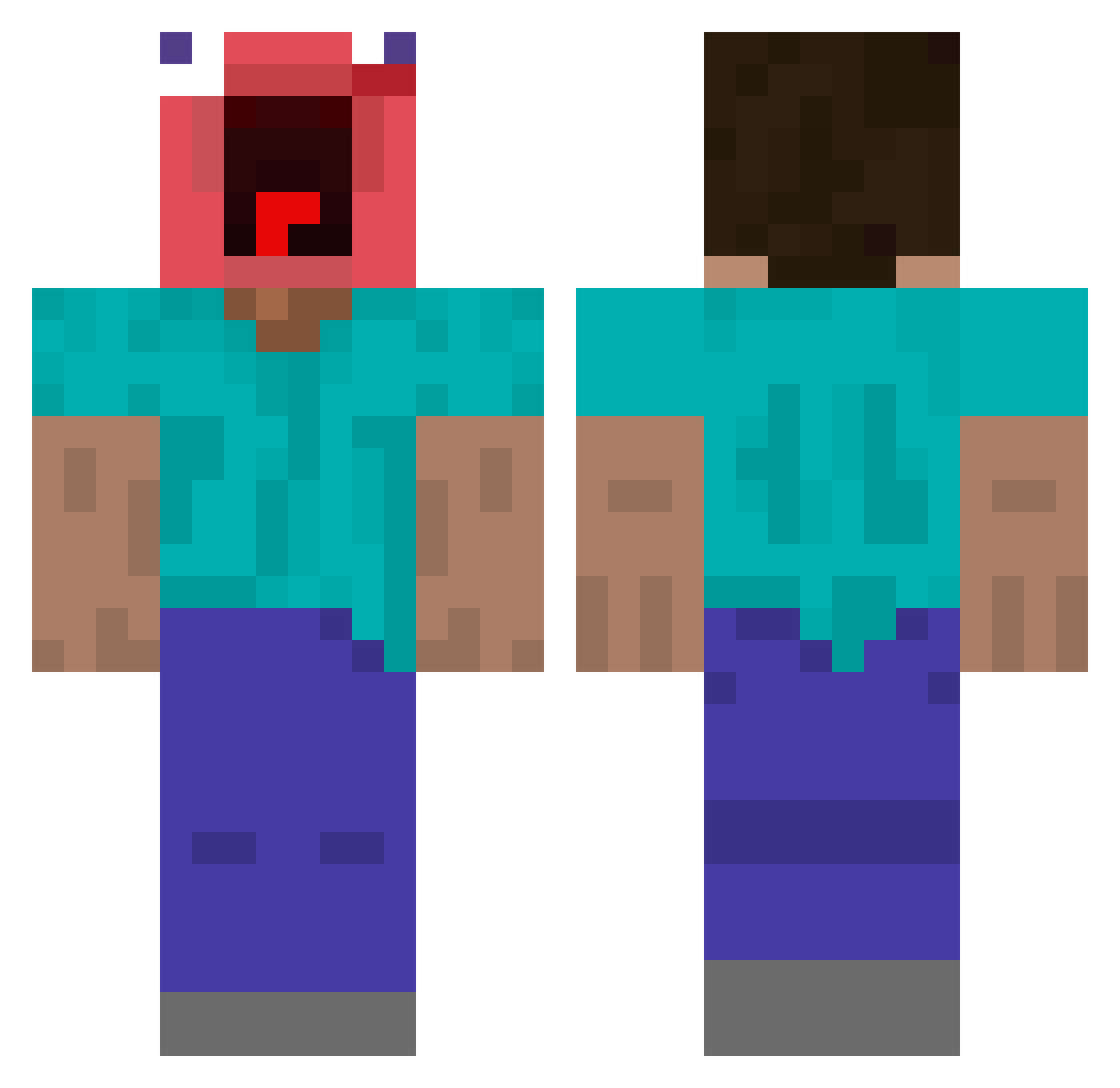
Current Minecraft skin of the player kimyunsung, loaded from the official Mojang API. Rotate the 3D model with your mouse or finger, then download the skin as a PNG file and use it in Minecraft: Bedrock Edition or Java Edition for free. When kimyunsung changes their skin, this page updates automatically and the old skin stays in the history below.
Other players with this skin (363)
kimyunsung was the 154th player we have seen with this skin, first spotted on 02.09.2026. The same skin was seen on these players. Open a nickname to see their current skin and skin history.
 lucabox1 et3mis Rubenspichu MaryamGH Xaltics tukgon Radeq97 Lord_Matthaniel HONG_SI_MINJA guchiiiii jameschek123 Coliseum51 Arthur4545
 6324 siuolleboss479 jib_gago_sipda KazuyaX__ mikeybrahhh rei_himazin_ PASIRRRRRRRRRRRR Lilyqka dkdwa Altxn63 Bradygflagfoot cccp_bumer yunquartz Legendoh saulmartel jaein1019 DapperWolf420 DarKnax31 iceflame1480 ScaleVoxel abc321 planet7942 munarum Djocko_Ruderalis Unsuitablewolfy swedrft4 MJKOR7 Efepunto skuf253 McChuggz DJBrad231
 guapaflex yellow___77 jaydesfeen Dieke_Derm ZIFLY rambler neeeeezo Doggos120 allefx26 Byrevind feng_xi520 aallooee ShadowDragon133 L0ng_schl0ng ramazanisgood Snickerdo0dl3
More Screaming Minecraft skins
How to install the kimyunsung skin
- Press the Download button above to save the skin as a PNG file.
- Minecraft: Bedrock Edition (PE): open the Dressing Room from the main menu (or tap your character → Edit Character), go to Classic Skins → Owned, press the + (new skin) button, choose the downloaded PNG and pick the Classic (Steve) model. Works on PC and mobile; consoles cannot import custom skins.
- Minecraft: Java Edition: open the Minecraft Launcher, go to the Skins tab, click New Skin, load the PNG, pick the Classic (Steve) model and press Save & Use. You can also upload it at minecraft.net → Profile → Change Skin.
The skin does not show up after import - what should I do?
Restart Minecraft and open the Dressing Room again - imported skins sometimes appear only after a restart. Also make sure you selected the imported skin and picked the Classic (Steve) model.
Which model should I choose, Classic or Slim?
This skin is designed for the Classic (Steve) model. If you pick the wrong model, the arms of the skin will look stretched or squeezed.
Is the skin of kimyunsung free to download?
Yes. Press Download, save the PNG file and use it in Minecraft: Bedrock Edition or Java Edition - no payment or registration needed. The skin also works on multiplayer servers and Realms.
More skins
Looking for more? Go back to all Minecraft skins and check the top skins of the week, month and all time, or find any player's skin by nickname.