
kanimine - Minecraft Skins & Skin History
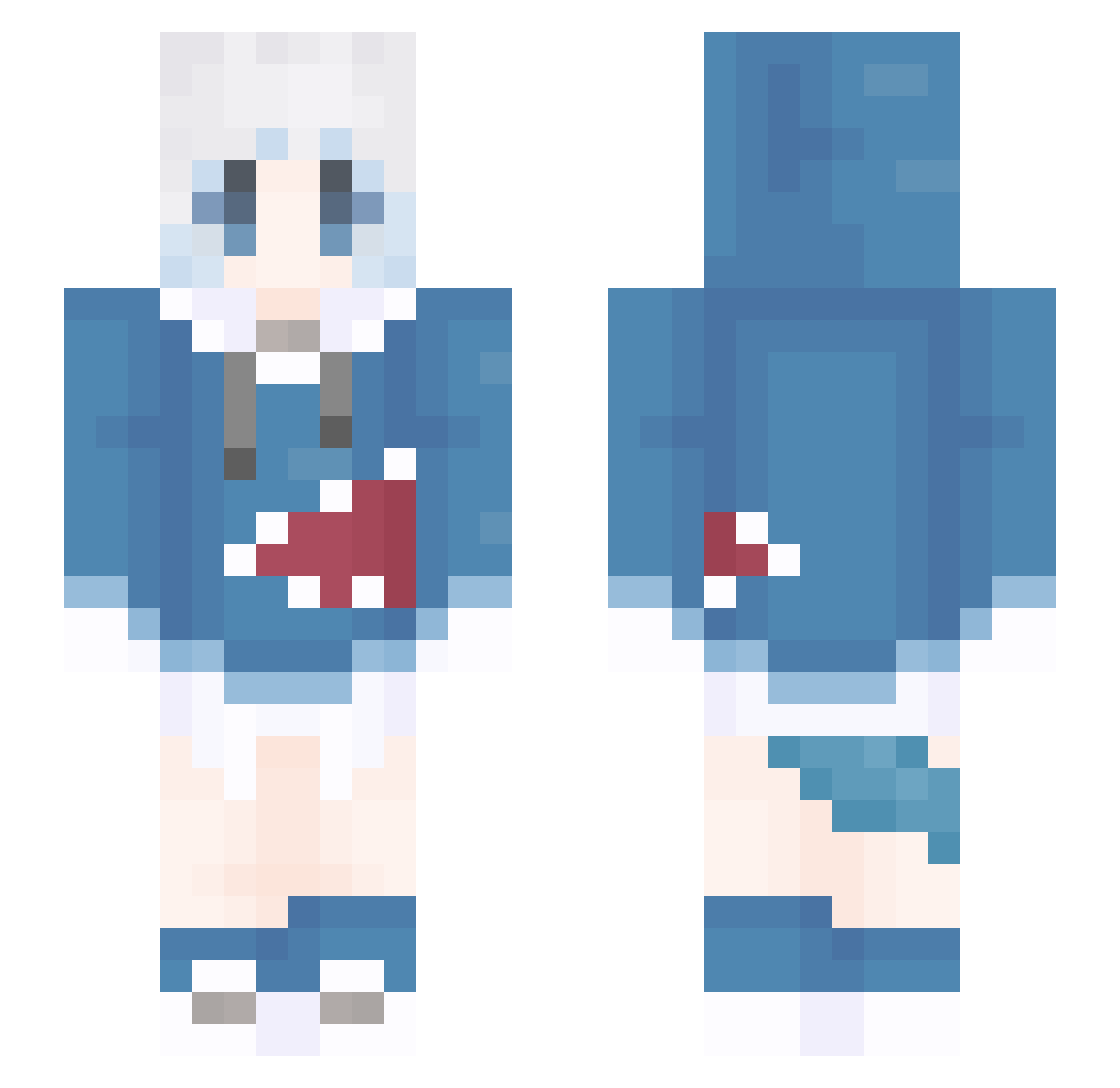
Current Minecraft skin of the player kanimine, loaded from the official Mojang API. Rotate the 3D model with your mouse or finger, then download the skin as a PNG file and use it in Minecraft: Bedrock Edition or Java Edition for free. When kanimine changes their skin, this page updates automatically and the old skin stays in the history below.
Other players with this skin (1310)
kanimine was the 566th player we have seen with this skin, first spotted on 13.09.2026. The same skin was seen on these players. Open a nickname to see their current skin and skin history.
 meng52012 Wercia Travis20050915 Gura8526 Qm01Q Mushy___ xiuyizz Wonniim BAODI27 Nomo17 SLOPESD small_wind_ Blue_Human39 LaoHu01 LeTenL Master_Freedom s_shiro qmoda1111 TSN_CHJ ying12345 Encore_ Sherlock0330 mooccat GLaDOS_AI Baserlan lonynine Yelxn ShanedC gzjj ANDRES34 ST_Lexxus ZMM55 yun1173 wdcd grelat gura0620 biankte hxb788 FELIXBC250 OAMIAUG LightgraycaAT cwj486 NFBN Nathan_MasonNya_ hjyz HuntingRhythm kiaop leocy123 kanhai667 laity854 HaoZhier Knobbed qimou666 szmzc GeburaH6 QWQ0 Kait3083 Kirebosi BanDaZe Mitakaas2
More Gawr Gura Minecraft skins
How to install the kanimine skin
- Press the Download button above to save the skin as a PNG file.
- Minecraft: Bedrock Edition (PE): open the Dressing Room from the main menu (or tap your character → Edit Character), go to Classic Skins → Owned, press the + (new skin) button, choose the downloaded PNG and pick the Slim (Alex) model. Works on PC and mobile; consoles cannot import custom skins.
- Minecraft: Java Edition: open the Minecraft Launcher, go to the Skins tab, click New Skin, load the PNG, pick the Slim (Alex) model and press Save & Use. You can also upload it at minecraft.net → Profile → Change Skin.
The skin does not show up after import - what should I do?
Restart Minecraft and open the Dressing Room again - imported skins sometimes appear only after a restart. Also make sure you selected the imported skin and picked the Slim (Alex) model.
Which model should I choose, Classic or Slim?
This skin is designed for the Slim (Alex) model. If you pick the wrong model, the arms of the skin will look stretched or squeezed.
Is the skin of kanimine free to download?
Yes. Press Download, save the PNG file and use it in Minecraft: Bedrock Edition or Java Edition - no payment or registration needed. The skin also works on multiplayer servers and Realms.
More skins
Looking for more? Go back to all Minecraft skins and check the top skins of the week, month and all time, or find any player's skin by nickname.