
jurrasicpig - Minecraft Skins & Skin History
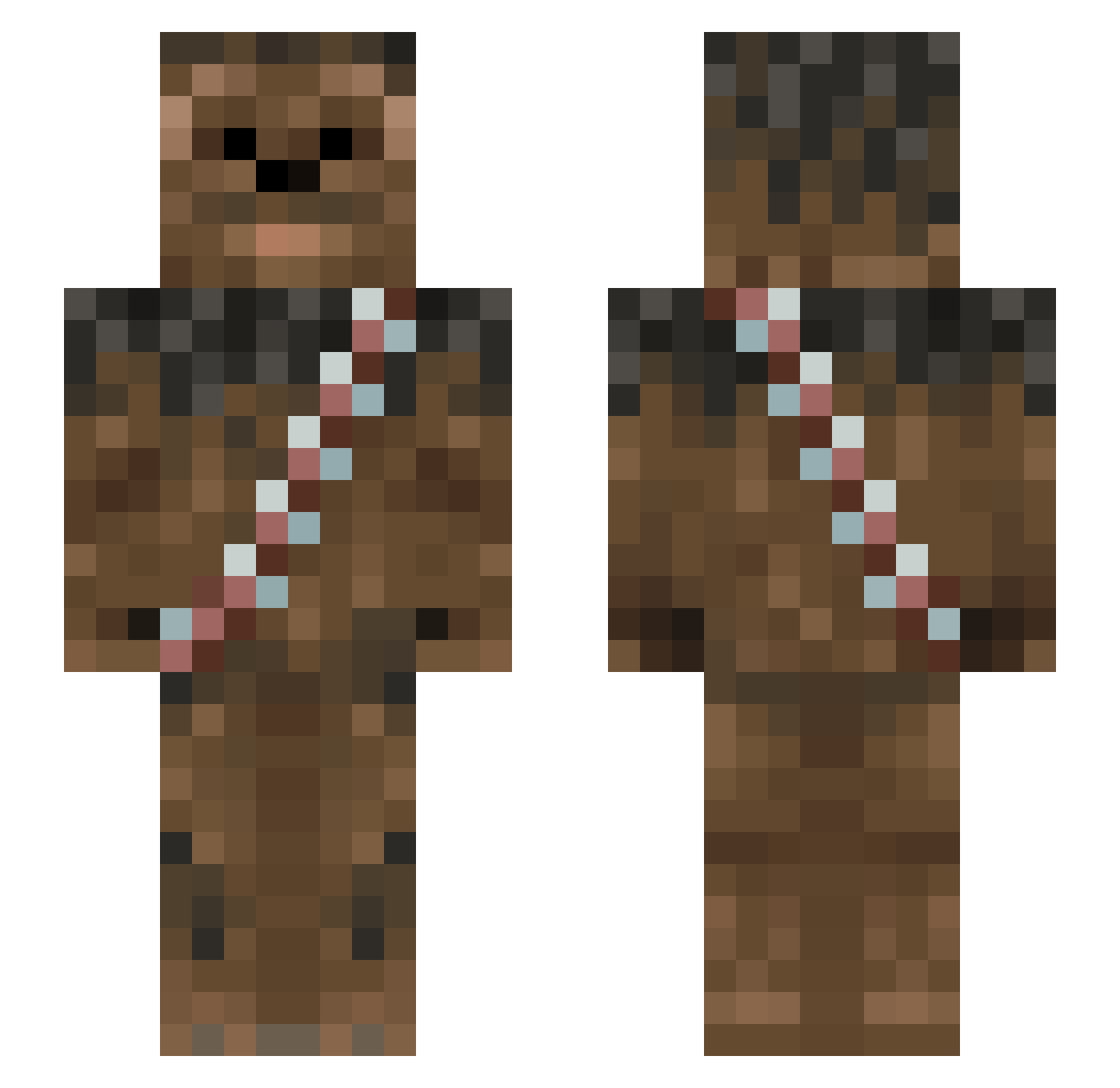
Current Minecraft skin of the player jurrasicpig, loaded from the official Mojang API. Rotate the 3D model with your mouse or finger, then download the skin as a PNG file and use it in Minecraft: Bedrock Edition or Java Edition for free. When jurrasicpig changes their skin, this page updates automatically and the old skin stays in the history below.
Other players with this skin (1013)
jurrasicpig was the 636th player we have seen with this skin, first spotted on 04.10.2026. The same skin was seen on these players. Open a nickname to see their current skin and skin history.
 thomasBnz jraingruber oliviaandryan 007Chewbacca Gasalot iAmUhhDot Bigtiny6181 FeuchtelZoggt CajunChewie MikeyMarshmellow JosephA64 CurleyBear Laaahns TILLxDEATH Dakota042 Alumzen KCLou WQIY PizzaParker42069 DrunkenDM Kevsith61 km020 FluffyFingers Kushius AmSnowy hobaartron tmworth GummyLizard kingtroller16 Maelikk VST_The_King dpfresh12 aaGingersFart xAngrySmurf josh_each BlahAnteater tyler49S Ibonek HaL_99 minerinbc SixFtWookie Cool_Miner_Ben jules491 skunk912 zenzygmafiaboss spanishkilljoy aapelii Quinnipiac MEIRIOS Droogy_ burritoeater1998 tomiotown Luna_007 Alfaulven MaxStab123 Amrun101 Cmdr_Shepard_ Karkos_ Isaac_Akhil Jabba_Wookie
More Wookiee Minecraft skins
How to install the jurrasicpig skin
- Press the Download button above to save the skin as a PNG file.
- Minecraft: Bedrock Edition (PE): open the Dressing Room from the main menu (or tap your character → Edit Character), go to Classic Skins → Owned, press the + (new skin) button, choose the downloaded PNG and pick the Slim (Alex) model. Works on PC and mobile; consoles cannot import custom skins.
- Minecraft: Java Edition: open the Minecraft Launcher, go to the Skins tab, click New Skin, load the PNG, pick the Slim (Alex) model and press Save & Use. You can also upload it at minecraft.net → Profile → Change Skin.
The skin does not show up after import - what should I do?
Restart Minecraft and open the Dressing Room again - imported skins sometimes appear only after a restart. Also make sure you selected the imported skin and picked the Slim (Alex) model.
Which model should I choose, Classic or Slim?
This skin is designed for the Slim (Alex) model. If you pick the wrong model, the arms of the skin will look stretched or squeezed.
Is the skin of jurrasicpig free to download?
Yes. Press Download, save the PNG file and use it in Minecraft: Bedrock Edition or Java Edition - no payment or registration needed. The skin also works on multiplayer servers and Realms.
More skins
Looking for more? Go back to all Minecraft skins and check the top skins of the week, month and all time, or find any player's skin by nickname.